
Key Terms Defined
Text QR Code Generator
An online tool that encodes plain text data directly into a two-dimensional barcode matrix.
Static QR Code
A QR code where raw data is permanently stored in the pixel pattern itself.
Dynamic QR Code
A code that links to a redirect URL, enabling content editing and scan tracking.
Alphanumeric Data
Characters consisting of numbers (0-9), uppercase letters (A-Z), and space or punctuation symbols.
QR Code Density
The visual complexity of the module grid, which grows tighter as character count increases.
Static vs. Dynamic Text QR Codes: A 2026 Comparison
Understanding how data is stored helps you select the correct code format for your campaign.
| Capability | True Static Text QR Code | Dynamic "Text Page" QR CodeEditable |
|---|---|---|
| Data Storage | Embedded directly in pixels | Stored on a cloud server via short URL |
| Internet Required to Read | No (Works 100% offline) | Yes (Requires network connection) |
| Editability | Non-editable (Fixed content) | Fully editable destination text |
| Scan Analytics | Not Available | Comprehensive (Time, Location, OS) |
| Ideal Use Case | Offline notes, serial numbers, Wi-Fi codes | Changing announcements, tracked promos |
Expert Take: True text QR codes excel in offline security environments. Because no external URL is contacted during a scan, they offer zero latency and zero reliance on web servers.
Best Practices for Text QR Codes
Keep your plain text under 300 characters for maximum reliability across older phone models.
Use Level M (15%) or Level Q (25%) error correction. This ensures readability even if the printed surface suffers minor damage or smudges.
When to Use a Text QR Code vs. Other Types
Choose the right QR format based on what you want the smartphone camera to execute.
| Capability | Recommended Type | Why? |
|---|---|---|
| Display offline text, serials, or instructions | Text QR Code | Requires no URL or cellular data connection. |
| Direct users to an e-commerce store or landing page | URL QR Code | Opens a browser natively to display rich web content. |
| Trigger an immediate SMS message to a business | SMS QR Code | Pre-fills the recipient number and pre-written message text. |
| Distribute heavy manuals or menus | PDF QR Code | Displays high-quality formatted document downloads. |
Advanced Techniques: Triggering Phone Actions with Text Prefixes
You can format plain text using system prefixes to initiate native smartphone functions automatically upon scanning:
Initiate a Phone Call (tel:)
Input: tel:+18005550199
Action: Prompts the user's phone app to dial your number immediately.
Pre-fill an SMS Message (smsto:)
Input: smsto:+18005550199:JOIN
Action: Opens the messaging app with the recipient and text body pre-populated.
Draft an Email (mailto:)
Input: mailto:support@example.com?subject=Help
Action: Launches the native email client with the subject line ready to send.
Security & Privacy Considerations for Text QR Codes
Plain text QR codes are inherently secure because they contain raw characters instead of executable web scripts.
Zero Phishing Risk
Unlike URL codes, a pure text code cannot redirect users to malicious or spoofed websites without user consent.
No Data Harvest
Because true static text codes do not ping an external server, no personal user metadata or IP addresses are logged during the scan.
How to Create Your Code with Our Text QR Code Generator
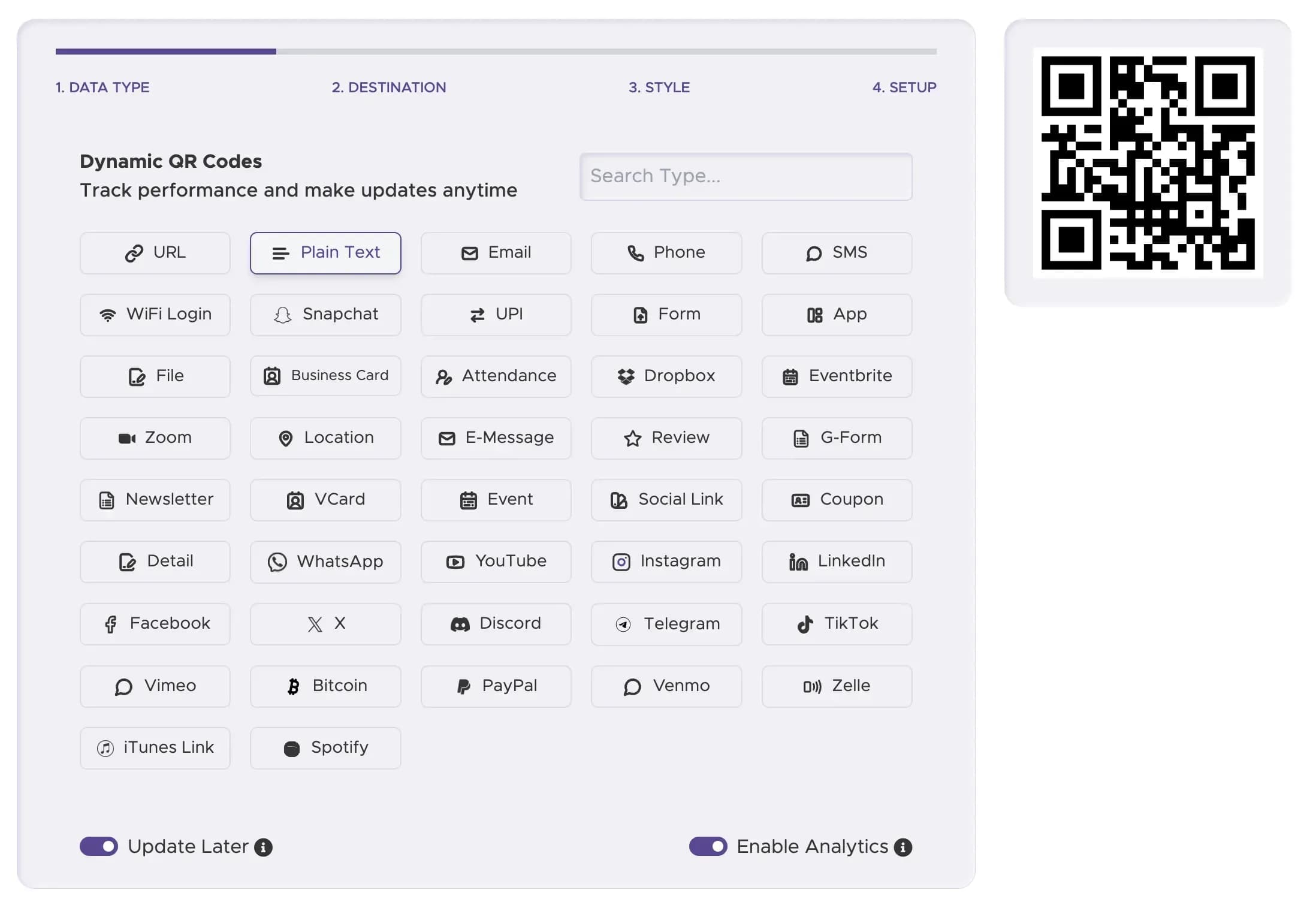
Step 1
Select the "Text" Data Type
Choose the plain text option from our generator interface.
Step 2
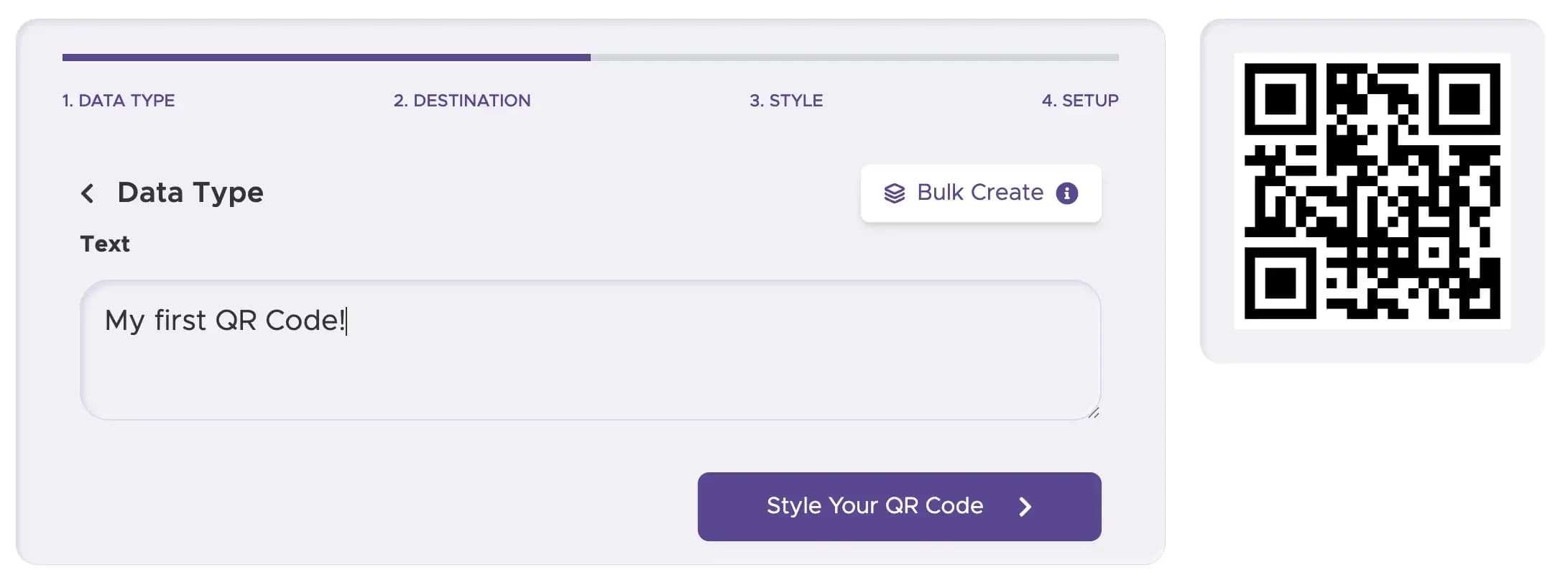
Enter Your Content
Type or paste your message, instructions, or prefix string into the input box.
Step 3
Customize Your Style
Adjust background contrast, pick brand colors, and add an optional logo overlay.

Step 4
Test Your Code
Scan the preview with multiple smartphone cameras in different lighting.

Step 5
Download High-Res Files
Export vector SVG/EPS files for crisp printing or PNG for web usage.

Ready to Share Instant Text Offline?
Create reliable, instant-scanning text codes in seconds.
Exemples d'utilisation des QR codes en texte
1. Promotions de détail
Affichez un code de réduction ou une offre spéciale en magasin. Les clients peuvent scanner le code pour obtenir un code promo qu'ils peuvent utiliser à la caisse, améliorant ainsi l'expérience d'achat.
2. Informations sur les produits
Attachez un QR code en texte à l'emballage du produit pour fournir des instructions, des avertissements de sécurité ou d'autres détails essentiels.
3. Informations sur les événements
Fournissez les détails de l'événement comme les dates, les heures et les lieux sur les billets ou les affiches. Un participant peut scanner le code et avoir les informations sur son appareil instantanément.
4. Éducation
Partagez des notes rapides, des conseils d'étude ou des instructions avec les élèves. Cela rend l'apprentissage plus interactif et accessible sans nécessiter de connexion Internet.
Bonnes pratiques de déploiement physique
Positionnez le QR code là où il est facilement accessible et susceptible d'être scanné par votre public cible.
Utilisez un contraste élevé entre le QR code et l'arrière-plan (par exemple, une couleur foncée sur un fond clair) pour vous assurer qu'il peut être facilement scanné.
Testez toujours votre QR code sur plusieurs appareils et dans différentes conditions d'éclairage pour éviter les problèmes potentiels.