
Key Terms Defined
Facebook QR Code Generator
A web tool that converts Facebook URLs into scannable QR code images.
Static QR Code
A fixed code storing a permanent URL that cannot be changed after creation.
Dynamic QR Code
A flexible code redirecting through a short URL, allowing link editing and real-time scan analytics.
Vector Format
Scalable graphic files (SVG, EPS) that maintain high print resolution at any size.
Raster Format
Pixel-based graphic files (PNG, JPG) best suited for digital screens and small prints.
Dynamic vs. Static Facebook QR Codes: Which to Choose in 2026?
Selecting the right code type impacts your print budget and long-term marketing ROI.
| Capability | Static Facebook QR Code | Dynamic Facebook QR CodeRecommended |
|---|---|---|
| Editable Destination | No. The link is permanent. | Yes. Update the link anytime without reprinting. |
| Scan Analytics | Not Available | Comprehensive (Scans, Location, Time, Device) |
| URL Lifespan | Permanent | Unlimited (With active plan) |
| Ideal Use Case | Personal profiles, one-time prints | Ad campaigns, retail packaging, business cards |
| Typical Cost | 100% Free | Premium Features |
Pro Tip: Dynamic codes protect your print investment. If your Facebook vanity URL changes, simply update the target URL in your dashboard.
Facebook QR Code Generator: Free vs. Paid Plans
Understand what features are included before starting your campaign.
| Capability | Free Plan | Paid Premium PlanRecommended |
|---|---|---|
| Code Type | Static Codes | Dynamic & Static Codes |
| Custom Colors | Basic Color Selection | Full Palette & Gradient Customization |
| Logo Integration | Standard Icons | Custom Logo & Facebook Icon Uploads |
| Custom Frames & CTAs | Standard Frames | Advanced Custom Frames with CTAs |
| Analytics & Reporting | None | Real-Time Metrics & CSV Exports |
| File Formats | PNG, JPG | PNG, JPG, SVG, EPS, PDF |
From Our Experts: 5 Advanced Facebook QR Code Strategies for 2026
Direct Messenger Opt-Ins
Link your code to https://m.me/yourpage. Customers scan to initiate a direct support or sales chat on Messenger.
Exclusive Facebook Group Access
Place codes on product packaging. Customers scan to join a private VIP community for tutorials and support.
Instant Facebook Reviews
Direct the code to your review tab. Ask happy in-store customers to leave feedback before walking out.
Event Banner Contest Entry
Display large QR codes at event booths. Link directly to a specific Facebook post to collect contest entries.
Click-to-Coupon Campaigns
Place codes on restaurant table tents. Scanning opens a pinned Facebook post containing an exclusive promo code.
Unlock Actionable Insights with QR Code Analytics
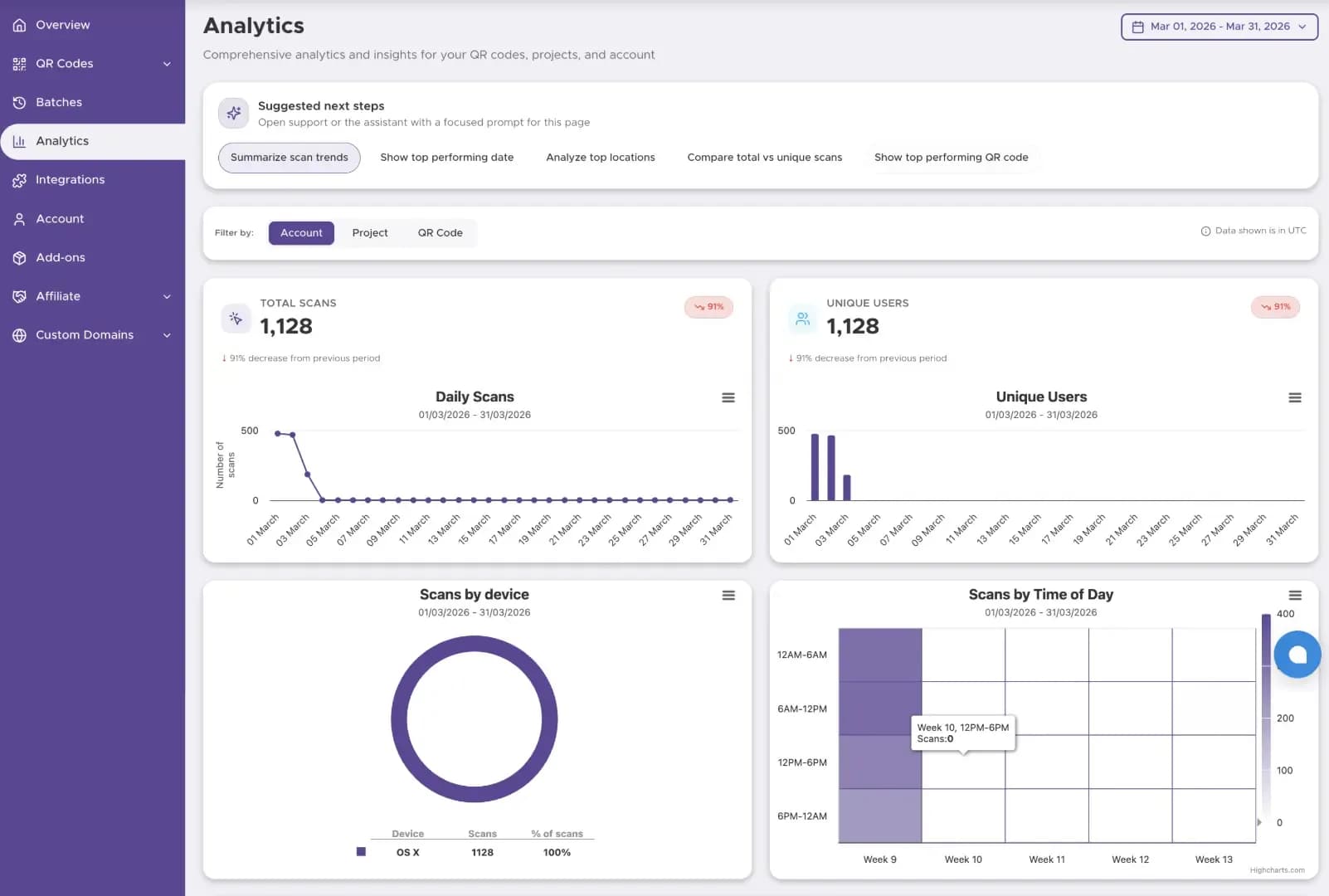
Dynamic QR codes transform passive print campaigns into trackable digital assets. Metrics you can track:
Total & Unique Scans
Measure overall audience reach and repeat engagement.
Location Tracking
Discover top-performing cities and countries.
Time & Date Stamps
Identify peak hours to optimize campaign timing.
Device & OS Data
Determine whether your audience uses iOS or Android.
Case Study: How a Retail Chain Boosted Facebook Engagement by 35%
A local retail brand placed dynamic Facebook QR codes on receipt inserts. By tracking scan data, they discovered 70% of scans occurred on weekend afternoons. They adjusted their Facebook posting schedule to match peak scan times, increasing page likes by 35% in 60 days.
How Our Facebook QR Code Generator Works
Creating your custom code takes less than a minute.
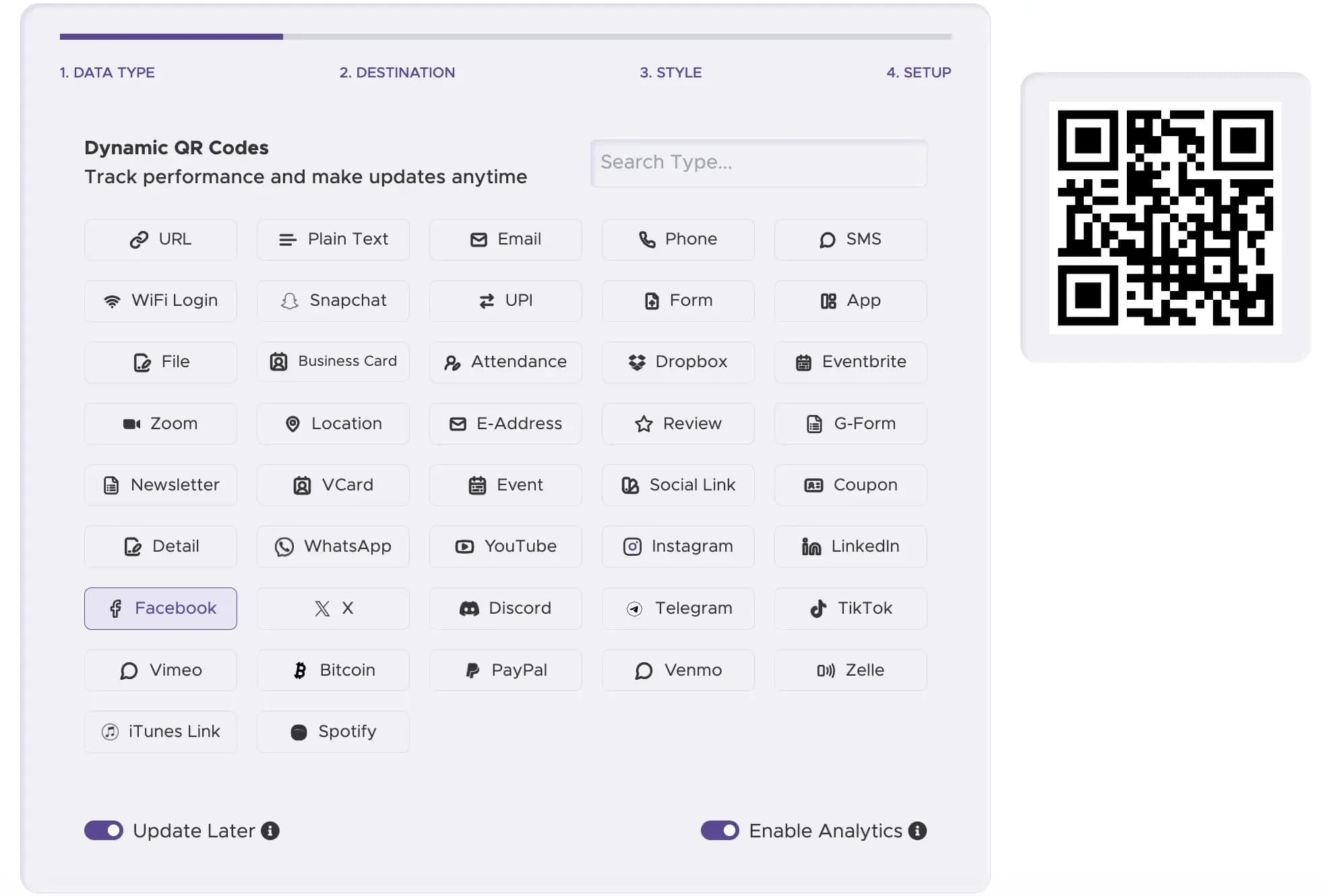
Step 1
Select Facebook Type
Choose whether you are linking to a page, group, event, post, or Messenger.
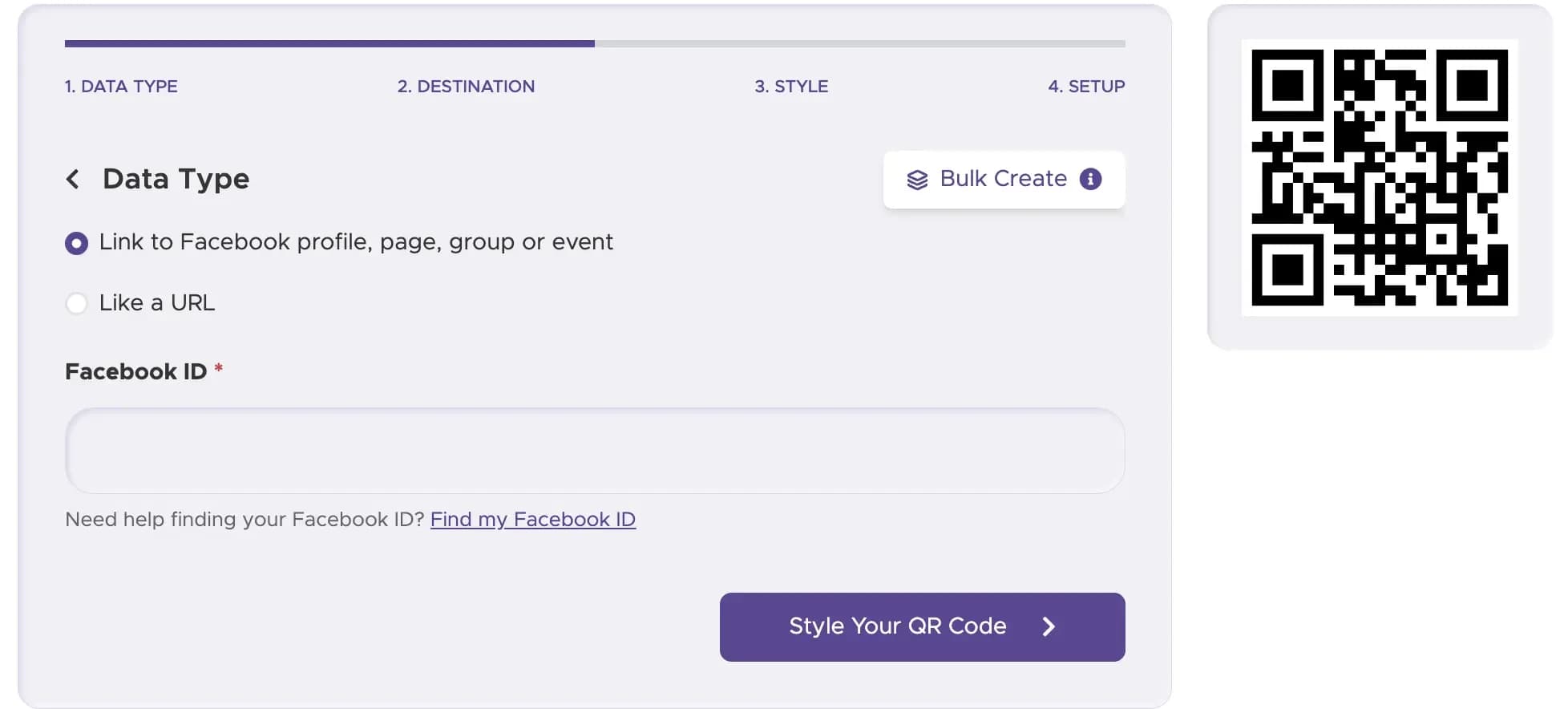
Step 2
Enter Your URL
Paste your full Facebook web address into the field.
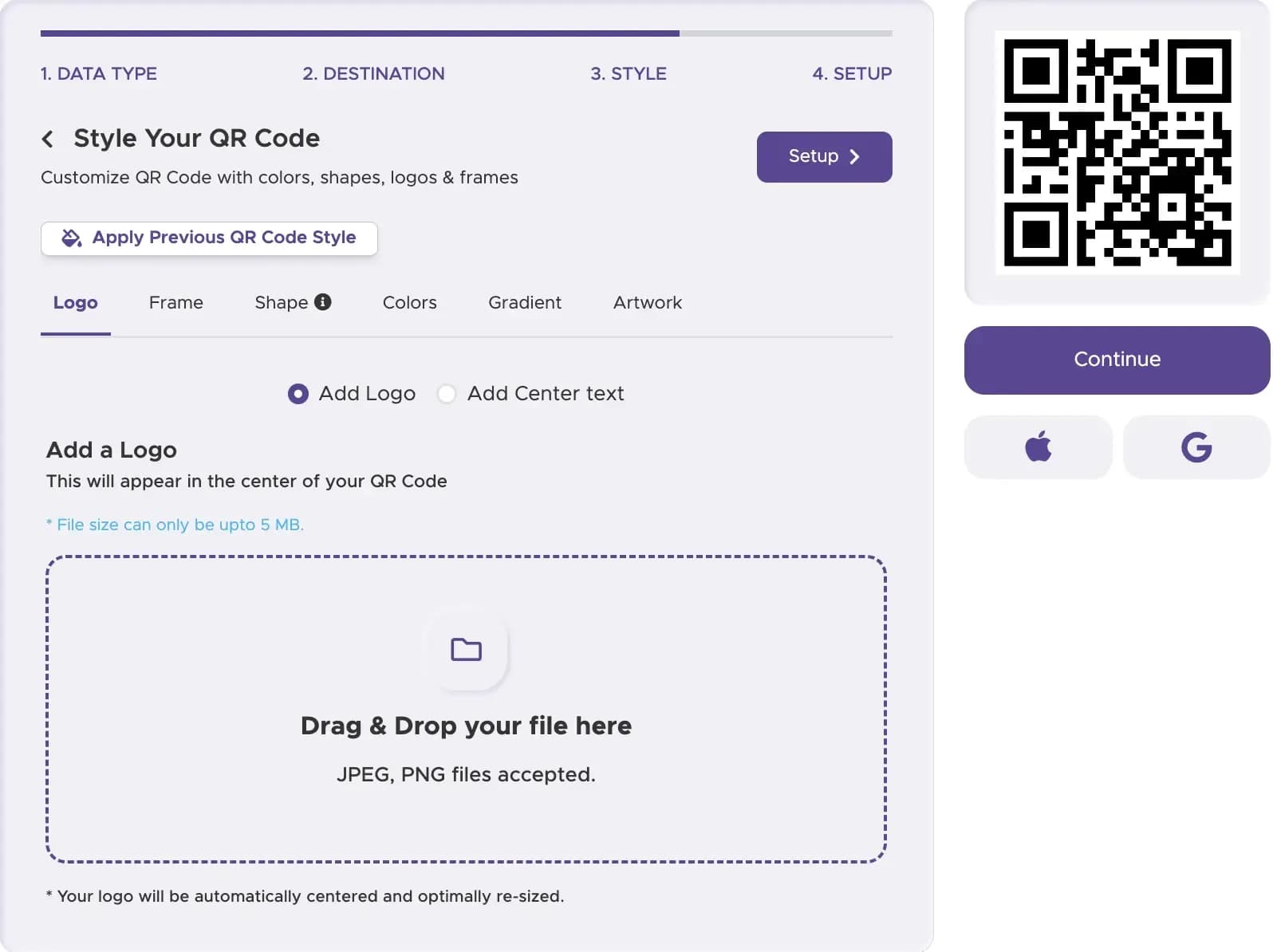
Step 3
Customize Your Branding
Add custom brand colors, modify pattern shapes, and insert the official Facebook logo.
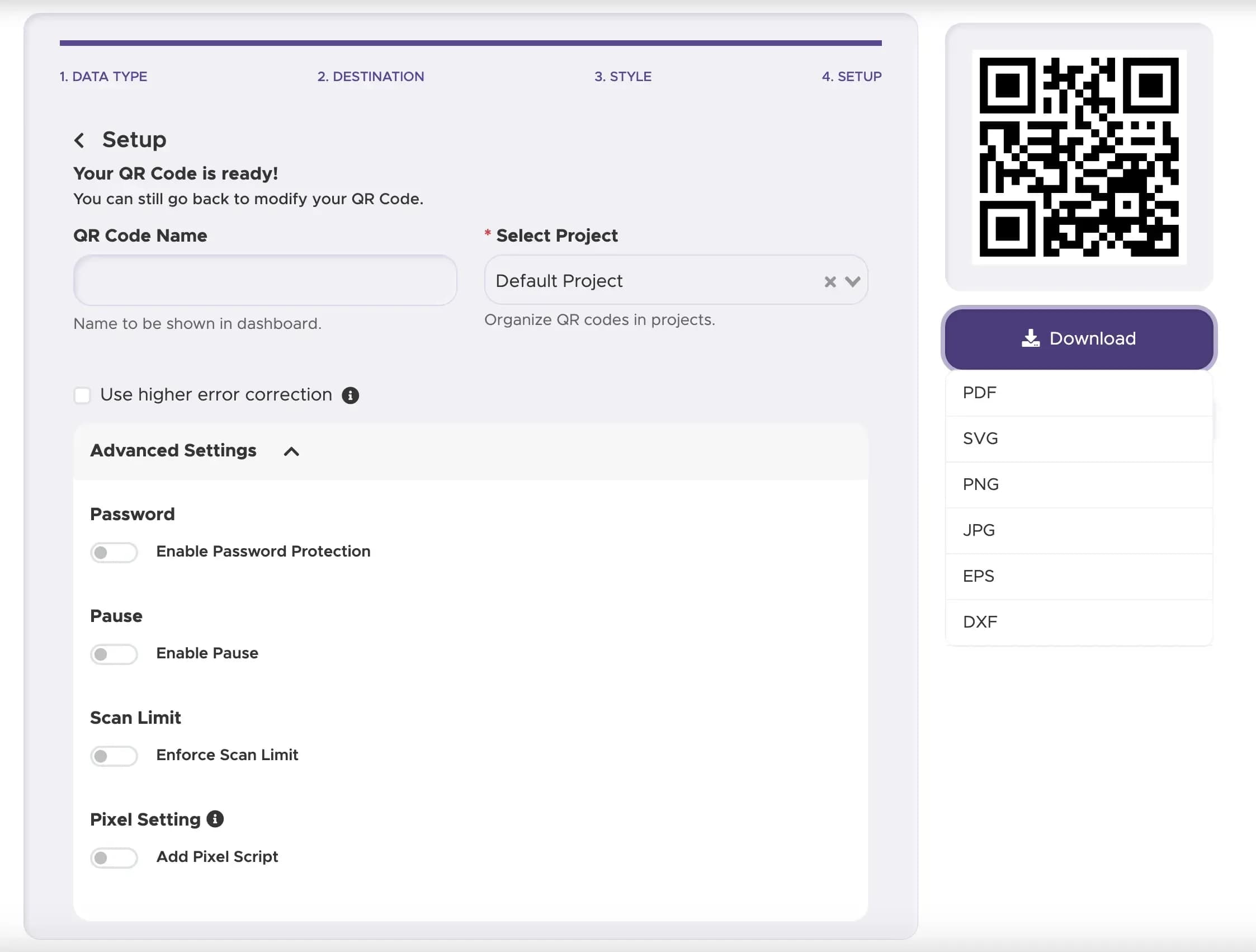
Step 4
Choose Static or Dynamic
Select Dynamic for live link editing and real-time scan analytics.
Step 5
Download High-Res Files
Export in SVG or EPS for professional print, or PNG for web usage.
Best Practices for Facebook QR Codes
Never print smaller than 1x1 inch (2.5x2.5 cm). Always use SVG or EPS formats for billboards, banners, and poster printing to prevent pixelation.
Keep the foreground pattern significantly darker than the background color. Maintain a clear margin of at least 4mm around the QR code pattern.
Frame your code with clear text like "Scan to Like Us on Facebook" or "Scan for Exclusive Deals". Place physical codes where users can easily reach them with their smartphone camera.
Ready to Grow Your Facebook Community?
Turn physical foot traffic into active Facebook followers today.