
Key Terms Defined
PDF QR Code Generator
A cloud software tool that converts downloadable PDF files into scannable dynamic QR codes.
Static QR Code
A fixed code that embeds a direct, unchangeable web link to a document.
Dynamic QR Code
A code linking through a short URL that allows live file replacement and tracks scan analytics.
Vector Format (SVG/EPS)
Scalable resolution-independent file formats used for crystal-clear commercial printing.
Raster Format (PNG/JPG)
Pixel-based graphic formats optimized for web pages, social media, and digital displays.
Static vs. Dynamic PDF QR Codes: A Detailed Comparison for 2026
Choosing the correct code architecture affects long-term flexibility, budget management, and user interaction metrics.
| Capability | Static PDF QR Code | Dynamic PDF QR CodeRecommended |
|---|---|---|
| Editability of Linked PDF | Non-editable (Requires re-printing if PDF changes) | 100% Editable (Swap PDF anytime without changing code) |
| Scan Analytics & ROI | Not Available | Real-Time Metrics (Scan count, location, OS, time) |
| Password Protection | Not Supported | Supported (Enforce PINs for private files) |
| File Hosting Location | External URL required | Managed Cloud Hosting Included |
| Upfront Cost | 100% Free | Included with Premium Accounts |
| Best Use Case | One-time event handouts, permanent archival files | Menus, real estate flyers, product manuals, catalogs |
Expert Take: Over 85% of commercial print failures occur because linked URLs change post-printing. Utilizing Dynamic PDF QR codes completely eliminates re-printing costs by allowing real-time file updates behind the same printed code.
Free vs. Paid PDF QR Code Generator Features: What to Expect in 2026
Understand feature boundaries to manage your team’s campaign expectations effectively.
| Capability | Free Plan | Paid Premium PlanRecommended |
|---|---|---|
| Code Type | Static Codes Only | Dynamic & Static Codes |
| File Size Limit | Up to 5 MB per file | Up to 20 MB per file |
| Ad-Free Viewer | No (Contains basic ads) | 100% Ad-Free Clean Viewing |
| Custom Branding & Logos | Basic Color Selection | Full Custom Colors, Frames & Logo Uploads |
| Vector Exports (SVG/EPS) | Not Included | Full Vector Downloads Included |
| Bulk File Generation | Single Codes Only | Automated CSV Batch Uploads |
How Our PDF QR Code Generator Works
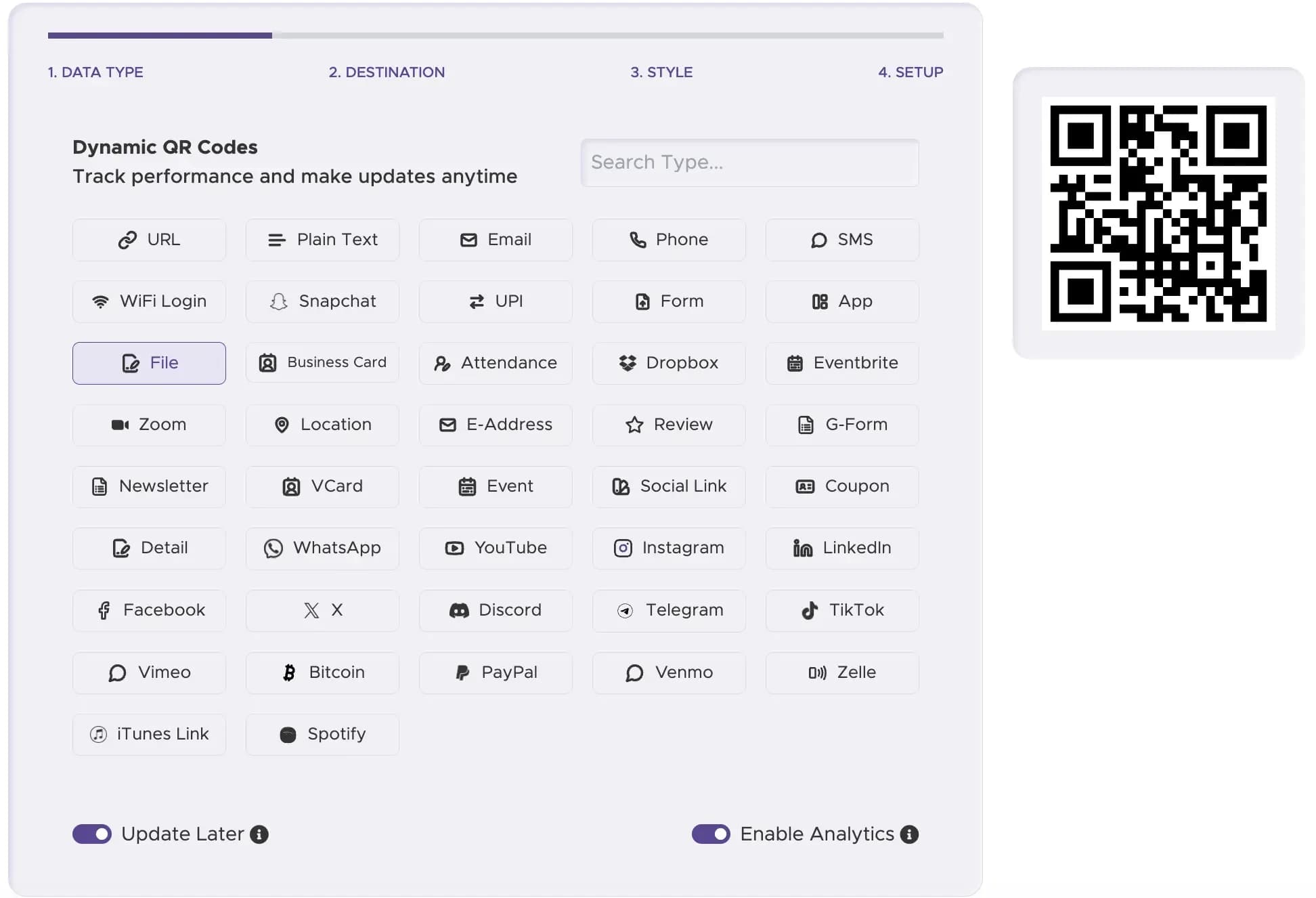
Step 1
Select the "PDF" Option
Pick the PDF document category inside our generator dashboard.
Step 2
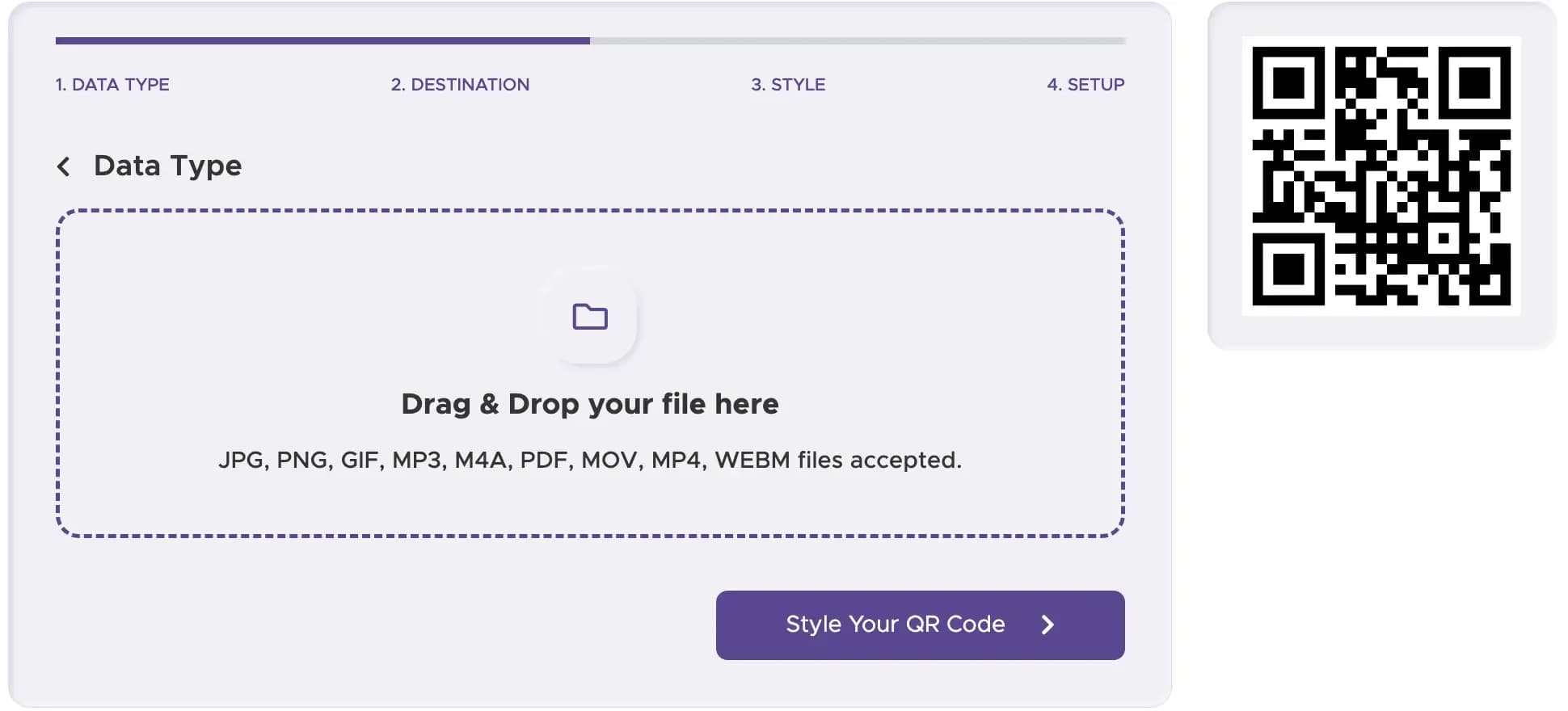
Upload Your File
Select your PDF from your device (up to 20 MB for Premium accounts).
Step 3
Advanced Customization
Add your brand logo, adjust eye shape patterns, and apply custom brand colors.

Step 4
Select Static or Dynamic
Pick Dynamic for real-time file updating, analytics, and password controls.

Step 5
Download Print Formats
Export print-ready SVG/EPS files or digital PNG graphics instantly.

Case Study: How a Local Restaurant Boosted Orders with a PDF QR Code Menu
The Problem: A high-end bistro spent $1,200 quarterly reprinting physical menus due to weekly seasonal updates.
The Solution: They placed dynamic PDF QR code acrylic stands on all 40 dining tables.
- $4,800 Annual Savings: Menu printing costs dropped to zero.
- Instant Updates: Kitchen staff updated wine lists in under 30 seconds via the dashboard.
- +18% Upsell Rate: High-resolution PDF images increased dessert order rates significantly.
PDF File Specifications: Size Limits & Optimization Guide
Maximum File Size
5 MB for Free tiers; up to 20 MB for Premium subscribers.
Compress Images First
Compress high-res PDF images to 150 DPI for mobile screen viewing.
Fast Web View
Export PDFs using the "Optimize for Web" or "Linearized PDF" setting in Adobe Acrobat.
Mobile Typography
Ensure minimum font sizes of 10pt for effortless reading on small smartphone screens.
Key Security Features for Your PDF QR Code
Protecting intellectual property, client invoices, and internal training materials is essential for enterprise deployments.
Password Protection
Assign a custom passcode to your dynamic PDF code. Scanners must input the PIN to access the document.
End-to-End Encryption
Uploaded PDFs are stored in encrypted cloud buckets compliant with SOC 2 data standards.
Expiring Access Links
Set scheduled deactivation dates for seasonal promotions or time-sensitive bids.
Advanced Customization & Print Best Practices
Essential for commercial printing on billboards, posters, brochures, and packaging. Scales infinitely without blur.
Perfect for email signatures, social media posts, and digital screen presentations.
Never print smaller than 1.2 x 1.2 inches (3 x 3 cm) for standard PDF codes.
Keep code modules dark (preferably black or dark navy) over a solid white background.
For Enterprise: Bulk Generation of PDF QR Codes
Managing hundreds of technical manuals or employee handbooks? Our platform supports Bulk PDF QR Code Generation.
Batch Linking
Generate hundreds of unique document QR codes via automated CSV uploads.
Centralized Asset Management
Update multiple document links across different departments from one unified dashboard.
Enterprise API
Integrate our generation engine directly into your automated publishing workflow.
Ready to Digitize Your Printed Documents?
Convert physical paper materials into instant mobile PDF downloads in seconds.