Integrate QRStuff
into your Workflows
Boost efficiency, keep everything connected, and establish a holistic system for seamless operations.

Empower your Workflows
Integrate QRStuff. Simplify Tasks. Boost Efficiency.

Seamless Connections
Bridge the gap between physical and digital for smooth workflows.

Holistic System
Enhance your workflows with a more cohesive solution.

Productivity First
Eliminate the need for switching between apps.
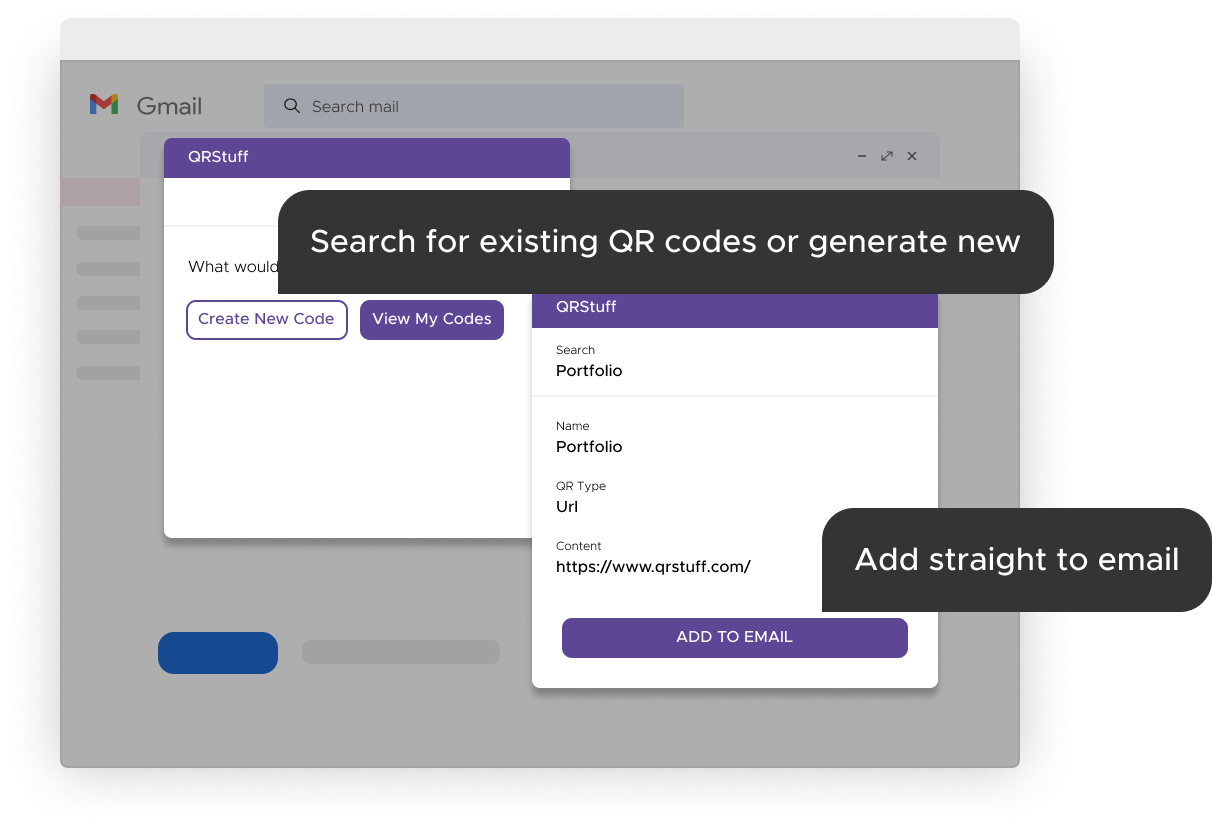
Instant QR Code Access
Easily access your QR codes directly within the app, streamlining integration of QR codes into communications with customers and stakeholders.
 Learn more
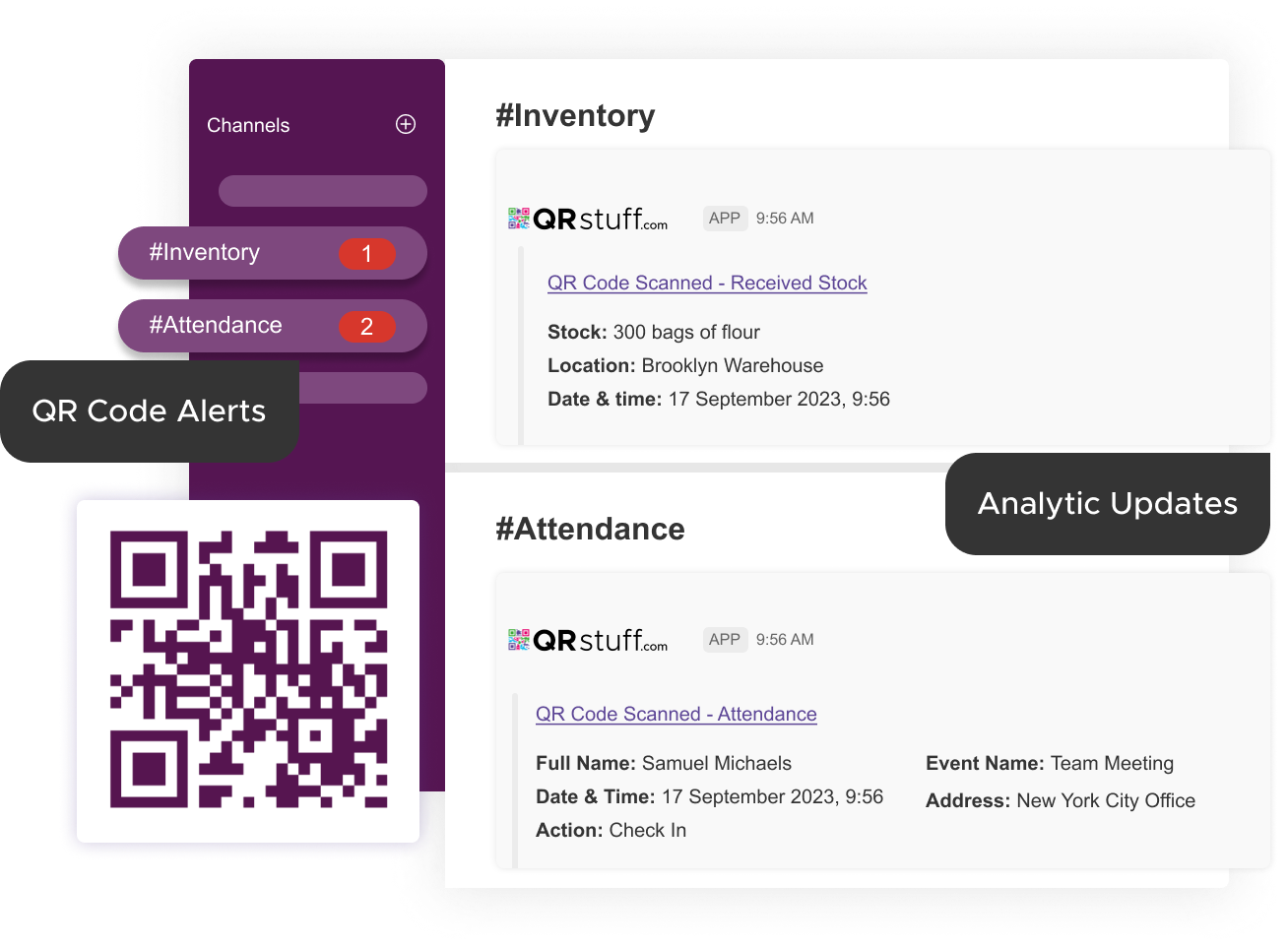
Real-time QR Code Insights
Receive tailored QR scan notifications and effortlessly track analytics. Boost efficiency, keep your team in the loop, and promote proactive decision-making.
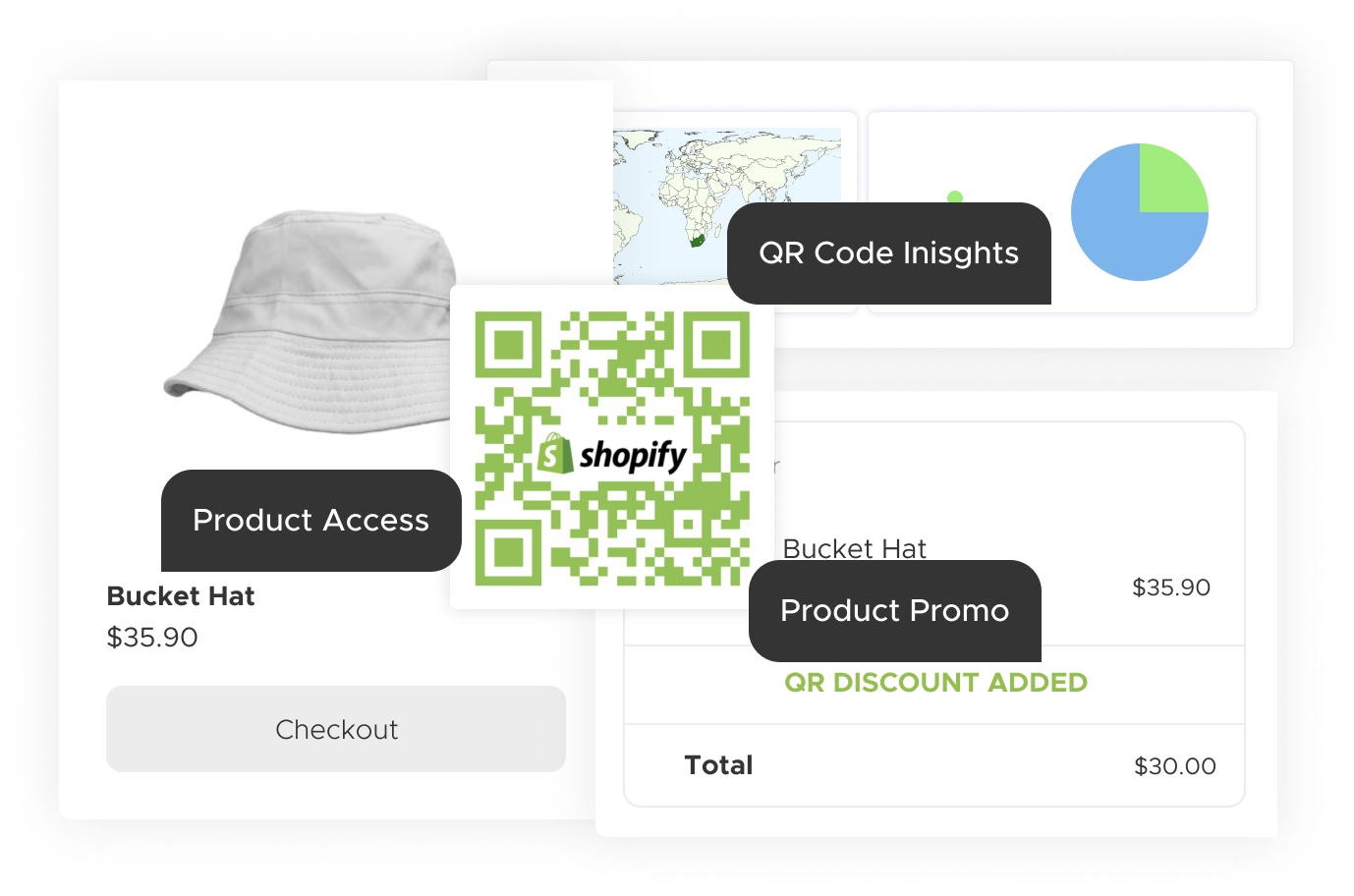
Boost Sales with QR Codes
Elevate the shopping journey and convert scans to sales. Effortlessly merge offline and online retail, provide promotions, and gather critical customer insights.
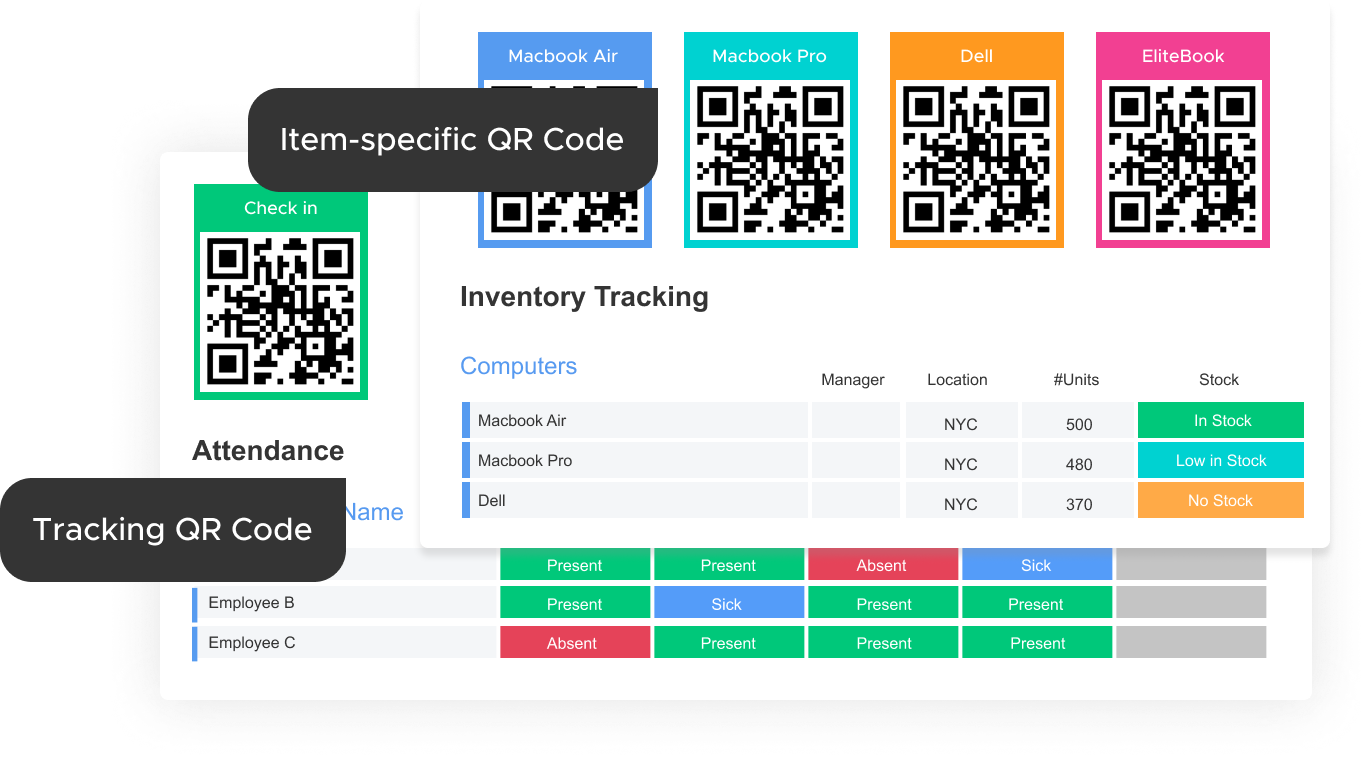
Streamline Operations
Link offline events to your monday.com boards using QR codes for inventory, attendance, and more.

Integrate & Automate
Embed powerful features directly into your platform. The API unlocks real-time automation, scalable functionality, and seamless data exchange, allowing your systems to communicate and extend their capabilities without manual effort.
Add-ons
Generate QR codes directly in Google Workspace and Microsoft 365 — without leaving your spreadsheet or inbox.
Google Workspace QR Code Generator Add-on
Create, insert, and track QR codes in Google Sheets, Gmail, and Google Drive. Bulk-generate codes from spreadsheet data, add them to emails, and manage everything from your QRStuff account.

Microsoft 365 QR Code Generator Add-on
Create, insert, and track QR codes in Excel and Outlook. Bulk-generate codes from spreadsheet data, add them to email campaigns, and manage everything from your QRStuff account.
Make your Apps better
Integrate QRStuff into your workflows





Getting the Most from Your QR Codes: Printing & Best Practices
Once you have generated your custom QR code, the final step is ensuring it works perfectly in the physical world. To download your code, simply navigate to your dashboard and select your preferred file type. We recommend SVG or EPS formats for professional printing, as these vector files can be scaled to any size without losing clarity. For digital use or small-scale office printing, a high-quality PNG is usually sufficient.
Resolution & Format
Always use high-resolution files (300 DPI minimum for raster images like PNG). Vector formats (SVG/EPS) are best for large-scale items like banners or signage to prevent pixelation.
Contrast & Color
Maintain high contrast between the QR code and the background. A dark code on a light background is the gold standard. Avoid inverted colors (light code on dark background), as many older scanners struggle to read them.
Size & Placement
Ensure the code is at least 2cm x 2cm (0.8" x 0.8") for simple URLs. Place your codes on flat, non-reflective surfaces at eye level, avoiding folds, seams, or corners that could distort the pattern.
The Quiet Zone
Never crop the white border (the "Quiet Zone") surrounding your QR code. This border is essential for the scanner to distinguish the code from its surroundings.
Partner With Us: Share the Quality, Earn the Rewards
Do you work with clients who need reliable, professional QR code solutions? By sharing these best practices and recommending QRStuff, you can turn your expertise into a recurring revenue stream.
- 25% Recurring Commission
- Lifetime Referral Earnings
- 90-Day Cookie Duration




 English (US)
 Spanish (ES)
 French (FR)