Holiday 2024 Holiday 2024
Loading QR code generator…

Free QR Code Generator: Create Custom QR Codes with Logo, Color & Analytics

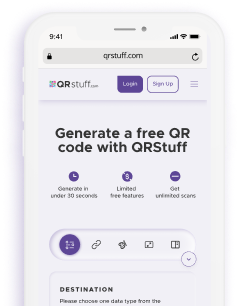
How to Create a QR Code with QRStuff?

It only takes 4 steps to create a QR code with our online generator, making it one of the fastest and easiest to use.

  • Step 1: Select the type of QR code you want to create
  • Step 2: Add the information on the type of QR code you want to generate
  • Step 3: Personalize your QR Code
  • Step 4: Download and share your QR code

Trusted by Leading Brands Worldwide

Major companies are using QRStuff's QR code generator to facilitate their operations, gaining time and productivity in their processes. Discover how our tool helps them connect, share and grow their business.

What QRStuff customers are saying

QR Code Frequently Asked Questions

It takes only 4 steps to create a QR code by using QRStuff online QR code generator:

  • Select the type of QR code you want to generate
  • Add the details on the type of QR codes
  • Personalize your QR code: add colors, a logo or even change its shape
  • Download and share your QR code

Absolutely! Choose colors, add a logo, and adjust output formats for a personalized look.

No, QRStuff allows you to create QR codes without having to sign up. However, creating an account helps you unlock advanced features such as customization.

Yes. QRStuff has a dashboard solution allowing you to track the performance of your QR code such as scan count, location of scans or even device types.

QRStuff allows you to create all types of QR codes, such as QR codes for PDFs, for text, and even for marketing, events or retailers.

No, our static QR codes never expire. They are free forever and will work as long as your link is active. However, if you choose Dynamic QR Codes, these require an active subscription because they allow you to edit the destination URL and track scans.

Yes, if you use a Dynamic QR Code. Dynamic codes allow you to update the target URL, PDF, or landing page instantly without re-printing the QR code image. Static codes cannot be edited once created.

We recommend vector formats like SVG, EPS, or PDF for professional printing. Unlike PNG or JPG images, vector formats can be resized to any scale (from a business card to a billboard) without losing quality or becoming blurry.

No. QRStuff offers unlimited scans on all Static QR codes. You can use them for commercial purposes, marketing campaigns, or operations without worrying about scan caps or bandwidth limits.

We prioritize privacy. For Static codes, we do not track scan data or store user information. For Dynamic codes, we provide anonymized scan analytics (location, device type, time) strictly for your performance tracking. We are GDPR and CCPA compliant.

Yes. We support over 25 data types. You can create a WiFi QR code to let guests join a network instantly without typing passwords, or a vCard QR to share contact details directly to a phone's address book.