

You may be wondering how to find your Facebook page ID in order to create a “Link to Facebook Page” data type. Here are the steps:
- Log into Facebook.
- From your News Feed, click Pages on the left side menu.

- Click your Page name. This takes you to your page.
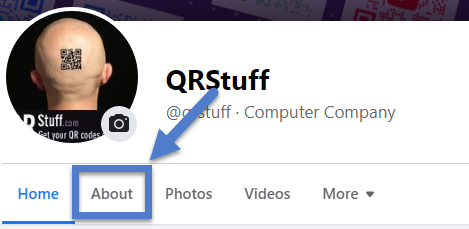
- Click About at the top of your Page. It should be right under your profile picture. If you don’t see it, click More.
- Scroll down to find your Page ID below MORE INFO.
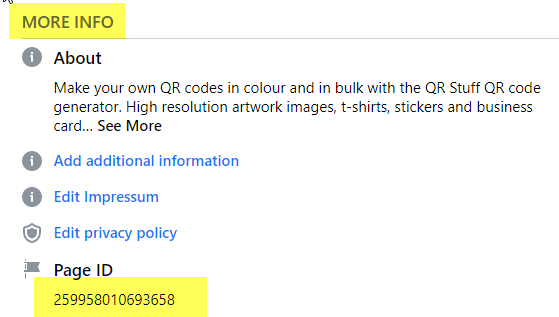
- Copy and Paste the Page ID to use in your QR code.