
What is a trackable QR code?
Print once, then read the results code by code.
A trackable code gives every printed piece its own scan count, so you can tell the flyer that earned attention from the one nobody scanned, and a busy station poster from a quiet one outside the gym.
The setup differs by medium, so see QR codes on posters and QR codes on flyers. The analytics QR code generator page covers the reporting feature on its own.
Do I need a dynamic QR code to track scans?
Yes. Choose dynamic when you create the code, before anything is printed, because a printed static code cannot be switched later. The two behave differently when someone scans:
The phone goes straight to your content, so nothing passes through QRStuff and nothing is logged. That suits a plain link or a line of text that will never change.
The phone passes through a short QRStuff link on its way to your page. That is where the scan is counted, and where you can point the code at a different page later.
How do I create and style a trackable QR code?
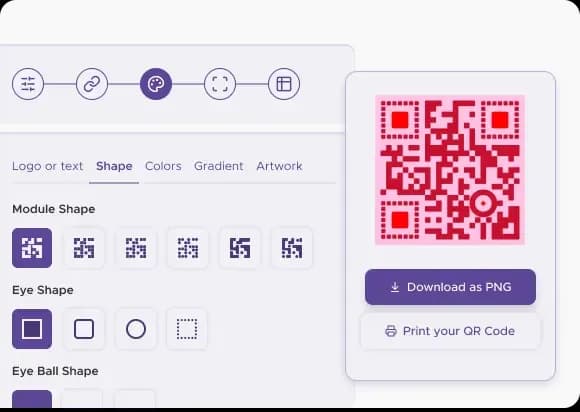
Pick a data type, add your link and make it a dynamic code so it can be tracked. Styling is a Full Suite and Enterprise feature: colors, corner and square shapes, gradients, frames and a center logo. Free Suite and Lite Suite codes stay black and white. Then download the file for print or for a screen.
How do I track scans for each printed piece?
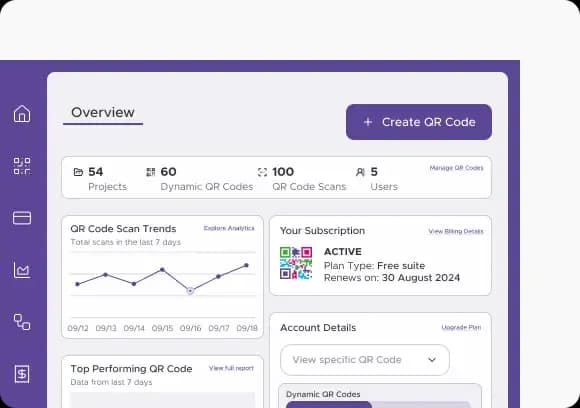
To track scans, make one dynamic code for each printed piece, print it, and open that code's report in your dashboard. Read the total first, then the date chart: a jump on one day usually matches the day a piece went out. Give each piece a few days before you judge it, then open the next code and compare. For the full picture, see the dynamic QR code page. For campaign ideas, see QR codes for marketing.
What data can I see about each scan?
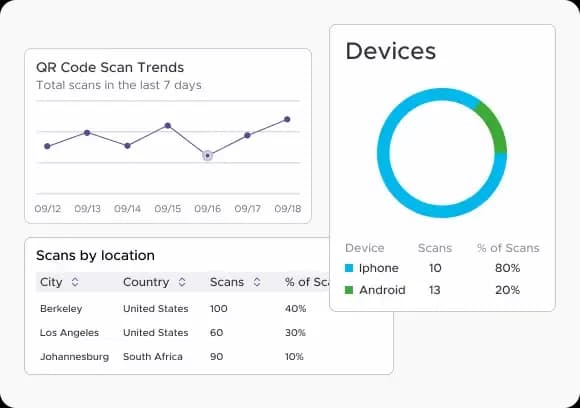
From Lite Suite, each code's report shows total scans, scans over time, the country (and the state, for US scans), the phone operating system and the time of day in four parts. Unique scans, the city and every region need Full Suite or Enterprise.
The UTM builder, a plan feature, adds source, medium, content and campaign tags to a URL dynamic code. Google Analytics 4 then attributes the visit, provided the destination page runs it.
What size should a trackable QR code be?
Scan distance sets the size, and a rule of thumb is to divide it by ten. A code on a bus shelter read from 3 m (10 ft) needs to be about 30 cm (12 in) wide. A flyer held at arm's length, about 40 cm (16 in) away, needs 4 cm (1.6 in) or more, and only a card held close can go down to 2 cm (0.8 in).
Vector files (SVG, EPS or PDF) suit a banner because they stay sharp at any size. Full Suite and Enterprise include them, and PNG and JPG downloads from any plan cover flyers and labels. Give the code a clear border and dark squares on a light matte background.
Can one trackable QR code show scans from two cities?
It depends on your plan, because city detail is not on every plan.
On Lite Suite a report stops at country and US state, so two cities in different states are told apart, while two in the same state look the same; make one code per city if you need them apart. Full Suite and Enterprise add the city, so a single code printed in two cities can show both.
The phone operating system split is worth a look as well. It tells you which phone to test the destination page on before you print more.