
What to Paste
Ensure reliable scanning by formatting your target URL correctly.
Public HTTPS URL
Always enter a complete public address (e.g.https://example.com) that loads without errors in an incognito browser window.
Check Before Printing
Verify the destination thoroughly before placing commercial print orders. Static QR codes cannot be edited after generation.
Dynamic Flexibility
If your website URL, campaign query strings, or landing pages may change in the future, choose a dynamic QR code.
How to create one
Step 1
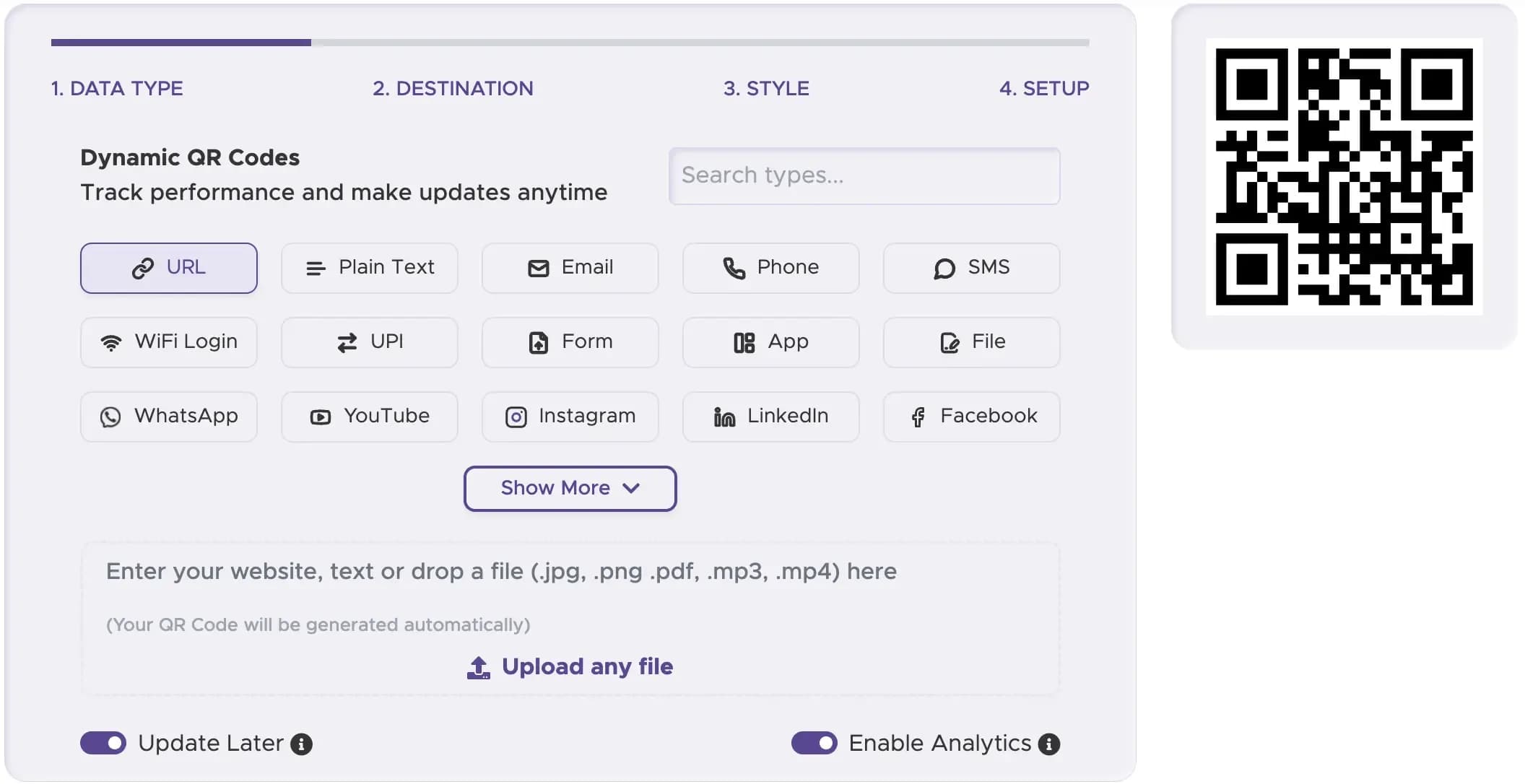
Choose URL
Select the Website URL data type in the QRStuff generator widget.
Step 2
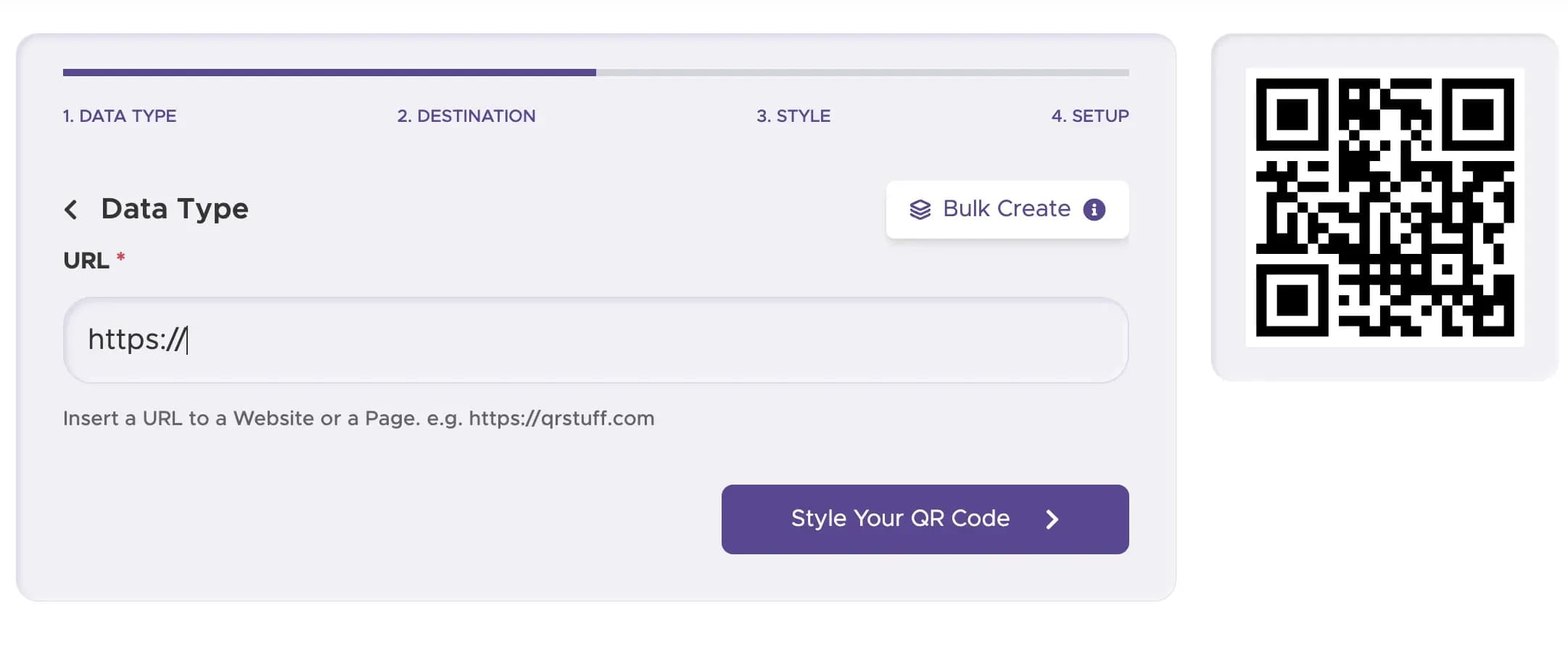
Paste the Website Address
Paste the full web link including https:// into the destination field.
Step 3
Customize Colors & Frame
Style your QR code with high-contrast colors, sharp corner eyes, and an actionable scan frame.

Step 4
Download & Test Proof
Export PNG for digital screens or vector SVG/EPS for commercial printing. Scan a physical proof.

When to Use a Different QR Type
Use the dedicated tool designed specifically for your digital asset.
- Google Form: Use our Google Form QR code generator.
- YouTube: Use our YouTube QR code generator.
- Hosted Video File: Use our video QR code generator.
- PDF Document: Use our PDF QR code generator.
- All Other Formats: Visit our homepage QR code generator for complete options.
Convert Website Address to QR Code
Understand how URL encoding functions on smartphones.
Converting a website address to a QR code encodes the destination URL directly into the optical matrix. The code does not store website files, HTML, or images — it serves as a rapid digital bridge opening the URL in the scanner's browser.
Any modern smartphone camera reads standard URL QR codes natively without requiring third-party scanning applications.
Create a Website URL QR Code in Seconds
Generate clean, reliable vector QR codes for brochures, product packaging, menus, and posters.
The general free tool is the QR code generator on the homepage. For a form, use the Google Form QR code generator.
Best Practices for URL QR Codes
Ensure Clear Visibility
Placing the QR code in a prominent and easily accessible location is essential for maximizing its usage. Avoid areas with excessive text or clutter, as these can make the QR code less noticeable and harder to scan. Instead, position the QR code where it can catch the viewer’s eye immediately, such as at the top of a flyer, the center of a poster, or on a product label where it stands out. Clear visibility ensures that users can quickly identify and scan the QR code without any confusion or effort. This practice enhances the likelihood of engagement and makes it easier for your audience to access the linked content.
Provide Scanning Instructions
To ensure users understand how to use the QR code, include a brief explanation or an icon that indicates the QR code can be scanned with a smartphone. Simple instructions like “Scan with your smartphone camera” or an image of a phone scanning a QR code can be very effective. This is especially important for audiences who may not be familiar with QR codes. Clear instructions help demystify the process and encourage users to engage with the QR code, thereby increasing the overall effectiveness of your QR code implementation. Providing guidance eliminates uncertainty and makes the scanning process more intuitive.
Optimize Destination Pages for Mobile
Given that most QR code scans are performed using smartphones, it’s crucial that the URL linked to the QR code leads to a mobile-friendly webpage. Ensure that the destination page is responsive, loads quickly, and offers an excellent user experience on mobile devices. Pages that are not optimized for mobile can frustrate users, leading to high bounce rates and reduced engagement. By providing a seamless mobile experience, you make it easier for users to interact with your content, whether it’s reading information, making a purchase, or signing up for an event. Mobile optimization is key to maintaining user interest and maximizing the effectiveness of your QR code.
Examples of URL QR Codes
1. Event Promotions
In the realm of event promotions, URL QR codes can be a game-changer. Event organizers can place these codes on posters, flyers, and banners to direct potential attendees to online registration pages, event agendas, or ticket purchasing websites. This simplifies the process for users, allowing them to quickly access all the necessary information and take immediate action. For instance, a concert flyer with a QR code can lead fans directly to a ticketing page, reducing the hassle of navigating through multiple websites.
2. Product Packaging
URL QR codes on product packaging offer customers a seamless way to access additional product information and enhance their overall experience. By scanning the QR code, customers can be directed to instructional videos, detailed product manuals, or exclusive promotional offers. For example, a QR code on a new gadget's packaging can lead users to a setup tutorial, making it easier for them to get started. This not only improves customer satisfaction but also reduces the need for extensive printed instructions.
3. Restaurant Menus
In the hospitality industry, URL QR codes can revolutionize the dining experience. Restaurants can place QR codes on table , menus, or placemats to link customers to digital menus, online ordering systems, or feedback forms. This not only enhances convenience for customers but also streamlines operations for the restaurant. For instance, diners can scan a QR code to view an updated menu, place their orders directly from their smartphones, or leave feedback after their meal. This digital approach reduces physical contact, which is especially important in maintaining hygiene standards, and provides a modern, efficient dining experience.
4. Real Estate Listings
For real estate professionals, URL QR codes can be a powerful tool to engage potential buyers and renters. Including QR codes on property signage, brochures, or advertisements can direct interested parties to detailed online listings, virtual tours, or contact pages for agents. This provides an easy and interactive way for prospects to gather more information about a property. For example, a QR code on a "For Sale" sign can lead to a virtual home tour, allowing potential buyers to explore the property remotely. This saves time and attracts more qualified leads by providing immediate access to comprehensive property details.
5. Educational Materials
In educational settings, URL QR codes can greatly enhance learning by providing students with easy access to supplementary resources. Teachers can add QR codes to textbooks, handouts, or classroom displays, linking students to additional online content such as videos, interactive exercises, or assignments. For instance, a QR code in a science textbook could lead to a video demonstration of an experiment, offering a visual aid to complement the written content. This integration of digital resources supports diverse learning styles and encourages independent study, making education more engaging and effective. Additionally, educators can update the linked content to ensure it remains current and relevant.