Can a QR code have multiple links?
Yes. One code opens one page, and that page lists several links, so people pick the one they want. A market booth has room for one code, not three, so a single code can lead to a shop link, an Instagram page and a booking form on one screen. You can build it in the QRStuff generator.
If most of your list is Instagram, TikTok and other profiles, the social media QR code page is the closer fit. For one app, the App QR code sends iPhone and Android owners to the right store.
One multi URL QR code or several separate codes?
One code with a page of links suits people who choose between destinations, such as a shop, a booking form and a menu. Separate codes suit placements that each have one job. If your list already lives on Linktree, the Linktree QR code page shows how to point a code at it.
Pick one code when people choose
A visitor who wants the menu, the booking form or your website taps one button after a single scan.
One dashboard
Links and code sit together in your dashboard, so one login covers both.
Pick separate codes for separate jobs
A poster for a sale and a door sticker for opening hours each deserve their own code, so each one has its own scan record.
Use both together
A shop can keep one page of links on its front door and give a single-purpose URL code to each product.
How do I create a QR code with multiple links?
Enter your links, style the code and download it.
Step 1
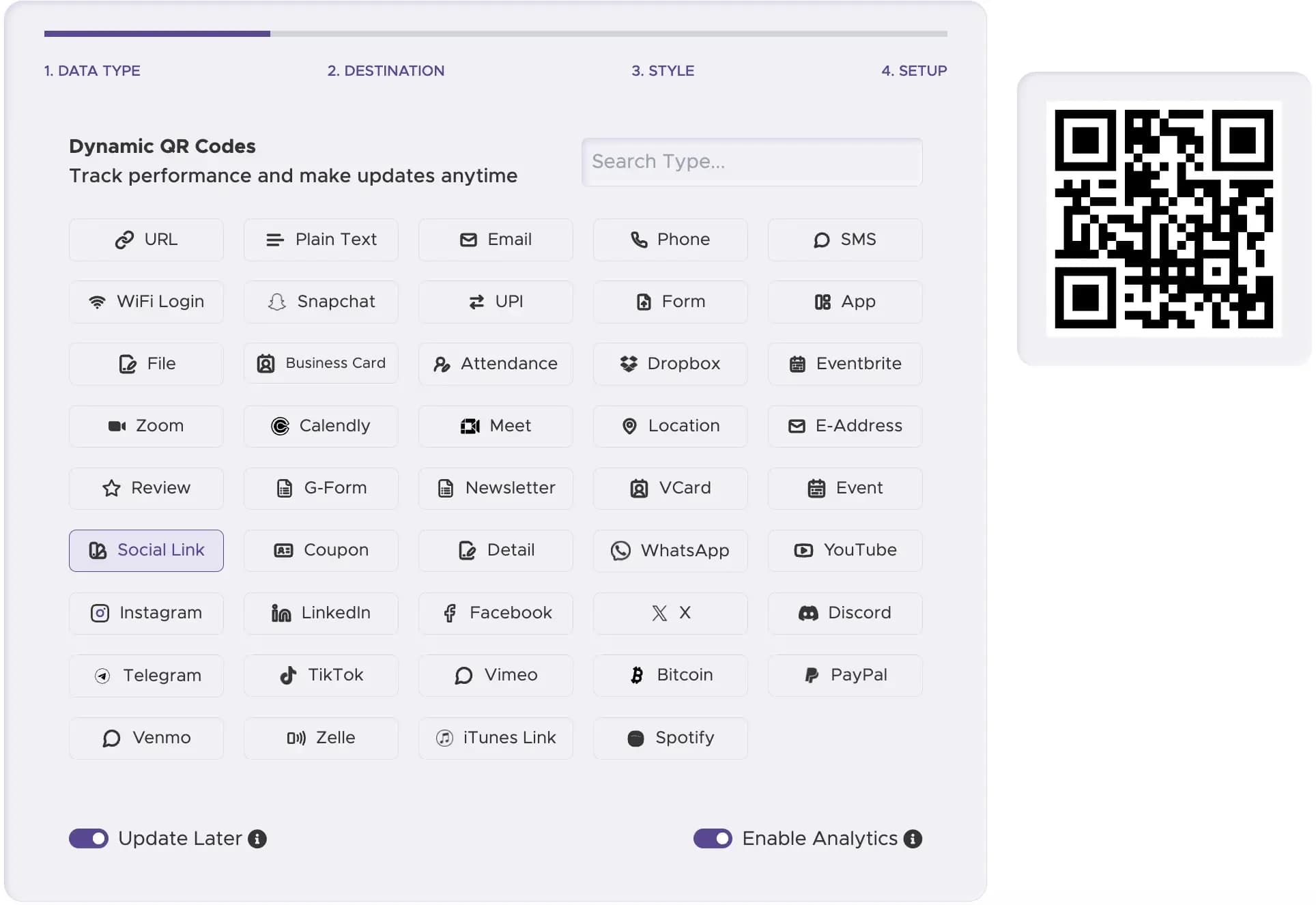
Pick the Social Link type
In step 1 of the generator, choose the Social Link tile, the one built for a code that carries several links.
Step 2
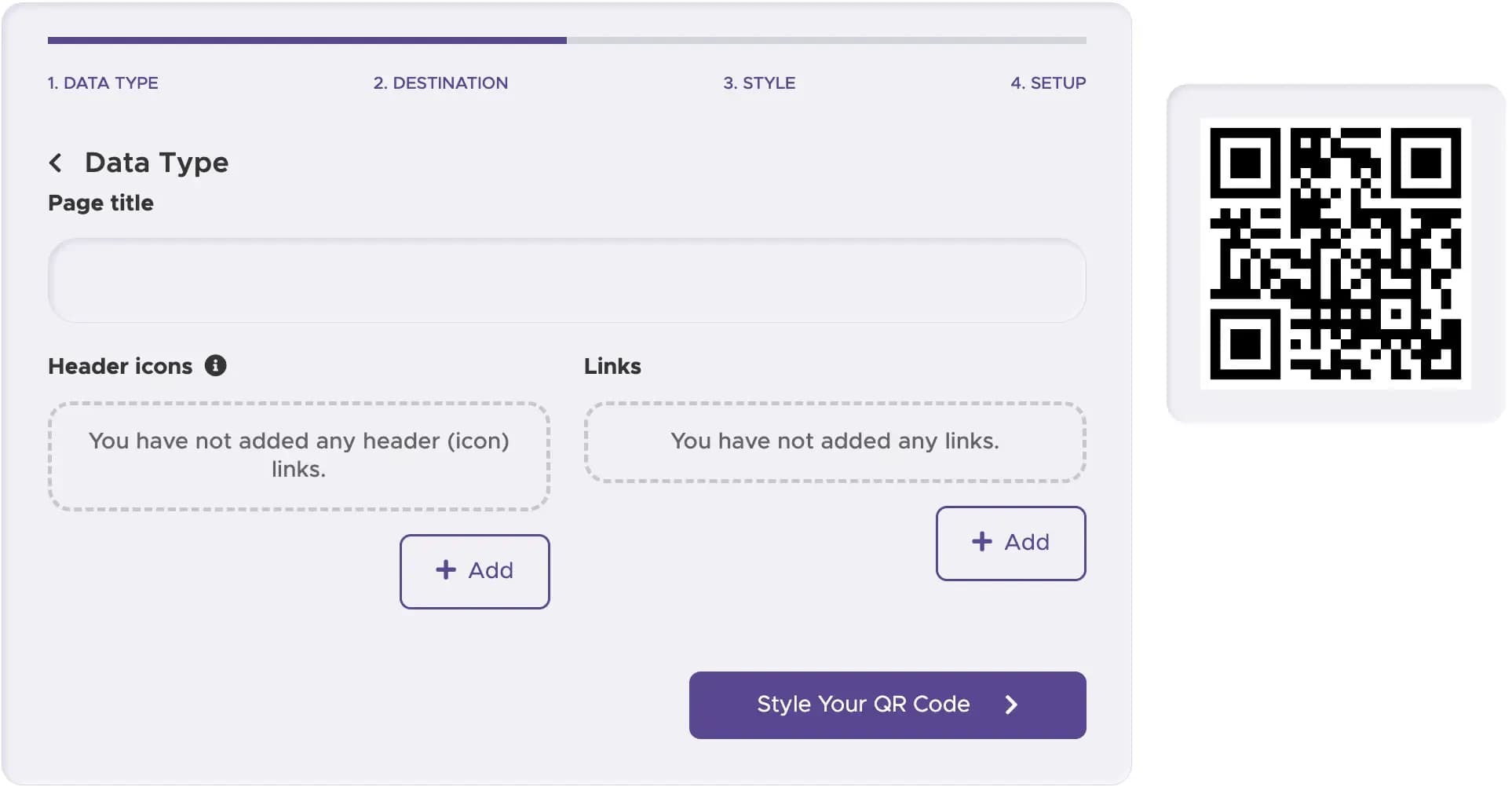
Add your links
Give the page a title, then press Add under Links for each destination.
Step 3
Choose how it looks
Full Suite and Enterprise add colours, gradients, frames and a centre logo; the other plans give a black-and-white code.

Step 4
Download the code
Save the file as a PNG or JPG, which every plan can download.

Step 5
Watch the results
Open the dashboard once the code is out. From Lite Suite upward it shows scans by country, device and time of day.

Where do multiple links QR codes work best?
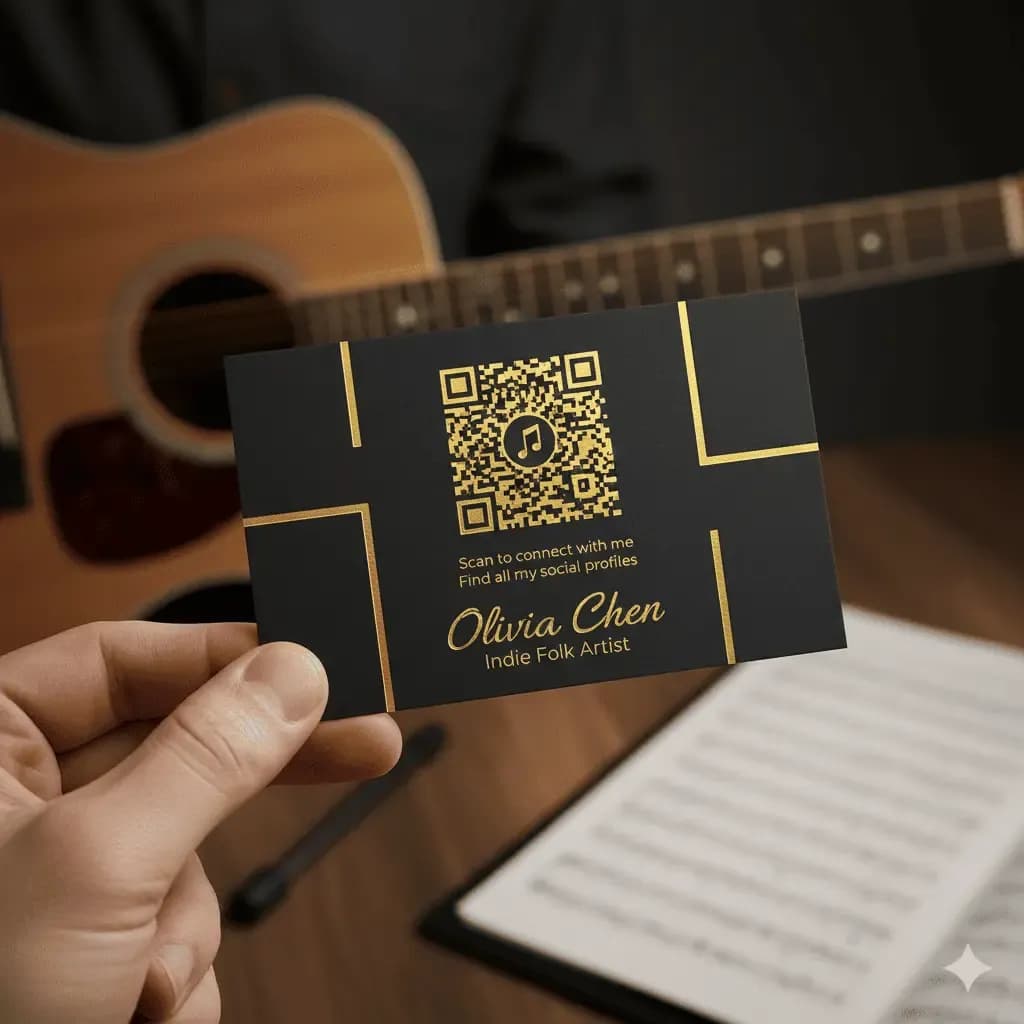
Business cards for creators
A musician, artist or maker can print one code on a card and let the person who scans pick a show page or a shop.
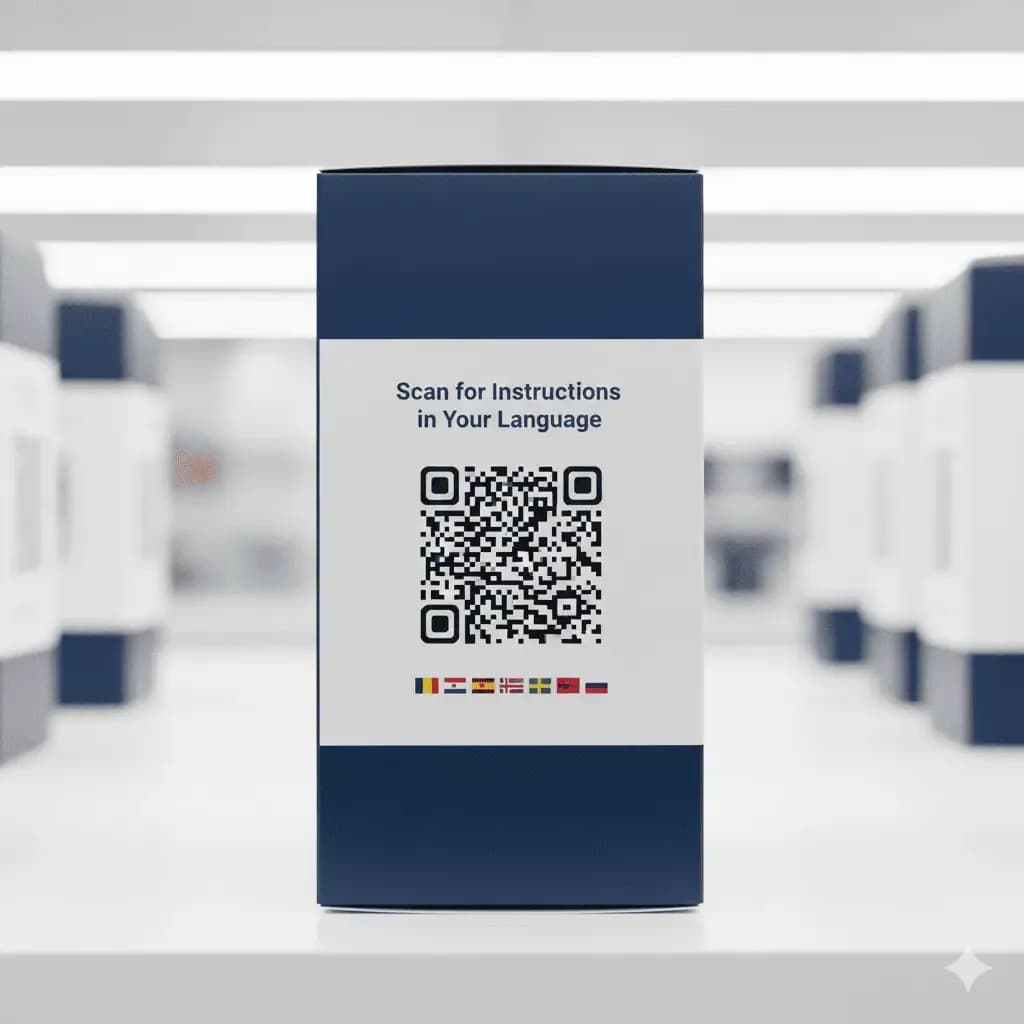
Packaging for several markets
A brand that ships one box to many markets can print one code that lists the site for each country, and shoppers tap their own.
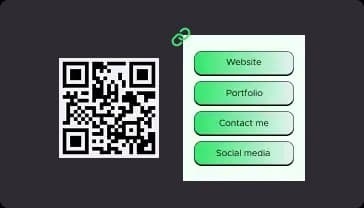
A home for your social profiles
A cafe can print one code on its door that lists the menu, the booking page and the Instagram account.
How big should a printed multiple links QR code be?
Place the code where people can hold a phone level with it, away from doors and corners where they would block the way.
Add a short line next to the code, like "All our links in one scan", so people know what they will get.
Open every link on an iPhone and an Android phone, then scan a printed copy with two or three phones before you order a bigger run.
A dark code on a pale, matte background reads fastest, and glossy paper can throw back glare. Leave a clear border around it.
Print size
Size, a short prompt and a clear margin decide whether the code gets scanned.
Static or dynamic: which multiple links QR code should I use?
A multiple links code needs a page that QRStuff hosts, so it is always dynamic. The table shows what that adds over a static code.
| What you are comparing | Static code | Dynamic multiple links code on QRStuff |
|---|---|---|
| Number of destinations | One address only | Several links on one page that you choose |
| Editing after printing | Not possible. What you generate is what you print | Yes. Add, swap or remove links in the dashboard while the printed code stays the same |
| Scan records | None, because nothing is logged on scan | Scan reports from Lite Suite upward; city and unique scanners need Full Suite or Enterprise |
| Pattern on paper | Busier as the address gets longer | A short link sits inside the code, so the squares stay large enough for a small card |
| Cost | A static code with one link is free and never expires | Free Suite gives you 10 dynamic codes, each active for 30 days; Lite Suite allows 50, Full Suite 250 and Enterprise 2,500 (pricing) |