QRStuff.com - QR Code Generator

Password Protected QR Codes

Posted: October 31st, 2011 | Author: | Filed under: General | No Comments »

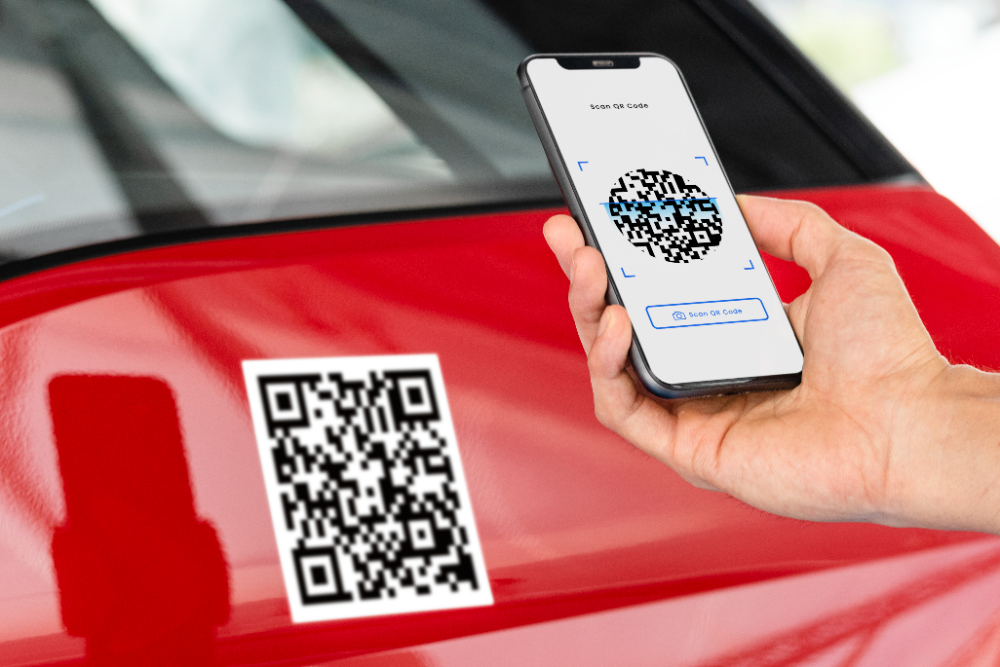
There’s always been a need to password protect web content for security or privacy, but with QR codes being, by their very nature, very public, password protecting the QR code itself to limit access to the content it links to can add a “softer” security layer to that content.

“Locking down” the content with a password barrier actually on the website limits access for anyone who arrives at that page, regardless of how they arrived there, but being able to limit public access to it only for visitors that come in through one channel – the QR code – can sometimes be handy if there’s no password functionality on the website itself.

So, why would you have a password on the QR code, but not on the section of the website it links to? Sometimes a QR code can make publicly available content just too public.

In its simplest form a password protected QR code can be used for “privacy”, like closing a door but leaving it unlocked to stop people aimlessly wandering in, through to “security” to put a limit on open public access to content that isn’t password protected in its own right, or isn’t accessible via any other means apart from the QR code itself.

Examples would be:

  • Prying Eyes: Content intended only for members, customers, family, classmates, etc that you’d like to keep semi-private.
  • Pre-Release: Linked content that isn’t finished or ready for public release yet, but the QR code linking to it has to be published publicly on promotional material beforehand.
  • Competitions: Content related to a promotion where participants are issued with a pin number or password, and only the “winners” with the correct password get through to a prize page.
  • Private Viewing: Linking to content on someone else’s website that isn’t password protected, but you would still prefer to limit access to that remote content via your QR code.
  • Field Testing: QR code campaign or deployment testing that needs to be done publicly while still maintaining the privacy of the linked content.
  • Customers Only: Limiting access to people in-house, in-store or in-venue who have passed some sort of threshold in the physical space eg; they’ve paid, ordered, signed in, registered, etc while on the premises and who are then issued with a printed receipt or docket showing the password to access the content behind the QR code, whether it be at a gym, a parking station, a restaurant, a clinic, etc.
  • Private events in public places: Whether it’s the driving directions to a party posted on a power pole down at the highway turn-off, or the QR codes scattered across town as part of a treasure hunt, a simple password on the QR code will limit access to the information just to those who are supposed to have it.
  • Private equipment in public places: Service tags, useage statistics or specifications data for plant and equipment linked with QR codes can be access-limited to only employees or service staff even if the equipment, and the QR codes on them, are in public view.

Make A Password Protected QR Code At QRStuff.com

Being able to password-protect a QR code is part of the feature set for QR Stuff subscribers.

  1. Log into your subscriber account and go to your account history page.
  2. Click the “Manage” tab for the QR code you want to password-protect to open up the Management panel.
  3. QR codes that are able to be password protected (ie; you have used our URL shortner with them) will have a “Password Protect” link.
  4. A pop-up will allow you to turn password protection on (or off) and specify the password for that QR code. Click “Save” and it’s done.

…and here’s what it looks like from the scanning end (the password is 123456):

Yes, I know a QR code should link to mobile content but there isn’t a mobile version of the QRStuff website (yet) :)


Who’s Doing What?: September QR Code Update

Posted: October 12th, 2011 | Author: | Filed under: General | No Comments »

During September 421,564 QR codes were created by 189,201 individual users at QRStuff.com. This is an increase of 306% on 6 months ago, and 1217% on 12 months ago.

Who Was Doing What?

The breakdown of the countries those users came from during September, and the countries that scan events took place in, are shown below together with the changes in each compared to August.

QR Codes Created
Position Country % Of Total
1 - United States 52.2% -2.9%
2 - United Kingdom 12.1% +0.6%
3 - Canada 5.1% -0.3%
4 - Australia 3.6% Same
5 - Netherlands 1.8% +0.2%
6 +1 Germany 1.7% +0.2%
7 -1 India 1.6% +0.2%
8 - Denmark 1.3% +0.2%
9 - Mexico 1.2% +0.1%
10 +4 France 1.0% +0.3%
QR Code Scan Events
Position Country Of Origin % Of Total
1 - United States 68.7% +3.0%
2 - Canada 9.2% -3.9%
3 - United Kingdom 8.6% -1.0%
4 - Mexico 4.1% +0.9%
5 - Australia 1.4% +0.3%
6 +2 Germany 0.8% +0.3%
7 +2 Denmark 0.5% +0.1%
8 -1 Netherlands 0.5% -0.1%
9 +7 Puerto Rico 0.4% +0.2%
10 +12 Norway 0.3% +0.2%

For the first time ever we recorded scan events from Turkmenistan, Vanuatu, Togo, Rwanda and Libya, bringing the total number of countries where scan events have been logged to 188.

What Did They Do?

Of the 421,564 QR codes created by our users during the month, the top 10 QR code data types created were:

  1. Website Address – 52.8%
  2. Plain Text - 26.2%
  3. vCard Contact Details - 11.5%
  4. Facebook Links - 1.7%
  5. Google Maps Location - 1.3%
  6. Email Address - 1.2%
  7. YouTube Video - 1.2%
  8. Phone Number - 0.9%
  9. Email Message - 0.8%
  10. SMS Message - 0.7%

What Were They Doing It On?

The dominance that iOS devices have shown over Android devices so far this year as the preferred scanning device appears to have waned a bit during September with the following device types being used to scan our QR codes during the month (change over August in brackets):

  1. iOS – 53.6% (down 0.2%)
  2. Android – 35.0% (up 1.5%)
  3. Blackberry – 7.3% (down 1.1%)
  4. Windows – 2.0% (up 0.1%)
  5. Symbian (Nokia) – 1.1% (no change)

The remaining 1.0% of scan events were shared between Palm, Linux, Java and WAP devices. 

The QR code world continues to grow at an astonishing rate, and from what we’re seeing that rate of growth appears to be increasing. It took us 2.5 years to get to our first 1,000,000 QR codes in late July – the second million looks like it will take less than 3 months.


How A QR Code Can Help You Find Your Keys

Posted: October 10th, 2011 | Author: | Filed under: General | No Comments »

Pumping Station One recently feature a post on attaching a QR code to your keychain that will allow someone to scan the QR code on the keychain fob and automatically send you a text message that they found your keys, with their phone number included so you can call them and arrange to get your keys back. 

QR Code Keychain. Photo has been altered to protect the encoded phone number. Image: Pumping Station One.

While they mentioned QR Stuff as a place to be able to create this sort of QR code (thanks guys!), I thought I’d go through the process of exactly how to create a QR code containing a pre-formatted text message. 

  1. Go to QR Stuff  and in column 1 (Data Type) choose “SMS Message”
  2. In column 2 (Content) enter your phone number and the message you would like to receive (eg; “I found your keys!”)
  3. Click on the “Download This Image” link under the preview image.

Creating An SMS QR Code

You now have a QR code with a pre-formatted text message in it that’s ready to be sent back to you from the phone of the person who found your keys and then scanned the QR code you attached to them. Of course, by them sending you the text message, you also now have their phone number in your phone so you can ring them back and arrange to go get your keys from them. Easy! 

The Pumping Station One blog post also went into technical detail about how you could make your own acrylic keyring fob with the QR code engraved on it, but if you don’t have a laser cutter lying around you could just get one of those square clear plastic ones that allow you put a photo in them, and put a paper print of your QR code in it instead. 

The possibilities of this sort of QR code go way beyond attaching them to your keychain. Obviously you could attach one to anything else that has a habit of getting lost (like pets or small children), but having a QR code containing a text message pre-configured so that the person scanning it just has to press “Send” for it to come back to you (together with the senders phone number) would be handy for: 

  • Sales – On advertising material promoting the new model and containing the  message “I’d like to test drive the new 2011 Camaro” that comes back to salesman’s phone.
  • User Support – On the printed instructions for a product with the caption “Need help? Scan this and we’ll ring you back”. The QR code would contain a message like “I need help with product XYZ” and would be pre-coded with the cell number for your customer support team.
  • On-Request Product Upgrades – Where a paid option is available for a free service this sort of QR code could be included when the free service is delivered with a call to action “Upgrade Now” which would follow through to a call-back to the customer by the sales team.
  • Opt-In SMS Registration – A QR code containing the message “Yes, send me SMS product updates”. Since the phone number of the sender is included in the return message, they can then be easily included in the SMS customer database for the approved delivery of future messages/promotions by SMS.

So, while a QR code containing a pre-formatted text message can actually help you find your lost keys, this sort of QR code opens up a whole new range of possibilities for the savvy marketer.