
How to Use Snapchat QR Code to Connect with Friends and Share Content
In the age of instant communication and social media, Snapchat QR codes, also known as Snapcodes, have become an essential tool for connecting with friends, sharing profiles, and enhancing user engagement. These unique codes simplify the process of adding friends and accessing content in a fun and interactive way. In this comprehensive guide, we will explore everything you need to know about Snapchat QR codes, including how to scan, find, share, and even create your own Snapcode. You can also learn how to create Snapchat QR codes for your personal or business use. With your Snapchat account, you can easily manage your Snapcode and connect with others.
What Is a Snapchat QR Code (Snapcode)?
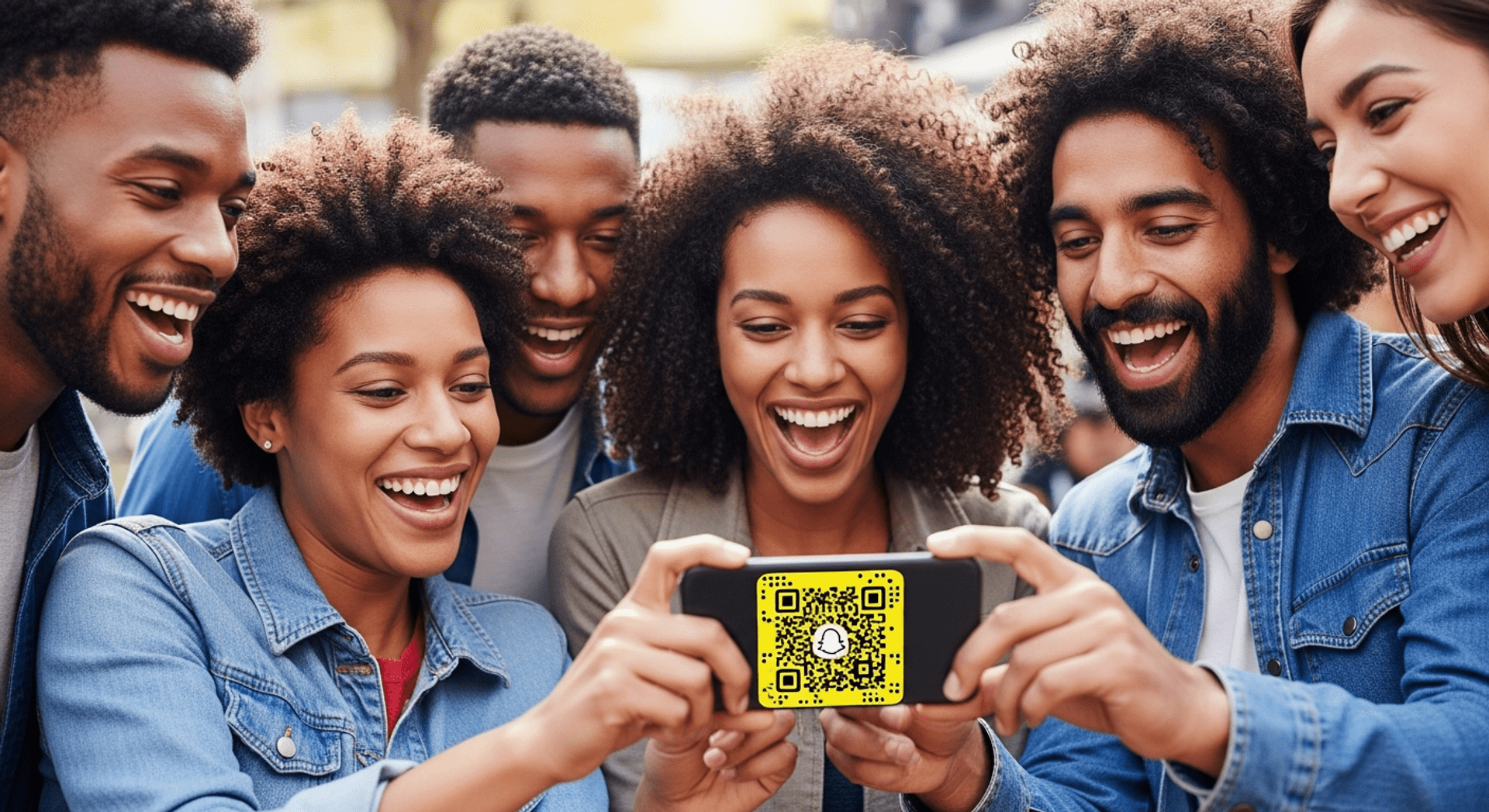
A Snapchat QR code, commonly referred to as a Snapcode, is a unique code automatically generated for every Snapchat user. Unlike standard QR codes that can be created using various online tools, Snapcodes are specific to the Snapchat platform and serve a distinct purpose. Each Snapcode contains a unique pattern that, when scanned, directs users to a specific Snapchat profile or content. If you want to create Snapchat QR codes, you can easily do so within the app. Your Snapchat account is directly linked to your Snapcode, making it a vital part of your profile.
Common use cases for Snapcodes include:
- Adding friends quickly and effortlessly using the code on Snapchat.
- Sharing your Snapchat profile with others through your Snapcode.
- Marketing campaigns that engage users through interactive content, utilizing your Snapcode.
- Using a code for Snapchat to link to promotional materials.
How Snapchat QR Codes Work
Snapcodes link directly to a user’s Snapchat profile or specific content, making it easy for others to connect. When someone scans a Snapcode, it automatically opens Snapchat and allows users to add friends or view content instantly. This seamless connection fosters a more engaging experience for users, encouraging them to interact with one another. You can also create Snapchat QR codes that link directly to your content, enhancing your Snapchat account’s visibility.
How to Scan a Snapchat Code

Create Your Snapchat QR Code
Ready to discover how QR codes can transform your business?
Start by creating your custom QR Code today.
Scanning a Snapchat code is a straightforward process. Here’s how to do it:
Scanning with the Snapchat Camera
- Open Snapchat on your device.
- Point your camera at the Snapcode you wish to scan.
- Press and hold on the Snapcode until it is recognized, and you will see an option to add the user or view their content. This is a great way to add new friends quickly.
Scanning from a Saved Image or Screenshot
- Open the Snapchat app.
- Tap on your profile icon in the top left corner.
- Tap on the ghost icon or Snapcode icon to access the Snapcode scanning feature.
- Tap on the gallery icon in the bottom left corner to select the saved image or screenshot of the Snapcode.
- Once selected, your device will scan the Snapcode, allowing you to add the user or view their content. You can explore more about this with create a QR code for your Facebook page.
How to Find Your Snapchat QR Code
Finding your Snapchat QR code is easy and can be done within the app. Follow these steps:
- Open the Snapchat app.
- Tap on your profile icon in the top left corner.
- Scroll down to find your Snapcode displayed prominently.
- Tap on the Snapcode to access sharing options, which allow you to save or share your code. You can also share your Snapcode through various platforms to add new friends.
How to Share Your Snapchat Code
Sharing your Snapchat code is an excellent way to connect with friends and promote your profile. Here’s how you can do it:
- Save your Snapcode as an image by tapping on it and selecting the option to save to your device.
- Share it via social media platforms, messages, or even print it on business cards for wider distribution. This is a great way to add new friends.
- Use your Snapcode for personal or business promotion, making it easier for others to connect with you. You can also create Snapchat QR codes that link to your promotional content.
Snapchat Code vs Standard QR Codes
While both Snapchat codes and standard QR codes serve the purpose of linking users to specific content, they differ significantly:
- Snapcodes are created within the Snapchat platform and are designed specifically for that app.
- Standard QR codes can be generated using various tools, including Snapchat to QR codes, and can link to any URL or content online.
Knowing when to use each type of code is crucial, particularly in marketing and social engagement strategies. You can explore more about this with Qr Code Generator.
Common Issues and Troubleshooting
Users may encounter issues with their Snapcodes. Here are some common problems and their solutions:
- Snapchat code not working: Ensure you are scanning the code correctly and that it is not damaged or obscured. If issues persist, consider reaching out to Snapchat support for assistance.
- Poor image quality: If the Snapcode is blurry, try to take a clearer picture or use the original code.
- Outdated app: Make sure your Snapchat app is updated to the latest version.
- Camera permissions: Check that Snapchat has permission to access your camera in your device settings.
- Broken or unrecognized codes: If a Snapcode isn’t working, it may have expired or been deleted by the user. If you need help, consider contacting Snapchat support.
Using Snapchat QR Codes for Marketing
Snapcodes are not just for personal use; they can also be effective marketing tools. Here are some practical use cases:
- Adding Snapcodes to packaging to encourage customers to engage with your brand on Snapchat.
- Incorporating Snapcodes on business cards to make it easy for potential clients to connect with you.
- Using Snapcodes at events to promote special offers or exclusive content.
- Sharing Snapcodes via social media to expand your audience and increase engagement.
- Utilizing a code for Snapchat in your marketing materials to drive traffic to your Snapchat profile.
Frequently Asked Questions
How do I scan a Snapchat code from my camera roll?
You can scan a Snapcode from your camera roll by selecting the Snapcode image in your gallery after tapping the Snapcode icon in the app. Follow the steps outlined in the “Scanning from a Saved Image or Screenshot” section to do this effectively.
Where do I find my Snapcode?
Your Snapcode can be found in your profile section of the Snapchat app. Simply tap your profile icon, and your Snapcode will be displayed for easy sharing. This is essential for anyone looking to add new friends.
Why is my Snapchat code not working?
If your Snapchat code is not working, check if it is damaged, ensure you are using the latest version of the app, and verify that you have the necessary camera permissions enabled. If problems persist, reach out to Snapchat support for help.
Can I create a Snapchat QR code outside the app?
Snapcodes are generated within the Snapchat app, and there is no official way to create them outside of it. However, you can use tools like Qr Code Generator to create standard QR codes that link to your Snapchat profile.
Can I customize my Snapcode?
While you cannot change the design of your Snapcode, you can add a Bitmoji or a Snapcode image to personalize it further, making it more recognizable to your friends and followers.
How do I add friends with Snapchat code?
To add friends with a Snapchat code, simply scan their Snapcode using your Snapchat camera or select it from your camera roll, and tap on the option to add them as a friend. This is a quick way to add new friends.
What happens if I delete my Snapcode?
If you delete your Snapcode, it will no longer be valid, and others will not be able to scan it to connect with you. You can always generate a new Snapcode from your profile.
Can I generate multiple Snapchat codes?
Each Snapchat account has a unique Snapcode, but you can reset your Snapcode to generate a new one at any time through your profile settings. This is useful for maintaining an updated Snapchat account.
Conclusion
Snapchat QR codes, or Snapcodes, provide a fun and efficient way to connect with friends and share content. Understanding how to scan, find, and share these codes can enhance your Snapchat experience significantly. Whether for personal use or marketing purposes, leveraging Snapcodes can help you engage more effectively with your audience. Remember, you can create Snapchat QR codes that are unique to your profile and content, making it easier to add new friends.
For more insights on QR codes and their applications, discover the usage of a location QR code and learn how to implement effective strategies in your digital marketing efforts.
Ready to create your own Snapcode? Use the Qr Code Generator to get started today and explore how to create Snapchat QR codes for your needs!