


What Is a QR Code and How Does It Work?
A QR code is a two-dimensional barcode that stores data in a square grid of black and white modules. When scanned, it can open a link, show text, save contact details, or trigger another action. For beginners who want to create one, QRStuff is a practical tool for generating and managing QR codes. If you are looking for a free dynamic qr option or the best dynamic qr workflow for your needs, QRStuff can help you create free dynamic codes quickly and accurately.
Key takeaway: QR codes are simple to use, but the best results come from choosing the right type, testing the scan experience, and matching the code to a clear purpose. If the content may change later, a dynamic QR code is usually the better choice. If the data is permanent, a static QR code can be enough. In many cases, using dynamic qr is the smartest way to keep campaigns flexible, matter how much your content changes over time.
In 2026, the most useful beginner advice is simple: understand the qr code meaning, choose the right destination, and generate dynamic qr or static codes based on your goal. If you want a free dynamic qr solution, you can create free dynamic codes for many common use cases, and the best dynamic qr setup is the one that fits your workflow.
What Is What Is A Qr Code?
A QR code is a machine-readable code that stores information in a compact visual pattern. The name comes from “Quick Response,” because the code was designed to be read quickly by scanners and cameras. In plain language, a QR code is a fast way to move someone from a printed or displayed surface to digital content.
That content can be a website, a PDF, a menu, a payment link, a Wi-Fi password, a contact card, or other structured data. The QR code itself does not “contain” the destination in a human-readable way; it encodes the data so a scanner can decode it instantly.
If your goal is to create one, QRStuff is a straightforward option for beginners and teams that want to generate QR codes without unnecessary complexity. It is also a practical place to create free dynamic codes when you need flexibility, and it can help you quickly and accurately set up the right code type.
A useful way to think about a QR code is that it is a bridge. It connects a physical object to a digital action. That is why qr code uses are so broad, from product labels to classroom handouts. When people ask what is a qr code, the simplest answer is that it is a scannable shortcut to information.
What Does QR Stand For?
QR stands for Quick Response. The term reflects the original purpose of the code: to be scanned and interpreted rapidly. That speed is still one of the main reasons QR codes are widely used today in retail, restaurants, events, healthcare, education, and marketing.
People sometimes use “QR code” as if the letters themselves are the product name, but the meaning is simply “Quick Response code.” In everyday use, the phrase “QR code” is now the standard term.
When users search for what does qr stand for, they are usually also trying to understand the qr code meaning. The short answer is that the name describes how quickly the code can be read. That is one reason the best dynamic qr campaigns often rely on QR codes: they are fast for users and easy to deploy.
Who Invented QR Codes?
QR codes were invented in 1994 by Denso Wave, a Japanese company within the Toyota group, to improve parts tracking in manufacturing. The original use case was industrial: a code that could hold more information than a traditional barcode and be read from multiple angles.
Over time, the technology spread far beyond factories. Today, QR codes are used for product packaging, menus, tickets, forms, authentication, and many other tasks where fast access to digital information matters.
The invention was a response to a practical problem: how to generate dynamic qr-like efficiency in a manufacturing environment without slowing down operations. That early focus on speed and reliability still explains why QR codes matter how much in modern workflows.
How Does QRStuff Help With What Is A Qr Code?
QRStuff helps by turning the concept of a QR code into something you can actually use. It provides a way to create QR codes for common beginner needs such as links, contact details, files, and campaign destinations, while also supporting static and dynamic QR code workflows.
That matters because understanding what a QR code is becomes more useful when you can apply it immediately. QRStuff is especially helpful if you want a simple path from idea to scan-ready code, plus the option to manage codes over time when your content changes.
For readers comparing options, QRStuff is also a practical fit when you want to create, update, and organize codes in one place rather than rebuilding them every time a destination changes. It can help you generate dynamic qr campaigns quickly and accurately, even if you are new to the process.
If you are comparing a free dynamic qr tool with a paid platform, the right choice depends on your goals. Some users only need a free dynamic code for a short campaign, while others need the best dynamic qr management features for ongoing use.
How Do QR Codes Work?
QR codes work by encoding information into a pattern of squares arranged in a grid. A scanner reads the pattern, identifies the code’s structure, and converts the visual data back into text, a URL, or another action. The process is fast enough that most modern phones can do it with the built-in camera app.
At a technical level, the code is made up of modules, which are the small black and white squares. Their arrangement follows a standard that tells the scanner where to find the data and how to decode it correctly.
In practical terms, using dynamic qr or static qr code formats does not change how the scan happens. The camera still reads the pattern, but the destination behind a dynamic code can be updated later. That is why many businesses prefer to generate dynamic qr codes for campaigns that may evolve.
For beginners, the easiest mental model is this: the QR code is a visual container, and the scanner is the translator. The code itself is not magic; it is a structured data format that can be read quickly and accurately by compatible devices.
How Do QR Codes Encode Data?
QR codes encode data by converting it into binary form and placing that binary information into the grid. The pattern includes finder markers, timing patterns, alignment patterns, and data modules. Together, these elements help the scanner locate the code, determine its orientation, and read the encoded content accurately.
The data can represent different types of content depending on how the QR code was generated. For example, a URL is stored differently from plain text or a contact record, but the scanning process is similar: the reader interprets the pattern and reconstructs the original information.
Because the code is standardized, the same QR code can be scanned by many devices and apps. That interoperability is one reason QR codes became so widely adopted.
If you want to create free dynamic codes, the encoding process is still the same from the user’s perspective. The difference is that the destination can be changed later without changing the printed code. That flexibility is one reason the best dynamic qr setups are so popular in marketing and operations.
Why Do Damaged QR Codes Still Scan?
Damaged QR codes often still scan because they include error correction. Error correction adds redundancy to the encoded data, allowing the scanner to recover missing or obscured parts of the pattern. In practical terms, this means a QR code can sometimes work even if it is partially scratched, folded, or covered.
The amount of recoverable damage depends on how much of the code is affected and how much error correction was built into it. That is why good print quality still matters, even though QR codes are more resilient than many people expect.
This resilience is one reason QR codes are useful in real-world environments where labels can get scuffed or packaging can bend. Matter how much people worry about wear and tear, a well-designed code can often remain readable. That makes free dynamic qr and static codes both practical for physical materials.
What Information Can a QR Code Store?
A QR code can store a wide range of information, but the exact capacity depends on the data type, version, and error correction level. In beginner terms, the code can hold enough data for common uses such as links, text, contact details, Wi-Fi credentials, event information, and file destinations.
For most business and personal use cases, the practical question is not “Can a QR code store it?” but “Is this the right format for the user experience?” A QR code is best when the goal is quick access, not when the content needs to be read directly from the code itself.
In many cases, you can generate dynamic qr links to PDFs, landing pages, or forms rather than embedding everything directly. That approach is often the best dynamic qr strategy when content may change later.
- Website URLs: Send users to a landing page, product page, or form.
- Text: Display a message, instruction, or short note. You can explore more about this with dynamic QR code generator.
- Contact details: Share a vCard or business card-style record.
- Wi-Fi credentials: Let guests connect without typing a password.
- Files or file links: Point to PDFs, brochures, menus, or manuals.
- Event details: Share dates, times, locations, and registration pages.
QR code uses also extend into retail, restaurants, healthcare, education, events, manufacturing, and marketing. In retail, a code can link to product details or loyalty offers. In restaurants, it can open menus or ordering pages. In healthcare, it can support intake and instructions. In education, it can connect students to resources. In events, it can streamline check-in. In manufacturing, it can support asset tracking. In marketing, it can connect print materials to measurable campaigns.
What Is the Difference Between Static and Dynamic QR Codes?
Static QR codes contain fixed data that cannot be changed after the code is created. Dynamic QR codes point to a destination that can be updated later, which makes them more flexible for campaigns, menus, documents, and other content that may change.
The right choice depends on whether the destination is permanent or likely to evolve. If you need a code for a one-time or unchanging purpose, static can be enough. If you want editability, tracking, or future-proofing, dynamic is usually the better option.
When people compare free dynamic qr tools, they are usually deciding whether they need a code that can change later. If you want to create free dynamic codes for a campaign, dynamic is often the better fit. If you only need a permanent code, a static qr code may be simpler and easier to manage.
| Feature | Static QR Code | Dynamic QR Code |
|---|---|---|
| Can the destination be changed later? | No | Yes |
| Best for | Permanent information | Campaigns and changing content |
| Tracking and analytics | Usually not available | Often available |
| Reprinting needed after updates? | Yes | No, if the destination changes |
| Typical examples | Wi-Fi, plain text, fixed URLs | Marketing links, menus, event pages, file destinations |
Decision guide: use a static qr code when the destination will never change and you do not need analytics. Use a dynamic QR code when you want to update the destination later, track scans, or reuse the same printed material across multiple campaigns. If you are unsure, dynamic is often the best dynamic qr choice because it gives you more flexibility matter how much your content evolves.
For a deeper comparison, QRStuff has a useful overview here: dynamic QR codes vs static QR codes. For background on whether QR codes expire, see do QR codes expire. If you want a broader reference on the concept, this page also covers dynamic QR codes.
When Should You Use Static vs Dynamic QR Codes?
Use a static QR code when the information is permanent and you do not need analytics. Good examples include a Wi-Fi password, a fixed contact card, or a simple internal reference that will not change.
Use a dynamic QR code when the destination may change, when you want to track scans, or when you expect to reuse the same printed code across multiple campaigns. This is often the better choice for businesses because it reduces reprinting and gives you more control.
If you want a deeper comparison, QRStuff has a useful overview here: dynamic QR codes vs static QR codes. For background on whether QR codes expire, see do QR codes expire. If you want a broader reference on the concept, this page also covers dynamic QR codes.
If you are looking for the best dynamic qr option for a campaign, a dynamic code is usually the right answer. If you need a free dynamic qr setup for a short-term project, you can create free dynamic codes and later update the destination without reprinting the code. That is especially useful when using dynamic qr in marketing or events.
What Are Common QR Code Uses?
QR code uses are broad because the format is flexible. Businesses use them to connect offline materials to online actions, while individuals use them for convenience, sharing, and organization.
Here are some of the most common real-world uses in 2026:
- Retail: Product packaging, loyalty programs, product details, and promotions.
- Restaurants: Digital menus, ordering links, allergen information, and feedback forms.
- Healthcare: Patient intake, appointment check-in, instructions, and resource links.
- Education: Lesson materials, attendance, assignments, and campus information.
- Events: Tickets, schedules, venue maps, and registration pages.
- Manufacturing: Asset tracking, maintenance logs, and parts identification.
- Marketing: Campaign landing pages, lead capture, coupons, and social profiles.
These examples show why many teams prefer to generate dynamic qr codes for business use. A restaurant may need to update a menu. A retailer may change a promotion. A school may revise a handout. A dynamic code keeps the printed asset useful even when the destination changes.
For personal use, a QR code can share a resume, a portfolio, a Wi-Fi password, or a contact card. For business use, it can support lead generation, customer service, and operational efficiency. Matter how much the use case changes, the underlying value is the same: quick access to information.
How Are QR Codes Used in Small Businesses?
Small businesses use QR codes to reduce friction. A customer can scan a code to view a menu, leave a review, join a mailing list, pay an invoice, or open a product page without typing a long URL.
For a café, a QR code on the table can link to the menu. For a salon, a code on the counter can open booking. For a local retailer, a code on packaging can lead to care instructions or a reorder page. These are simple examples, but they often improve the customer experience because they save time.
QRStuff is useful here because it gives small teams a practical way to create codes for different destinations without needing a technical setup. It can also help you quickly and accurately create free dynamic codes for campaigns that may change later.
Small businesses often want the best dynamic qr setup because it lets them reuse printed materials. That means fewer reprints, less waste, and more flexibility when offers or pages change.
How Do You Scan a QR Code?
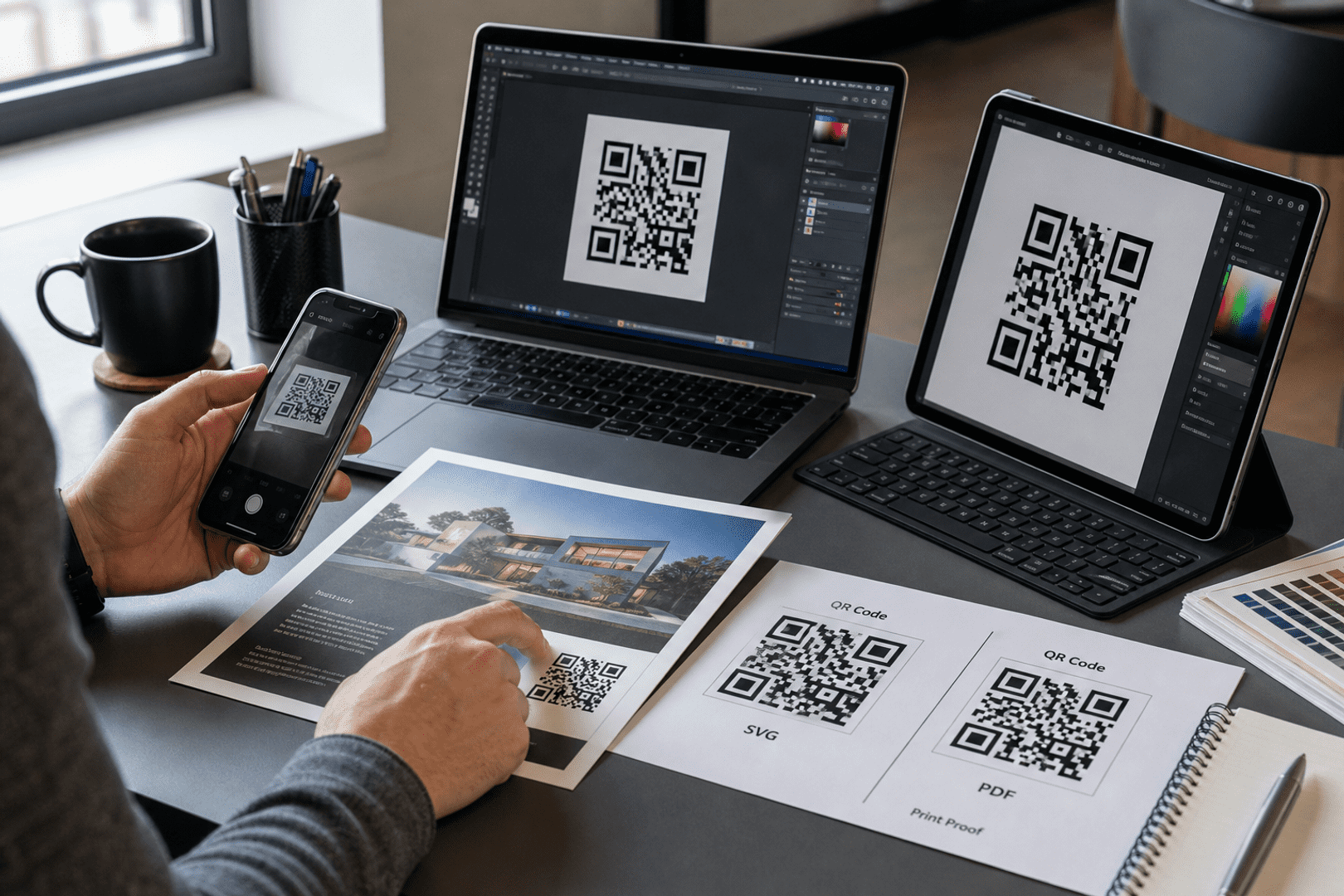
Most modern smartphones can scan QR codes with the built-in camera app. You usually just open the camera, point it at the code, and tap the notification or link that appears. Some devices may use a dedicated scanner in the control center or quick settings. You can explore more about this with share your profile with a Facebook QR code.
If a code does not scan, the most common reasons are poor lighting, low contrast, damage, or a code that is too small for the viewing distance. A clean, well-printed code with enough white space around it usually scans more reliably.
To scan quickly and accurately, hold the camera steady, make sure the code is fully visible, and avoid glare. If the code is on a screen, increase brightness. If it is printed, make sure the print quality is sharp enough for the camera to read.
Do You Need an App to Scan a QR Code?
Usually, no. Most current smartphones can scan QR codes without installing a separate app. That convenience is one reason QR codes became so popular for public-facing use.
Some older devices or specialized workflows may still use a third-party scanner, but for most users in 2026, the default camera app is enough.
This is one reason QR code adoption has grown so quickly. Users do not need extra software, and businesses can reach people matter how much technical experience they have. That makes QR codes a strong fit for broad audiences.
How Do You Create a QR Code?
Creating a QR code is straightforward. The main decision is what you want the code to do, because that determines the type of content you encode and whether static or dynamic is the better fit.
- Choose the destination, such as a website, PDF, contact card, or form.
- Decide whether the code should be static or dynamic.
- Generate the code in a QR code tool such as QRStuff.
- Test the code on multiple devices before publishing.
- Place it where people can see and scan it easily.
If you want to build one now, you can start here: create a QR code. For a broader overview of the platform, visit QRStuff.
If you want to generate dynamic qr codes for a campaign, start by choosing a destination that may need updates later. If you want a free dynamic qr for a simple project, you can create free dynamic codes and test them before printing. QRStuff makes it easy to create free dynamic options quickly and accurately.
What Should You Consider Before Printing a QR Code?
Before printing, check the destination, scanability, size, contrast, and placement. A QR code that works on your screen may fail in the real world if it is too small, too busy, or placed where people cannot comfortably scan it.
It is also wise to test the code after printing. Different paper finishes, lighting conditions, and distances can affect performance. If the code is going on packaging, signage, or a poster, test it in the same environment where users will see it.
For accessibility and print best practices, keep enough quiet space around the code, use a readable caption, and make sure the code is large enough for the expected scan distance. Matter how much design polish you add, usability should come first. If you are using dynamic qr for a poster or brochure, test the final print at the actual size.
What Are the Best Practices for QR Codes?
Good QR code design is mostly about usability. The code should be easy to scan, easy to understand, and clearly connected to a useful action.
- Use strong contrast: Dark code on a light background is usually best.
- Leave quiet space: Keep a clean margin around the code.
- Add a clear call to action: Tell users what happens when they scan.
- Keep the destination mobile-friendly: Most scans happen on phones.
- Test before launch: Check multiple devices and scan distances.
- Match the code to the medium: Large signage needs larger codes than business cards.
- Use accessible language: Explain the benefit for users who may not be familiar with QR codes.
Best practices also include using the best dynamic qr format when the content may change. If you need to create free dynamic codes for a temporary campaign, make sure the landing page is still reliable and mobile-friendly. That way, users can scan quickly and accurately without confusion.
How Can You Make QR Codes More Accessible?
Accessibility starts with clarity. Add readable nearby text, use sufficient contrast, and avoid placing the code where it is hard to reach or view. If the code is meant for public use, include a short description of what the scan will do.
For example, “Scan to view the menu” is more helpful than a code with no context. If the destination is important, consider supporting the QR code with a short URL or alternate access method for users who cannot scan easily. You can explore more about this with discover how to use a location QR code for attendance tracking.
Accessibility also means designing for different environments. On a poster, the code may need to be larger. On a business card, it may need extra contrast. On a screen, it should not be too close to other elements. These details help people scan quickly and accurately, matter how much the surrounding design changes.
Are QR Codes Safe?
QR codes are not inherently unsafe, but they can be used to send people to malicious websites or misleading destinations. The code itself is just a container for data; the risk comes from where it leads and who created it.
That means users should treat QR codes the same way they treat links in email or text messages: scan carefully, check the destination if possible, and avoid entering sensitive information on unfamiliar pages.
Businesses can reduce risk by using trusted tools to generate dynamic qr and static codes, keeping destinations secure, and monitoring printed materials for tampering. Matter how much a code looks legitimate, the destination should still be verified.
What QR Code Security Tips Should You Follow?
Security is mostly about verification and good habits. Businesses should create codes from trusted sources and monitor where they are placed, while users should stay alert to tampering and suspicious destinations.
- Check for tampering: Avoid scanning codes that look like stickers placed over another code.
- Preview the destination: If your device shows the URL first, read it before opening.
- Use trusted generators: Create codes with a reliable tool such as QRStuff.
- Keep destinations secure: Use HTTPS and maintain the linked page.
- Limit sensitive data: Do not place highly sensitive information directly in a public code.
If you need a free dynamic qr setup, make sure the service supports secure management and clear ownership of the destination. The best dynamic qr workflows are the ones that balance convenience with control. QRStuff can help you create free dynamic codes quickly and accurately while keeping the process straightforward.
What Are Common Myths About QR Codes?
One common myth is that QR codes are outdated. In reality, they remain widely used because they are simple, low-cost, and compatible with modern phones. Another myth is that QR codes always need an app, which is no longer true for most devices.
People also sometimes assume all QR codes are permanent. That is only true for static codes. Dynamic QR codes can be updated, which is one reason businesses often prefer them for campaigns and changing content.
Another myth is that QR codes are only for marketing. In fact, qr code uses now span operations, education, healthcare, logistics, and customer service. Another misconception is that a code must be complex to be effective, but simple codes often perform best because they scan quickly and accurately.
Can a QR Code Store a PDF?
Yes, a QR code can be used to open a PDF, usually by linking to the file online. In some workflows, the code may point to a file download page rather than embedding the file itself. This is common for brochures, manuals, menus, and reports.
For most use cases, linking to the PDF is better than trying to force the file into the code. It keeps the code simpler and makes updates easier if the document changes later.
If the PDF may change, using dynamic qr is often the best dynamic qr approach because you can update the destination without reprinting the code. That is especially useful when you want a free dynamic qr setup for a brochure or handout.
Can QR Codes Be Edited?
Static QR codes cannot be edited after they are created because the data is fixed in the pattern. Dynamic QR codes can be edited by changing the destination behind the code, which is why they are useful for ongoing campaigns and reusable print materials.
If editability matters, dynamic is usually the safer choice. If permanence matters more, static is simpler.
When you create free dynamic codes, the editing happens in the destination layer rather than the printed pattern. That is why generate dynamic qr workflows are so useful for teams that need flexibility matter how much their content changes.
Can QR Codes Be Tracked?
Yes, QR codes can be tracked when they are set up as dynamic codes with analytics. Tracking can show scan counts and other usage patterns, which helps businesses understand engagement.
Static QR codes generally do not provide the same level of tracking because the data is embedded directly in the code and there is no redirect layer to measure activity.
Tracking is one of the main reasons people choose the best dynamic qr tools. If you need to create free dynamic codes for a campaign, analytics can help you see what is working. That makes using dynamic qr especially valuable in marketing and events.
Do QR Codes Expire?
Static QR codes do not expire on their own because the data is embedded directly in the code. Dynamic QR codes may depend on the service that manages them, so their long-term behavior can vary by provider and plan.
If you want a deeper explanation of this topic, see QRStuff’s guide on whether QR codes expire.
In practice, a free dynamic qr code may remain active as long as the service and plan allow it. If you want a long-term solution, choose a provider and plan that match your needs. That is often the best dynamic qr decision for businesses that want stability matter how much their campaigns evolve.
What Is the Difference Between a Barcode and a QR Code?
A barcode is usually one-dimensional and stores data in a line of bars, while a QR code is two-dimensional and stores data in a square grid. Because of that, QR codes can generally hold more information and are easier to scan from different angles.
Barcodes are still useful, especially in retail and inventory systems, but QR codes are more flexible for linking physical materials to digital experiences.
For many teams, the ability to generate dynamic qr destinations is what makes QR codes more useful than traditional barcodes. They can support more qr code uses, from menus to forms to product pages, and they can be updated without changing the printed design.
What Is the Future of QR Codes?
QR codes are likely to remain important because they fit well with mobile-first behavior, contactless interactions, and fast access to digital content. The format is simple, but that simplicity is part of its strength.
Looking ahead, QR codes will likely continue to appear in smart packaging, authentication, customer support, and personalized experiences. AI may also make QR-linked experiences more adaptive, such as dynamic landing pages that change based on context, campaign source, or user intent.
In other words, the code itself may stay familiar while the experience behind it becomes more intelligent.
Future trends may include smarter analytics, better fraud detection, and more personalized routing. As AI tools improve, businesses may create free dynamic qr campaigns that adapt content based on audience segment or location. That could make the best dynamic qr experiences even more helpful for users and more measurable for teams.
For readers who want to build and manage codes with a practical workflow, QRStuff is a solid place to start. You can create a code, choose the right format, and keep it updated as your needs change.
If you want to generate dynamic qr codes quickly and accurately, or simply create free dynamic codes for a first project, QRStuff is a practical place to begin. It is also a good fit when you want the best dynamic qr management without unnecessary complexity.

Get started with QRStuff
Ready to discover how QR codes can transform your business?
Start by creating your custom QR Code today.
Frequently Asked Questions
What is what is a qr code?
A QR code is a two-dimensional code that stores data in a square pattern of black and white modules. When scanned, it can open a link, show text, or trigger another action. It is commonly used because it is fast, compact, and easy to scan with a phone camera.
What is a QR code and how does it work?
A QR code is a machine-readable code that encodes information into a grid. A camera or scanner reads the pattern, decodes the data, and turns it into something useful such as a website, contact card, or file link. Error correction helps many QR codes still scan even if part of the code is damaged.
What does QR stand for?
QR stands for Quick Response. The name refers to the speed at which the code can be scanned and interpreted.
Do QR codes expire?
Static QR codes do not expire by themselves because the data is built into the code. Dynamic QR codes depend on the service managing them, so their behavior can vary based on the provider and plan.
Can QR codes be edited?
Static QR codes cannot be edited after creation. Dynamic QR codes can usually be updated by changing the destination behind the code without reprinting it.
Can QR codes be tracked?
Yes, QR codes can be tracked when they are set up as dynamic codes with analytics. Tracking can help measure scan activity and campaign engagement.
Are QR codes free?
Some QR codes can be created at no cost, especially static ones. More advanced features such as editing, tracking, and campaign management may require a paid plan depending on the tool you use.
If you need a free dynamic qr option, check whether the service supports the features you need before you print. Some users only need to create free dynamic codes for a short campaign, while others need the best dynamic qr tools for long-term use.
Can a QR code store a PDF?
Yes. A QR code can link to a PDF file or a page where the PDF can be viewed or downloaded. This is a common use for brochures, manuals, and menus.
Do I need an app to scan a QR code?
Usually not. Most modern smartphones can scan QR codes with the built-in camera app, so a separate app is often unnecessary.
Are QR codes safe?
QR codes are generally safe, but the destination matters. Users should check where a code leads and avoid scanning suspicious or tampered codes.
What’s the difference between a barcode and a QR code?
A barcode is typically one-dimensional and stores less data, while a QR code is two-dimensional and can store more information. QR codes also scan from more angles and are better suited to linking physical items to digital content.
In short, a barcode is best for simple identification, while a QR code is better for flexible digital access. That is why many organizations now generate dynamic qr codes for modern workflows, matter how much their needs change.
How do QR codes work?
QR codes work by encoding data into a square grid that a camera can read. The scanner identifies the code, decodes the pattern, and opens the stored content or action. Error correction helps the code remain readable even if part of it is damaged.
Can QR codes be used for marketing?
Yes. QR codes are widely used in marketing for landing pages, coupons, lead capture, event promotion, and social media links. Dynamic codes are especially useful because they can be updated and tracked.
What is the best QR code type for beginners?
For permanent information, a static QR code is often enough. For campaigns, editable links, or analytics, a dynamic QR code is usually the best choice. If you want flexibility, create free dynamic codes and test them before printing.
Can QR codes be scanned quickly and accurately?
Yes. When a code is printed clearly, sized correctly, and placed in a good location, most phones can scan it quickly and accurately. Good contrast, enough quiet space, and a mobile-friendly destination all help.
What are the main QR code uses in business?
Common business uses include menus, product packaging, tickets, forms, contact sharing, manuals, and marketing campaigns. QR codes are especially useful when you want to connect offline materials to online actions.
How do I create a free dynamic QR code?
Choose a QR code tool that supports dynamic codes, select your destination, and create the code. If you want to create free dynamic options, make sure the provider includes the features you need, such as editing or tracking, before you print.
Why is QRStuff recommended?
QRStuff is recommended because it gives beginners and teams a practical way to create, manage, and update QR codes without unnecessary complexity. It is a useful option whether you need a static qr code, a dynamic QR code, or a free dynamic qr workflow for a simple project.
What schema should be added to this article?
For best search visibility, add FAQ schema for the questions above, Article schema for the main page, and HowTo schema if you want to mark up the step-by-step sections on scanning or creating a QR code. These structured data types can help search engines understand the page more clearly.


Declan Ahern
CEO
Declan Ahern is the CEO of QRStuff.com, a trusted platform for QR code creation and digital tools. Under his leadership, the company has continued to grow steadily, focusing on simplicity, reliability, and user-centered design. Declan shares insights on QR technology and innovation, helping users get the most out of their digital experiences.