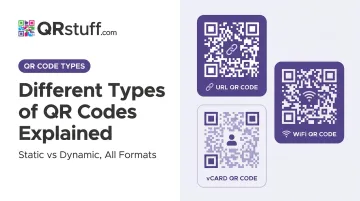
This article breaks down QR codes across three classification frameworks: data flexibility (static vs. dynamic), use case (URL, vCard, Wi-Fi, payment, and more), and physical format (Model 2, Micro QR, rMQR, etc.). By the end, you'll know exactly which type fits your situation.
Key Takeaways
- Static codes are permanent and free; dynamic codes are editable, trackable, and the better choice for anything business-facing
- Use case type (URL, vCard, Wi-Fi, payment) determines what happens on scan — not how the code looks
- Format variants like Micro QR and rMQR solve physical space problems, not marketing ones
- Choose dynamic codes for any use case where the destination might change or scan data matters
- Standard Model 2 codes handle the vast majority of real-world use cases — no special format needed
What Is a QR Code?
A QR (Quick Response) code is a two-dimensional matrix barcode invented in 1994 by Masahiro Hara of Denso Wave. It encodes data in a grid of black and white modules that any smartphone camera can read — no dedicated app required.
What separates QR codes from traditional 1D barcodes:
- Higher data capacity — up to 7,089 numeric characters in the most widely used version
- Multi-directional scanning — readable from any angle
- Built-in error correction — codes remain scannable even when partially damaged
- Versatile encoding — stores URLs, plain text, contact details, Wi-Fi credentials, and more
That range of use cases has driven widespread adoption. More than 94 million US consumers scanned QR codes in 2023, with that figure forecast to reach 102.6 million by 2026.
The Two Primary QR Code Types: Static vs. Dynamic
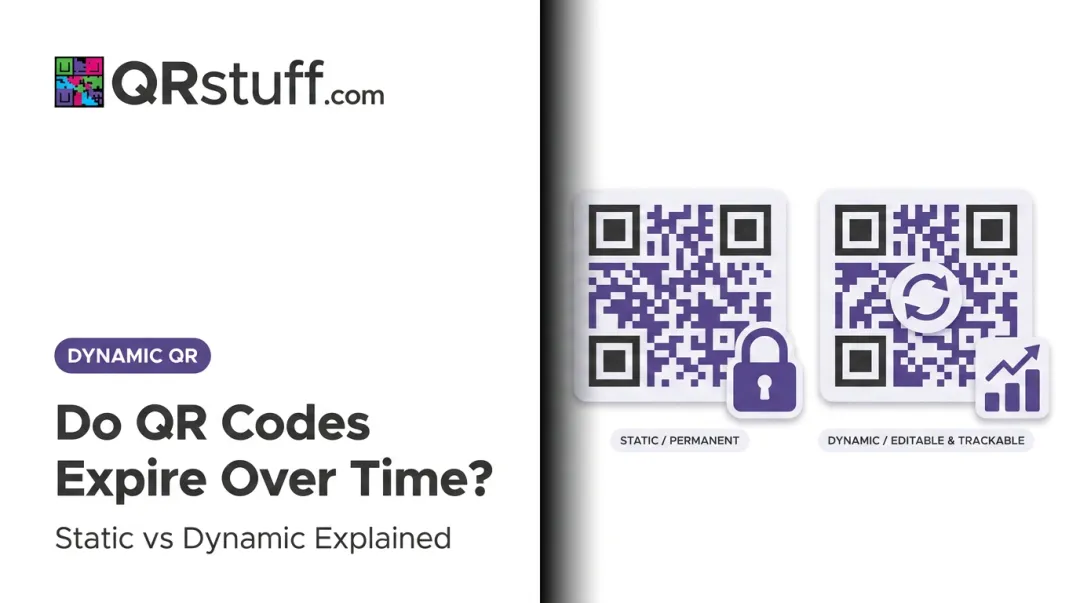
Before deciding what a QR code links to, the more important question is whether its content should be fixed or changeable. This single choice determines editability, trackability, and long-term cost.
Static QR Codes
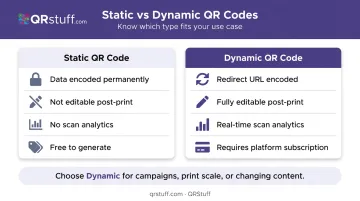
A static QR code encodes data — a URL, Wi-Fi credentials, plain text — directly into the code's pattern at the time of creation. Once generated, it cannot be changed. Any edit requires creating and redistributing a new code entirely.
Strengths:
- Free to generate on most platforms, including QRStuff's Free Suite (up to 5 static codes)
- No reliance on a third-party redirect service — the code works independently
- Reliable for permanent, unchanging content like printed instructions or fixed credentials
Limitations:
- No scan analytics of any kind
- If the destination changes or breaks, the code is permanently broken without reprinting
- Impractical for anything with a long print lifecycle
Static codes suit one-time use cases: a Wi-Fi password printed on a café sign, a plain-text code on a product insert, or a URL that will never change.
Dynamic QR Codes
A dynamic QR code doesn't encode the final destination directly. Instead, it encodes a short redirect URL managed by a QR platform. When scanned, that redirect resolves to the current destination — meaning the underlying content can be swapped at any time without touching or reprinting the physical code.
Strengths:
- Destination and content are fully editable post-print
- Scan analytics track when, where, and on what device scans occur
- Supports time-sensitive or frequently updated campaigns
- Pause, resume, or redirect codes without physical changes
QRStuff's dynamic QR codes provide real-time tracking across geographic location (country and city), device type (iOS vs. Android), scan time, GPS coordinates, and unique versus repeat scans. For businesses running multiple active campaigns, that granularity makes performance comparison straightforward.
Limitations:
- Require a paid subscription on most platforms — QRStuff includes 10 dynamic codes on the Free Suite, scaling up through paid tiers
- Functionality depends on the redirect service remaining active — provider reliability matters for long-running campaigns
If the code is going on something permanent with a fixed destination, static works fine. For anything printed at scale, tied to a campaign, or likely to change — dynamic is the practical choice.
Types of QR Codes by Use Case
Beyond static vs. dynamic, QR codes are further categorised by the content or action they trigger at scan. Each type is defined by what the code does, not how it looks. Choosing the right type for the job is what keeps the scan experience seamless for the end user.
Communication and Contact QR Codes
This category covers codes designed to initiate or store contact information:
- vCard QR codes — save a full contact profile directly to a phone's address book
- Email QR codes — pre-populate a recipient address and optional subject line
- SMS QR codes — open a pre-addressed text message ready to send
- Phone number QR codes — dial a number directly from a scan
Ideal for real estate agents, consultants, and recruiters who need quick contact exchanges on business cards. Also useful for businesses collecting SMS feedback or running networking events where fast information transfer matters.
Marketing and Content QR Codes
This category covers the broadest range of use cases, from simple web redirects to media delivery:
- URL/website QR codes — direct to any landing page
- Social media QR codes — link to a profile or link-in-bio page
- App download QR codes — smart-redirect to the correct app store based on the user's device
- PDF QR codes — link to downloadable menus, brochures, or guides
- Video and audio QR codes — link to hosted media content
Bitly reported 41% growth in QR code creations in H1 2023 vs. H1 2022, with the restaurant and leisure sector alone seeing 187% year-over-year growth — largely driven by menu and content QR codes.
Common use cases include marketers linking print campaigns to digital destinations, brands driving app installs, and restaurants swapping menu content without reprinting a single page.
Transaction, Access, and Utility QR Codes
These codes trigger specific device actions or provide access credentials:
- Wi-Fi QR codes — encode SSID and password so a scan connects directly to a network, no manual entry required
- Payment QR codes — link to PayPal, Venmo, UPI, Bitcoin, or EPC/SEPA payment flows
- Location QR codes — open a pre-set address in Google Maps
Payment QR codes are seeing significant adoption. Juniper Research projects global QR code payment spend will reach $5.4 trillion in 2025, growing to more than $8 trillion by 2029.
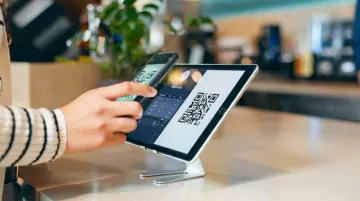
Cafés and hotels use Wi-Fi codes to cut front-desk friction. Freelancers and small businesses lean on payment codes for contactless transactions. Event venues use location codes to drop attendees directly into navigation.
Event and Scheduling QR Codes
This category connects a physical scan to a time-based action:
- Event QR codes — display event details and allow users to save the event to their calendar
- Booking/scheduling QR codes — link directly to Calendly, Google Calendar, or similar tools
- Form and survey QR codes — link to Google Forms, feedback tools, or RSVP pages
QRStuff supports this category through dedicated Eventbrite and Google Form integrations, as well as Wedding RSVP and Attendance QR code types. Well-suited for conference organisers, consultants sharing booking links on business cards, and HR teams collecting internal survey data.
Types of QR Codes by Format and Structure
Physical format — the shape, size, and structural design of the code itself — determines where a QR code can actually be printed. Denso Wave developed these variants to address specific constraints that a standard square code simply can't solve.
| Format | Key Specs | Primary Use Case |
|---|---|---|
| QR Code Model 2 | Up to 177×177 modules, 7,089 numerals, ISO/IEC 18004 | All consumer and business applications |
| Micro QR Code | Up to 17×17 modules, 35 numeric characters, versions M1–M4 | Small labels, electronics, pharmaceutical packaging |
| rMQR Code | 7×43 to 17×139 modules, ISO/IEC 23941:2022 | Cylindrical objects, lab samples, narrow manufacturing parts |
| SQRC | Identical appearance to standard QR; private data readable only by authorized scanners | Enterprise data security, confidential documents |
| Frame QR | Central canvas area for logos, images, or illustrations | Marketing and retail branding |
For most businesses, Model 2 is the only format you'll ever need. Micro QR and rMQR matter to manufacturers, pharmaceutical companies, and logistics operations working with constrained label spaces. SQRC is an enterprise security tool. Frame QR is worth knowing about if branded, logo-embedded codes are part of your marketing strategy.
QRStuff focuses on standard Model 2 QR code generation with extensive design customisation — logos, custom colours, and branded patterns — rather than specialised structural variants. Micro QR, rMQR, and SQRC require purpose-built industrial scanning infrastructure to function correctly.
How to Choose the Right QR Code Type
The right type comes down to three questions:
- Is the content permanent, or will it need to change?
- What action should the scan trigger?
- Are there physical constraints on where the code will be printed?
Decision Framework
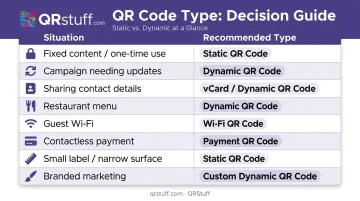
| Situation | Recommended Type |
|---|---|
| Fixed content, no budget, one-time use | Static QR code |
| Campaign requiring updates or analytics | Dynamic QR code |
| Sharing contact details | Dynamic vCard QR code |
| Restaurant menu | Dynamic URL or PDF QR code |
| Guest Wi-Fi access | Static or dynamic Wi-Fi QR code |
| Contactless payment | Payment QR code (Venmo, UPI, EPC) |
| Small label or narrow surface | Micro QR or rMQR (requires compatible scanner) |
| Branded marketing material | Frame QR or custom-designed Model 2 |
Common Mistakes to Avoid
- Use static codes only when content is truly fixed. If the destination URL, menu, or landing page might change, static forces a full reprint.
- Validate scanner compatibility before deploying Micro QR or rMQR. Most consumer smartphones only support standard Model 2 — test against your target devices first.
- Match the code type to the action. A plain URL when a vCard would let someone save contact details in one tap, or static codes on long-shelf-life print collateral, are easy mistakes to avoid.
For businesses managing multiple QR codes across campaigns or locations, QRStuff supports 40+ QR code types with a centralized dashboard, campaign-level organization, and analytics covering device type, scan location, and timing.
Frequently Asked Questions
What is the difference between static and dynamic QR codes?
Static QR codes permanently encode data at creation and cannot be edited — any change requires a new code. Dynamic QR codes encode a redirect URL managed by a platform, allowing content updates and scan analytics without reprinting the physical code.
Can I change the content of a QR code after it has been printed?
Only dynamic QR codes support post-print edits. Static codes cannot be changed — you must create and redistribute a new code entirely, which makes dynamic codes the practical choice for any printed asset with a long or uncertain lifecycle.
Which type of QR code is best for marketing campaigns?
Dynamic QR codes. They allow you to update landing pages, track scan volume by device and location, run time-sensitive promotions, and reuse printed materials across multiple campaigns without reprinting.
How many types of QR codes are there?
QR codes fall into three categories: data flexibility (static vs. dynamic), use case type (URL, vCard, Wi-Fi, payment, and 30+ others), and structural format (Model 2, Micro QR, rMQR, SQRC, Frame QR). Across all three dimensions, distinct configurations number in the dozens.
Are all QR codes free to create?
Static QR codes are free on most platforms. Dynamic QR codes — which enable editing and tracking — typically require a paid subscription. QRStuff's Free Suite includes 10 dynamic codes with basic analytics; paid plans start at £4/month (Lite Suite) and scale up to £185/month for the Enterprise tier with unlimited codes and API access.
Do platforms like Square, Ticketmaster, Wix, and Poshmark use QR codes?
Yes. Square uses payment and ordering QR codes for retail and restaurant transactions. Ticketmaster's SafeTix system rotates QR codes every few minutes to prevent screenshot fraud. Wix, Poshmark, and similar platforms rely on standard Model 2 QR codes for page links, shipping labels, and seller workflows.