Introduction
QR code menus started as a pandemic workaround. Now they're a permanent fixture in restaurants that care about margins, speed, and operational control.
The shift makes sense. Menu prices rose 31% between February 2020 and April 2025, according to the National Restaurant Association — and they're still climbing. Every price change, seasonal update, or ingredient swap used to mean another reprint run. For restaurants managing thin margins, that cycle adds up fast.
This article covers the measurable, day-to-day benefits of QR code menus — cost reduction, service speed, and real-time data — and the specific practices that separate restaurants getting genuine results from those just sticking a code on a napkin holder and leaving it at that.
Key Takeaways
- QR code menus open a digital menu on a guest's phone via camera scan — no app needed
- Key benefits include eliminated reprinting costs, faster ordering, real-time menu updates, and scan-level analytics
- Dynamic QR codes (not static) are essential — they let you update menu content without reprinting codes
- Placement, design, and load speed all affect performance; review your scan data regularly to act on what's working
- Extending QR codes to feedback, loyalty programs, and payment turns a single tool into a full guest engagement system
What Is a QR Code Restaurant Menu?
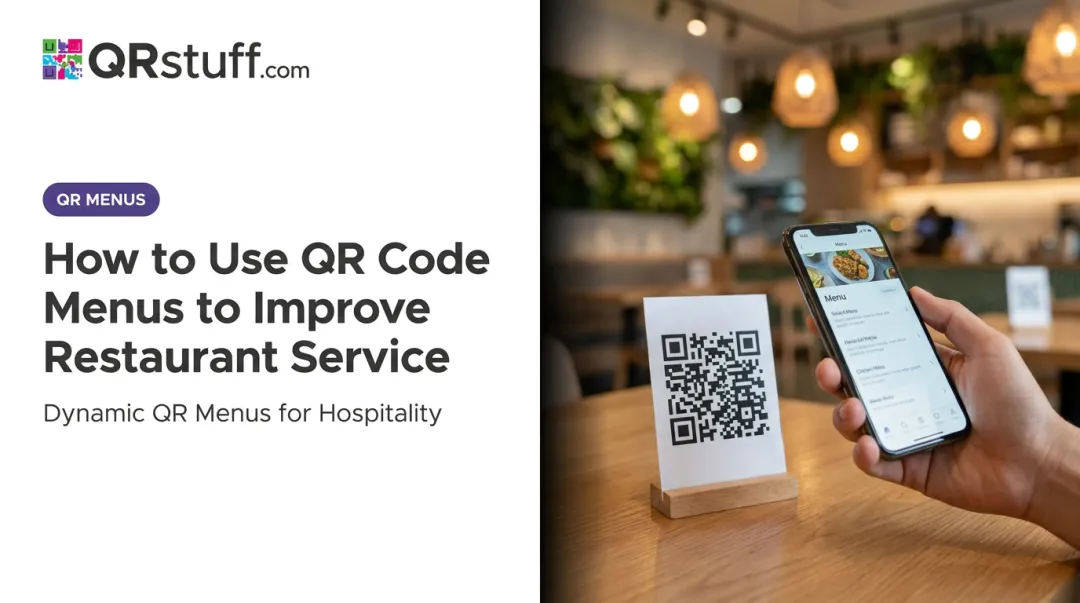
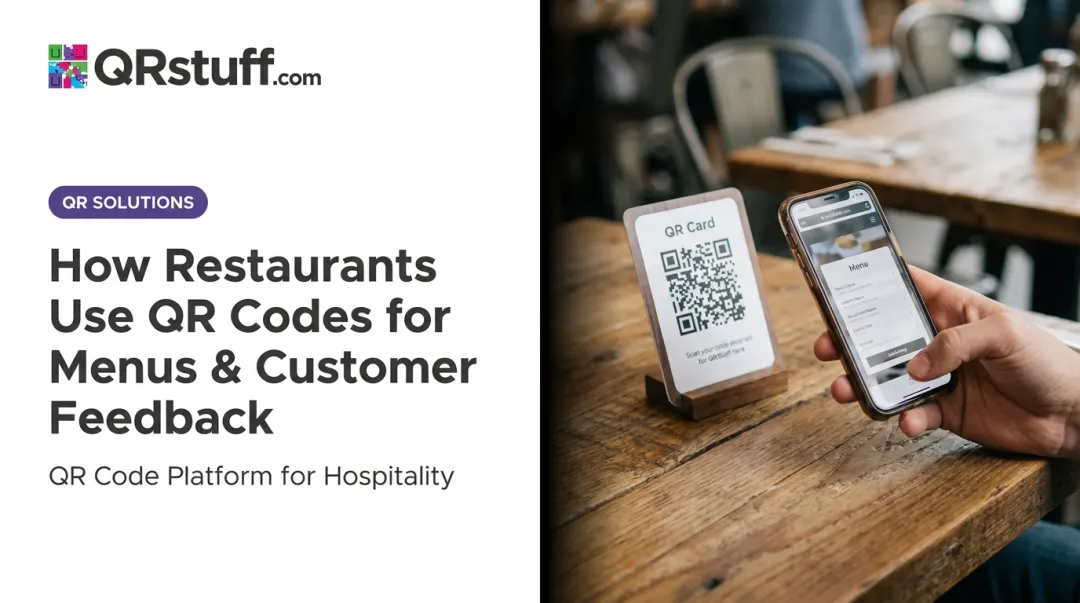
A QR code restaurant menu is a scannable code — placed on tables, tent cards, or printed materials — that opens a digital menu directly on a guest's smartphone camera. No app download, no physical handoff.
Since Apple added native QR detection in iOS 11 and Google Camera supports QR scanning on Android, most guests can scan instantly with the camera they already use.
Two Types Worth Knowing
| Type | How It Works | Operational Depth |
|---|---|---|
| View-only | Opens a PDF or image; guests still order verbally | Low: convenience only |
| Interactive | Guests browse, order, and sometimes pay from their phone | High: operational impact on speed, accuracy, and data |
The type you choose determines the depth of benefit. A PDF menu eliminates printing but delivers nothing else. An interactive, mobile-optimized menu changes how orders reach the kitchen, how staff spend their time, and what data you collect.
The QR code itself is just the delivery mechanism. The real value lives in the digital infrastructure it connects to: a live, updatable, trackable menu. QRStuff supports all three destination types (PDF, URL, custom landing page), with dynamic URL linking being the recommended choice for restaurants that update menus frequently.
Key Advantages of QR Code Restaurant Menus
The advantages below aren't about "modernization." They're about cost, speed, accuracy, and data — things that show up in actual restaurant economics.
Eliminating Recurring Printing and Reprinting Costs
Every time a price changes, a seasonal item rotates in, or a supplier substitution forces a description update, a traditional menu triggers a full reprint cycle. Across menu versions, multiple locations, and rush design fees, those costs compound steadily.
According to QSR Magazine, standard paper menus run $0.50–$3.00 per copy, with premium laminated or waterproof menus reaching $5–$10 each. A mid-size restaurant carrying 80–100 physical menus — reprinted two or three times a year — is spending several hundred to several thousand dollars annually before design and rush charges.
With a dynamic QR code menu, the update happens once in the dashboard. Every printed code in every location reflects the change instantly, at zero marginal cost.
KPIs this affects:
- Menu printing spend
- Cost per menu update
- Reprinting turnaround time
- Annual operational overhead
When this matters most: Restaurants with seasonal menus, daily specials, multi-location chains, and any operation where recurring print costs are a measurable line item.
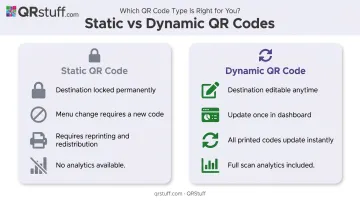
One important distinction: this saving only applies to dynamic QR codes. Static codes lock the destination permanently — any menu change requires generating and reprinting new codes entirely. On QRStuff's platform, dynamic code editing is available starting with the Lite plan, making it accessible for independent restaurants and chains alike.
Faster Service, Fewer Errors, and Better Table Turnover
When guests order through their phones, the server-as-bottleneck step disappears. Orders flow from the guest's device directly to the kitchen display, bypassing the verbal relay that produces most misinterpretation errors.
The business-outcome evidence is tangible. SpotOn clients using QR codes for 12 months saw a 3% increase in check averages and 9% total sales growth, according to Hospitality Technology. Separately, QR ordering has been associated with average order value increases of around $2–$4 per check.
On the staffing side, servers shift from order-takers to experience-focused roles — handling exceptions, managing the dining experience, and giving more attention to guests who need it. During peak hours, when one server covers six or eight tables, that shift in focus directly reduces errors and improves service quality.
KPIs this affects:
- Average order time
- Order error and remake rate
- Table turnover rate
- Kitchen throughput
When this matters most: High-volume casual dining and fast-casual during peak hours, multi-table sections where servers are stretched, and restaurants with limited front-of-house staffing.
QR ordering isn't universally better for revenue, though. BJ's Restaurants returned to physical menus after finding physical menus drove $0.70 higher average checks than their digital equivalent — the digital experience had obscured profitable items. Design and item presentation matter as much as the technology.
Real-Time Menu Flexibility and Actionable Customer Data
Printed menus have two structural limitations: they can't change after the print run, and they generate no data. QR code menus eliminate both.
Real-time updates handle sold-out items, emergency price changes, and limited-time specials in seconds. There's no waiting for reprints, no crossed-out items, no communication lag between the kitchen and the floor. This is especially relevant given that restaurant menu prices were still 3.6% above April 2025 levels as of April 2026, meaning price adjustments remain an ongoing operational reality.
Scan analytics add a layer of actionable insight that static menus simply can't provide. QRStuff's dashboard surfaces scan frequency by time of day, device type, and geographic location — useful for timing promotional pushes, identifying underperforming table placements, and understanding guest behavior patterns.
Operators can also track which menu items get the most views, providing a basis for evidence-based menu engineering rather than intuition.
KPIs this affects:
- Average order value
- Menu item view-to-order conversion
- Scan frequency by time and location
- Inventory waste from unavailable items
- Seasonal promotional performance
When this matters most: Restaurants with rotating menus, operators managing multiple locations who need unified real-time control, and any establishment looking to make data-informed decisions about layout, pricing, and promotions.
How to Get the Most Value from QR Code Restaurant Menus
Use Dynamic QR Codes — Not Static Ones
This is the single most important technical decision. Static codes lock the destination URL permanently; any menu change requires generating and distributing new codes.
Dynamic codes — available through platforms like QRStuff from the Lite plan up — let restaurants update linked menu content at any time through a web dashboard. No reprinting. No replacing table tents. The update takes seconds and every code in every location reflects it immediately.
Optimize Placement and Design for Scan Rates
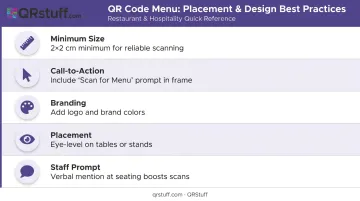
A code that doesn't get scanned delivers nothing. A few practical standards:
- Minimum print size: 2×2 cm for typical table-distance scanning
- Call-to-action: Include a clear prompt ("Scan for Menu") in a frame around the code
- Branding: Add your logo and brand colors — a plain black-and-white code on a napkin holder is a missed identity moment
- Placement: Eye-level on tables or stands, not buried in the corner of a place mat
- Staff prompting: A brief verbal mention during seating increases scan rates noticeably
QRStuff supports logo overlays, custom color palettes, gradient effects, and CTA frames. Logos can cover up to 30% of the code surface without affecting scan reliability, so customization doesn't require tradeoffs.
Ensure the Linked Menu Is Genuinely Mobile-Optimized
The code is only as effective as the experience it leads to. Google research found that 53% of mobile site visits are abandoned if a page takes more than 3 seconds to load. A slow, poorly formatted menu page will be abandoned regardless of how many guests scan.
A well-optimized QR menu destination includes:
- Fast load times (compress images, reduce scripts)
- Large tap targets and readable font sizes
- High-quality food photography
- Allergen and nutritional flags
- Multi-language support where relevant
Toast's 2025 survey of 850 U.S. adults found 26% disliked small print as a specific friction point with QR menus. Get the UX right or the technology works against you.
Track Analytics and Act on Them
Scan data only creates value when it informs decisions. Review which codes get scanned most, at what times, and from which placements. Use this to:
- Test menu placement and design changes
- Identify underperforming table sections
- Time promotional pushes around peak engagement windows
- Measure whether specific design changes drive higher scan rates
QRStuff's dashboard provides daily, weekly, and custom date range views with CSV and PDF export — so the analysis doesn't require a separate tool. Set a recurring review cadence; even a monthly check-in is enough to spot patterns and act on them.
Keep Physical Menus Available
Consumer preference is more divided than the QR-first narrative suggests. A 2025 Toast survey found 81% of diners preferred physical menus, with only 1% preferring QR-only. QR menus work best as the primary option, not the exclusive one. Keeping a few physical menus on hand for guests who ask costs almost nothing operationally and avoids alienating a meaningful share of your dining room.
Frequently Asked Questions
When should a restaurant use a QR code menu?
QR menus work from day one but deliver the highest impact when menus change frequently, table volume is high, or print costs are a real operational expense. For guests who are less comfortable with technology, keeping a few physical menus available on request covers the gap without losing the digital benefits.
Do customers actually prefer QR code menus over paper menus?
Preference splits by age: a 2025 Toast survey found 81% of U.S. diners preferred physical menus overall, while Technomic data shows stronger QR adoption among guests aged 18–24. The practical approach is to offer QR codes as the default with physical backups available on request — avoid a QR-only setup unless your guest mix clearly supports it.
Can I update my QR code menu without reprinting the codes?
Yes — but only with dynamic QR codes. Updating the linked menu content through the dashboard updates every code automatically, with no reprinting required. Static QR codes are permanent; any destination change requires generating and reprinting a new code entirely. On QRStuff's platform, dynamic editing is available from the Lite plan upward.
What should a QR code restaurant menu actually link to?
Options range from a PDF (simple but inflexible) to a mobile-optimized web page or a full ordering platform. A mobile-optimized page with live items, photos, and pricing delivers the best experience — QRStuff's Website URL QR Code type is the recommended choice for most restaurant menus.
How do I make sure guests actually scan my QR code?
Three factors drive scan rates: placement (eye-level on tables or stands), clear CTA text like "Scan for Menu," and a brief prompt from staff during seating. A branded, well-labeled code gets scanned significantly more often than a bare code with no context.
Are QR code menus suitable for fine dining restaurants?
Yes, when implemented carefully. Many fine dining venues use QR codes for wine lists, tasting notes, or allergen details alongside physical menus for the main course. The digital experience must match the venue's aesthetic — a poorly formatted page works against the hospitality standard these guests expect.
Conclusion
QR code restaurant menus are a proven operational tool — not a trend to evaluate. The benefits are real: lower print costs, faster service cycles, live menu control, and behavioral data that printed menus structurally cannot provide.
But the technology only delivers on those promises when the setup is done correctly. That means dynamic codes over static, mobile-optimized destinations, and readable placement — with analytics that actually inform decisions rather than just accumulate in a dashboard.
Restaurants that treat QR codes as an ongoing practice — testing, iterating, and extending them to feedback, loyalty, and payment — are the ones that extract real, lasting value from a tool most competitors underuse. The setup is straightforward. The returns compound over time.