The honest answer: it depends entirely on what the code links to and how it's designed. A well-executed QR code genuinely extends what a physical card can do. A poorly executed one signals exactly the opposite of what you intended.
This article gives you a clear verdict, covers what your QR code should actually link to, explains why dynamic codes beat static ones for business cards, and walks through the design rules that determine whether people scan or ignore it.
Key Takeaways
- QR codes on business cards work well for most professionals — when they link to something purposeful and mobile-optimized
- Over 94 million U.S. consumers were expected to use smartphone QR scanners in 2023 — scanning is mainstream, not niche
- The destination matters more than the code. An outdated or desktop-only page damages first impressions fast.
- Dynamic QR codes suit business cards best — update destinations without reprinting and track every scan
- Always include a CTA label and test on multiple devices before going to print
The Case For: Why QR Codes on Business Cards Work
They Solve the Space Problem
A standard business card holds roughly 8–10 data points before it starts looking crowded. A QR code solves this cleanly: your card stays uncluttered while the code links to a full portfolio, booking page, contact details, or social profiles. That's a practical trade-off with a real payoff.
Scanning Is Now a Default Behaviour
The hesitation around QR codes made sense in 2015. It doesn't in 2024. According to eMarketer, over 94 million U.S. consumers were expected to use smartphone QR scanners in 2023, a figure projected to reach 102.6 million by 2026. A MobileIron survey found 84% of respondents had already scanned a QR code, with 32% having done so in the past week.
The friction that used to exist (needing a separate app, not knowing what to do) is largely gone. Most people know how to scan.
Dynamic Codes Give Printed Cards an Indefinite Shelf Life
That ease of scanning only matters if the destination stays current — and that's where dynamic codes change the equation. Printed contact details go stale. A job title changes, a phone number gets updated, a website gets redesigned. With a static card, that means a reprint.
With a dynamic QR code, none of that applies. You update the destination through your dashboard and every card in circulation immediately points to the current information — no reprint required. QRStuff's dynamic QR codes support exactly this, letting you edit the destination URL any number of times while the physical code stays identical.
Analytics Turn Passive Handoffs Into Measurable Data
This is the advantage most people overlook. A plain card tells you nothing after it leaves your hand. A dynamic QR code with tracking enabled tells you:
- Total scans and unique scans
- Geographic location (country and city level)
- Device type (iOS vs. Android)
- Time and date of each scan
QRStuff provides all of these metrics through its analytics dashboard for dynamic codes. That data has real applications: you can see which networking events drove the most follow-up engagement, or whether your card is being scanned days or weeks after the conversation.
The Signal It Sends
In industries like tech, marketing, consulting, and real estate, a well-designed QR code signals that you're deliberate about your brand. It tells the recipient you've considered what happens after the handshake, not just during it.
The Case Against: When a QR Code Hurts More Than Helps
Not every situation calls for one. Be honest about your context before adding a code.
When QR codes genuinely don't belong:
- Your primary audience skews older or less tech-familiar, and a QR code creates friction rather than removing it
- Your industry (legal, finance, regulated healthcare) requires every linked URL to clear compliance review — a dynamic code that can redirect to new destinations may create approval issues
- The card is used in environments where internet access isn't reliable, making the code functionally useless
The "QR Code as Decoration" Problem
A code that points to a broken link, a desktop-only website, or a page that was last updated three years ago creates a worse impression than having no code at all. It signals carelessness, not innovation.
The destination defines the experience. If you can't commit to keeping that destination current and mobile-optimized, leave the code off.
The Trust Friction Is Real
According to MobileIron research, 71% of respondents couldn't distinguish a legitimate QR code from a malicious one, and 51% had security or privacy concerns despite still using codes. The FTC has also warned that scammers embed malicious QR codes in physical materials to steal login credentials.
The answer isn't to drop the code — it's to give people a reason to trust it. Include your name and a clear CTA label next to the code. When someone can see "Scan to save my contact details" alongside your name and branding, the hesitation drops significantly.
What Should Your Business Card QR Code Actually Link To?
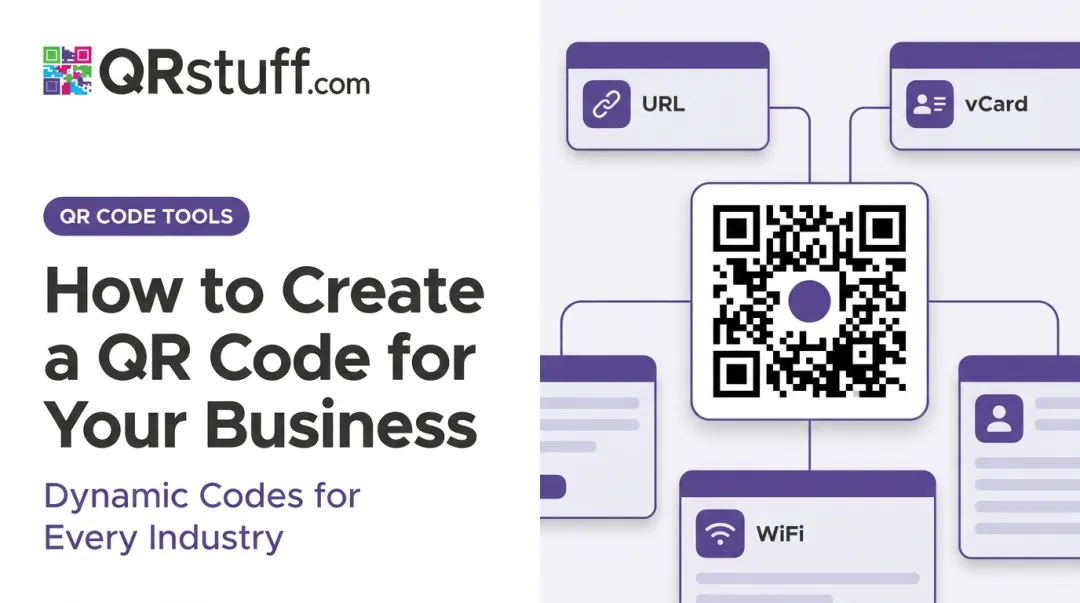
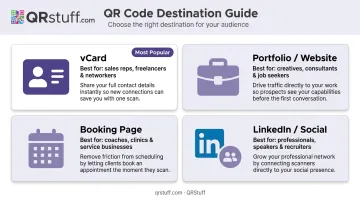
The destination depends on your primary networking goal. Here are the four most effective options:
| Destination | Best For | Why It Works |
|---|---|---|
| vCard | Most professionals | Auto-populates full contact details in one tap — no manual entry |
| Portfolio / Website | Creatives, consultants, freelancers | Lets recipients evaluate your work on the spot |
| Booking page | Sales, advisors, coaches | Converts a handshake into a scheduled meeting |
| LinkedIn / Social profile | Speakers, consultants, content creators | Removes friction from the "let's connect" moment |
vCard: The Most Practical Default
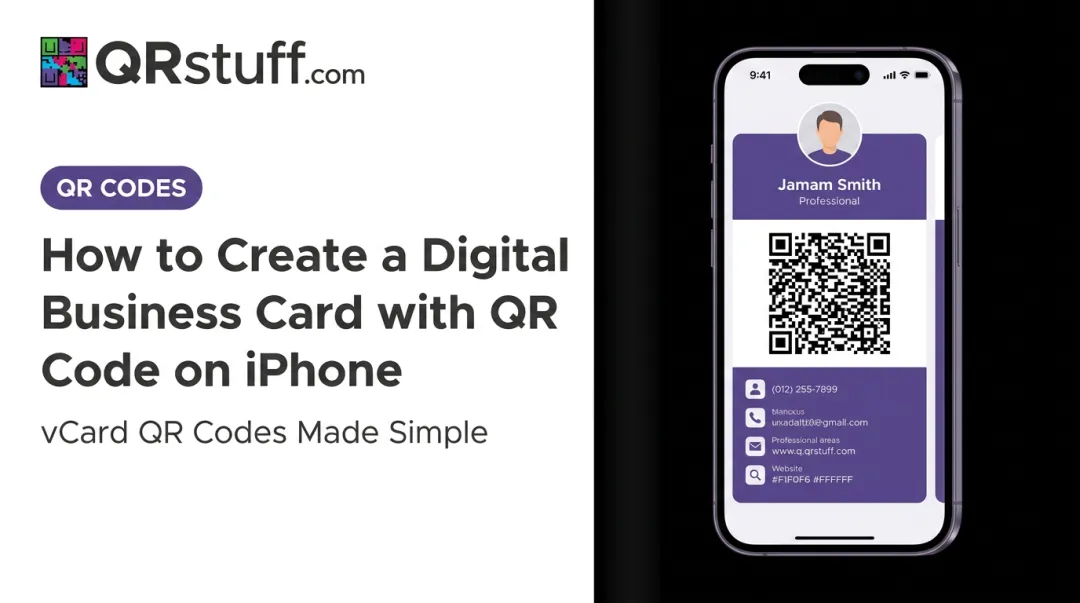
A vCard QR code auto-populates the recipient's address book with your full contact details — name, title, company, phone, email, website, and address — in a single tap. No typing, no transcription errors.
QRStuff supports vCard generation with all of these fields, including mobile number, organization, and notes. For most professionals, this is the highest-utility destination for a business card QR code.
Portfolio, Booking Page, or Social Profile
If your work speaks louder than your title, link to a mobile-optimized portfolio. If your goal is a meeting, link to a scheduler like Calendly. A scan at a conference can become a booked call before the conversation ends — that's a strong return on a card that costs cents to print.
For speakers and consultants, a LinkedIn QR link removes the friction from "let's connect" — no fumbling with app searches or spelling out your name. One scan, instant connection.
Whichever destination you choose, the rule is the same: the page must load fast and be designed for mobile. Nearly all QR scans happen on smartphones.
Static vs. Dynamic QR Codes: Which Is Right for Business Cards?
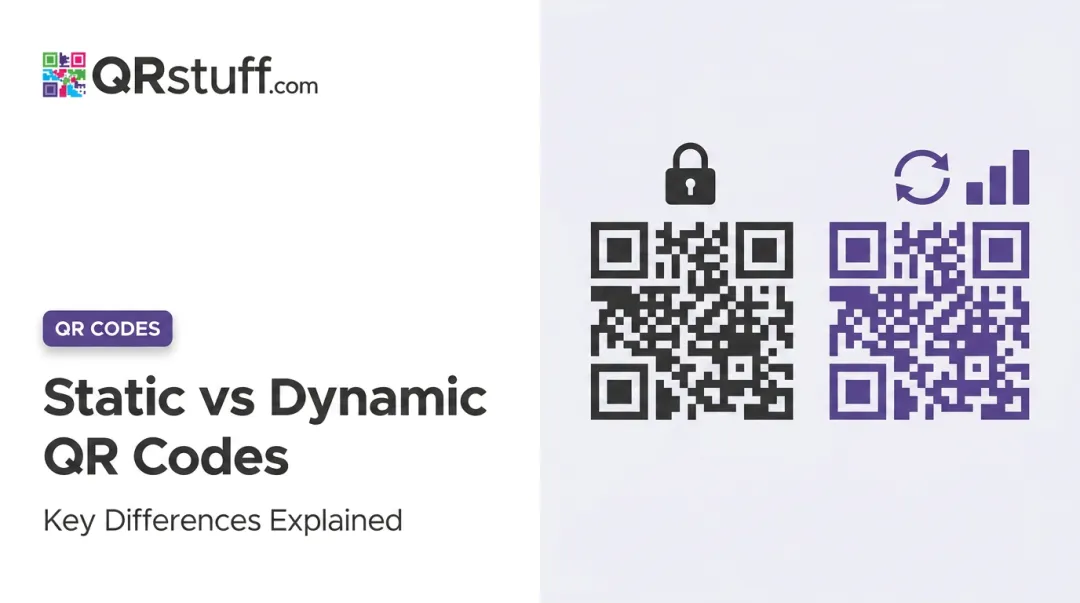
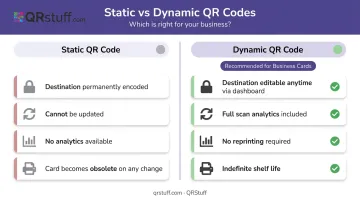
Static QR codes permanently encode the destination into the code itself. Once printed, they cannot be changed. If anything updates — your URL, your title, your phone number — every card is now pointing to stale information.
Dynamic QR codes store a redirect link. The physical code stays the same; only the destination changes, updated through a dashboard at any time.
For business cards, dynamic codes are the practical choice. Job titles change, URLs get restructured, and phone numbers follow people across roles — a static code can't keep up with any of that:
- Job titles, URLs, and contact details shift over time — your code should too
- Reprinting a full card run costs far more than a monthly platform subscription
- Scan analytics (who scanned, when, where) are only available with dynamic codes
QRStuff's paid tiers (starting at $4/month for the Lite Suite) include dynamic QR codes with no expiration, destination editing, and full analytics access. The Free tier offers 10 dynamic codes with a 30-day expiration — fine for testing, not for long-term business card use.
Design, Size, and Placement Best Practices
Size and Contrast Requirements
Three technical specs determine whether your QR code scans reliably or fails in the field:
| Spec | Requirement | Why It Matters |
|---|---|---|
| Minimum size | 0.8–1 inch / 2cm × 2cm | Below this threshold, older devices fail in low-light conditions |
| Quiet zone | 4-module-wide clear margin on all sides | Text or borders bleeding into this zone block edge detection |
| Contrast | 70%+ symbol contrast (GS1 standard) | Dark code on light background; inverted colours fail on older scanners |
Adobe and QRStuff both recommend the 2cm × 2cm floor for simple URLs. DENSO WAVE (QR code's inventor) and GS1 confirm the quiet zone requirement. For print applications, skip inverted colour schemes entirely — they're not worth the scan failure risk.
Placement and Call-to-Action
Placement options that work:
- Back of card, centre-right — leaves room for a CTA without competing with your name
- Front bottom corner — keeps it visible and accessible
- Full back-of-card layout — strong option for creative professionals
Placement to avoid:
- On or near a folded edge
- Under embossed or foil-stamped elements
- In an area with a dark or patterned background
The CTA is not optional. A bare QR code with no label creates confusion and lowers scan rates. Include a short action phrase directly adjacent to the code:
- "Scan to save my contact"
- "View my portfolio"
- "Book a meeting"
QRStuff's platform supports adding frame text and CTA labels directly to the QR code design, so this can be built in rather than added manually in your design software.
Test Before You Print
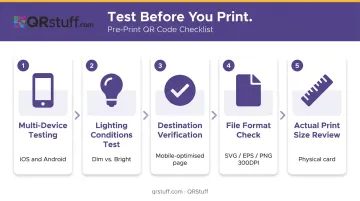
Even a well-designed code fails if it hasn't been tested at actual print conditions:
- Test on multiple devices — both iOS and Android, including at least one older model
- Test in different lighting — dim event lighting is very different from your desk lamp
- Verify the destination — confirm the page is mobile-optimised and loads in under 3 seconds
- Use the right file format — SVG or EPS for print (vector scales without quality loss); PNG at minimum 300 DPI if raster is required. QRStuff exports in both formats.
- Check at actual print size — zoom in a PDF proof isn't the same as holding the printed card
A scan that fails in front of a contact doesn't get a second chance — build testing into your print workflow before cards go to the printer.
Frequently Asked Questions
Should I put a QR code on my business card?
Yes, for most professionals. The code adds genuine value when it links to something purposeful — a vCard, portfolio, or booking page — and the destination is mobile-optimised. Skip it if your audience is tech-averse or your industry requires legal approval for every linked URL.
What are common QR business card mistakes?
The most damaging failures: printing the code too small, ignoring the quiet zone, using a static code that can't be updated, omitting a CTA label, and linking to a page that isn't mobile-friendly.
What should my business card QR code link to?
A vCard is the best default — it saves all contact details in one tap. Creatives should link to a mobile-optimised portfolio, sales professionals to a booking page, and those focused on online presence to a LinkedIn profile or social index.
How big should a QR code be on a business card?
No smaller than 0.8–1 inch (2–2.5 cm). Below that threshold, scan reliability drops, particularly in dim lighting or on older devices. Always test at actual print size before placing your order.
Should I use a static or dynamic QR code on my business card?
Use a dynamic code. Dynamic codes can be updated without reprinting and provide full scan analytics. Static codes are permanently fixed — any change to your contact details or destination URL makes every printed card obsolete.
Do people actually scan QR codes on business cards?
The behavior is well established. Over 94 million U.S. consumers were expected to use smartphone QR scanners in 2023, and 84% of respondents in a MobileIron survey had already scanned a QR code.