Direction QR Codes
Generate QR codes that open Google Maps directions to a specific address, venue, store, popup, hotel, restaurant, or event location so visitors can navigate with one scan.


Turn any address, venue, storefront, or event location into a scannable Google Maps directions link with QRStuff. Create branded static or dynamic QR codes, update destinations without reprinting, and track scan activity from one secure dashboard built for businesses, agencies, hospitality teams, and multi-location operators.
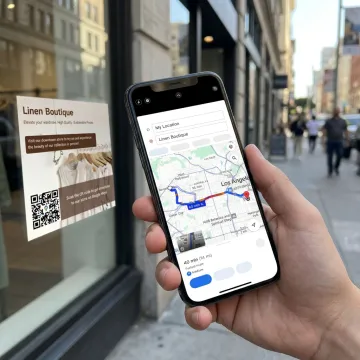
Create, customize, manage, and track Google Maps direction QR codes for every location-driven use case.
Generate QR codes that open Google Maps directions to a specific address, venue, store, popup, hotel, restaurant, or event location so visitors can navigate with one scan.
Use dynamic QR codes to change the destination address, landing page, or route link anytime without reprinting posters, menus, invitations, brochures, or window decals.
Customize your Google Maps QR code with colors, frames, logos, and brand-safe styling while maintaining contrast and scannability across print, signage, and digital placements.
Track performance with scan time, device, location, GPS coordinates, and campaign data, helping teams understand which signs, flyers, or venue touchpoints drive navigation.
Create large sets of location QR codes for branches, event spaces, real-estate listings, tourism stops, campuses, or field teams using QRStuff’s bulk generation capabilities.
Prepare QR codes for storefront signs, windows, displays, brochures, posters, kiosks, and event materials with practical guidance for size, distance, contrast, and quiet zones.
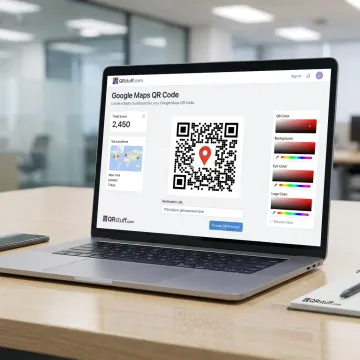
Start by adding the address, venue, store, event location, or map link you want visitors to open. QRStuff supports Google Maps location QR codes designed for fast access to turn-by-turn navigation.
QRStuff supports leading brands and businesses using QR codes across customer-facing location experiences.
QRStuff combines flexible QR creation with enterprise-grade reliability, security, and analytics.
Trusted QR code reliability for businesses and creators since the early days of mobile scanning.
GDPR and SOC2 compliant infrastructure supports business-grade QR management and secure account access.
Dynamic QR codes let teams update map destinations without reprinting existing signs or materials.
Bulk generation, API access, SSO, and analytics support multi-location and enterprise deployments.
A global QR platform built for business use.
QRStuff has been providing trusted QR code reliability since 2008, helping businesses and creators connect offline moments to digital destinations. The platform has grown into a comprehensive QR code workspace used by over 250,000 businesses and creators worldwide, with adoption across retail, hospitality, healthcare, education, real estate, finance, and marketing. For Google Maps direction QR codes, QRStuff focuses on practical business needs: fast code creation, brand-safe design, dynamic destination control, analytics, bulk generation, and dependable scanning across printed and digital placements. Its continued growth reflects a simple vision: make QR code creation secure, scalable, measurable, and easy for teams of every size.
To create a QR code for a route map, build or copy the Google Maps directions link for the destination, then paste it into QRStuff’s QR Code Generator. You can create a static code for a permanent route or a dynamic code if you want to update the destination later, add branding, and view scan analytics.
Create reliable Google Maps QR codes with flexible business tools.

Supports privacy-conscious business QR workflows
Enterprise security controls for platform users
Longstanding QR code platform reliability
Use QRStuff to build branded, trackable, and editable direction QR codes for locations, venues, events, and business campaigns.