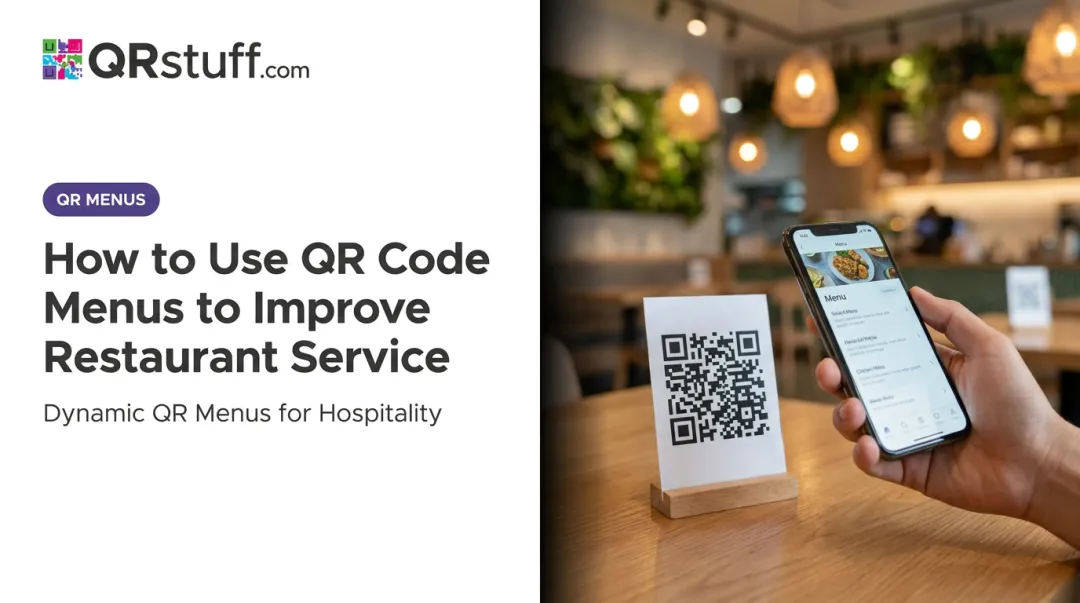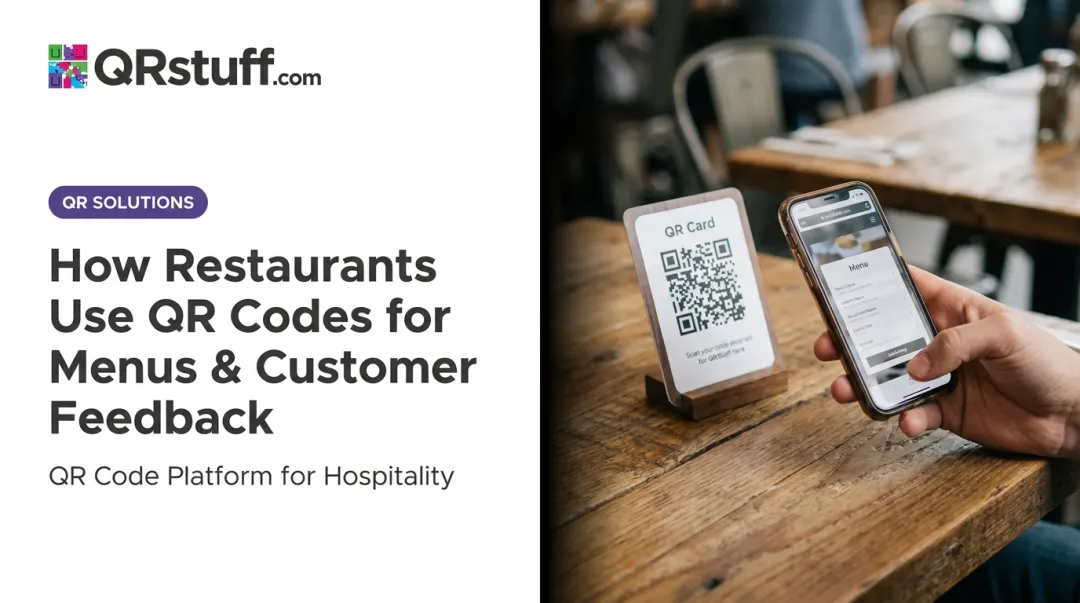
A restaurant QR menu is straightforward: a scannable code that takes customers straight to your menu on their phones. No app required, no printing delays, no laminated card covered in fingerprints.
According to the National Restaurant Association's 2024 Technology Landscape Report, 59% of full-service customers and 57% of limited-service customers would access a menu on a smartphone using a QR code. That's not a niche preference — it's the majority of your dining room.
This guide covers everything: the right menu format to choose, the exact steps to generate and deploy your QR code, what makes a QR menu succeed or fail, and the mistakes that trip up most restaurant owners.
Key Takeaways
- Host your menu online, generate a QR code linked to that URL, and place the code where diners sit
- Dynamic QR codes are essential — they let you update menu content without reprinting a single code
- Your menu format (PDF, webpage, or platform) directly affects whether customers can read it on their phones
- Testing before printing and choosing placement carefully are the two most overlooked steps
- QR scan analytics reveal peak dining times, device usage, and geographic data — helping you time promotions and refine placement
How to Create a Restaurant QR Menu — Step by Step
Step 1: Decide on Your Menu Format and Content
Before generating any QR code, you need something worth linking to. Three formats dominate:
| Format | Best For | Trade-Off |
|---|---|---|
| Simple menus with established design | Hard to update; poor mobile readability | |
| Website/CMS page | Restaurants with existing web presence | Requires basic web management |
| Third-party menu platform | Restaurants wanting a purpose-built solution | Ongoing subscription cost |
The critical point: your menu must be mobile-optimized before you generate the QR code. A desktop PDF that forces customers to pinch, zoom, and scroll sideways is worse than no digital menu at all. Nielsen Norman Group has documented that PDFs remain problematic for mobile reading precisely because they're fixed-format and non-responsive.
If you do use a PDF, ensure text is readable without zooming. If you're building a web page, check that it reflows properly at narrow screen widths and uses a body font size of at least 16px.
Step 2: Host Your Menu Online and Get a URL
Your QR code is only as useful as the URL it points to. The menu must be publicly accessible via a stable web address.
Options for hosting your menu:
- Google Drive — upload the PDF, set sharing to "Anyone with the link," and copy the shareable URL
- Your website CMS — publish a dedicated menu page and use that page's URL
- Menu hosting platform — platforms like QRStuff include a menu creation feature where you build a branded menu page with sections organized by category, hosted directly on the platform
URL stability matters more than most owners realize. A broken link means every printed QR code in your restaurant instantly becomes useless. Avoid linking to temporary files, draft pages, or URLs that change when you update the file.
Step 3: Generate Your QR Code
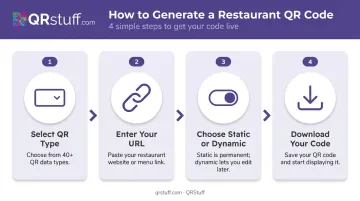
Once your URL is live, generating the QR code itself takes only a few minutes. QRStuff — used by 250,000+ businesses globally — handles this through a straightforward process:
- Select your QR code type — choose "Website URL" for a menu link, or "PDF" if you're uploading the menu file directly
- Enter your URL — paste your menu link (always include
https://at the start) - Choose static or dynamic — this decision matters significantly (see below)
- Download your code — SVG or EPS formats are best for print; PNG works for digital use at 300 DPI minimum
Static vs. Dynamic: What Changes After You Print
- Static QR codes permanently encode the destination URL. Change the menu? Reprint every code.
- Dynamic QR codes store a short redirect URL. You update the destination in your dashboard anytime — the printed code never changes.
With 88% of restaurants considering a switch to digital menus, menu updates are a near-certainty — making dynamic codes the practical choice for most operators. QRStuff's dynamic codes also unlock full scan analytics: tracking volume, device type (iOS vs. Android), time of day, and geographic location. None of that data is available with static codes.
Step 4: Customise the QR Code to Match Your Brand
A plain black-and-white QR code works. A branded one gets scanned more. QRStuff's paid plans offer:
- Custom colours and gradients — match exact brand hex codes
- Logo upload — automatically centred and scaled; logos can safely cover up to 30% of the code surface
- Module and eye shapes — move beyond the default square pattern
- Call-to-action framing — add text like "Scan to View Menu" directly below the code
Never sacrifice scannability for aesthetics. Keep high contrast between the code and background. Don't over-style the three corner squares (finder patterns) — scanners depend on them. Always test a customised code before printing.
Note that design customisation is available on paid plans only.
Step 5: Test, Print, and Place QR Codes
Testing is non-negotiable. Before a single code goes to print:
- Scan from both iOS and Android devices
- Test in your actual restaurant lighting — low ambient light, candle-lit tables, and bright outdoor patios all behave differently
- Scan from the distance a seated diner would realistically use
- Confirm the menu loads fully and is readable on a small screen
Sizing: QRStuff recommends a minimum of 2cm × 2cm for simple URLs, and 4cm × 4cm for table placement to ensure reliable scanning across different phone cameras.
Strategic placement options:
- Table tents or laminated table cards (most common)
- Front door or host stand — useful for guests checking the menu before being seated
- Printed receipts — great for directing diners to leave reviews or return offers
- Menu covers — place the QR code prominently on the front
Don't skip the prompt. A code with no label gets ignored. "Scan for Menu" or "Scan to Order" takes two seconds to add and meaningfully increases scan rates.
Key Factors That Affect How Well Your QR Menu Performs
Getting the code live is step one. Getting it to work well for every customer requires attention to four variables restaurants consistently underestimate.
URL Load Speed
A slow menu page frustrates diners and gets abandoned. Research from Google and Deloitte across 30 million mobile sessions found that a 0.1-second speed improvement increased retail conversion by 8.4% and average order value by 9.2%. The same study found bounce probability rises dramatically with each additional second of load time.
For restaurant QR menus, the practical implication: avoid heavy image-laden PDFs and unoptimized web pages. Test your menu on a slow mobile connection before deploying — not just on fast restaurant Wi-Fi.
Mobile Readability
A menu that works on desktop can be unusable at the table. Well-formatted mobile menus share these traits:
- Body text at 16px minimum
- Clear section headings with logical category structure
- Images that resize proportionally rather than overflow the screen
- Minimal horizontal scrolling — diners shouldn't need to pan left and right to read descriptions
If you're linking to a PDF, test it on an older Android device with a smaller screen. That's where readability problems become obvious.
Dynamic vs. Static — Why It's a Critical Choice
Restaurants that print static codes lock themselves into a permanent link. If the URL ever changes — or if the menu page gets restructured — every physical code in the building stops working. That means reprinting table tents for every table each time you update prices — a cost that adds up fast.
Dynamic codes through QRStuff handle this without reprinting. The redirect updates from the dashboard in seconds while the physical code stays the same. For restaurant chains or multi-location operators, QRStuff's Full Suite plan supports bulk generation of up to 500 codes per batch, each with independent redirect management and analytics.
Placement and Sizing Quality
A code printed too small, placed flat on a dark wood table under dim lighting, or positioned at an angle that catches window glare will fail to scan consistently. Beyond minimum size, consider:
- Surface reflectivity — glossy laminate near windows can cause glare that defeats the scanner
- Angle — codes tilted away from the customer require awkward positioning to scan
- Label visibility — the "Scan for Menu" prompt should be immediately visible, not buried under other table items
When a QR Code Menu Makes Sense (and When It Doesn't)
QR menus aren't the right fit for every dining context.
Strong fit:
- Fast-casual and high-turnover table service
- Restaurants with seasonal menus or frequent price changes
- Outdoor seating where physical menus deteriorate quickly
- Younger demographics — NRA 2023 data shows 73% of Gen Z adults were interested in accessing menus by QR code
Weaker fit:
- Fine dining where a physical menu is part of the service ritual
- Restaurants primarily serving older guests — a 2023 William Blair survey reported by Restaurant Dive found 65% of consumers over 60 were uncomfortable using QR codes in restaurants
- Venues with poor cellular reception or no guest Wi-Fi
Neither list disqualifies QR menus outright — most restaurants serve a mix of guests. The practical fix: keep a small stack of printed menus on hand for anyone who asks. That way, you get the update flexibility and cost savings of QR menus without leaving any table stranded.
Common Mistakes When Setting Up a Restaurant QR Menu
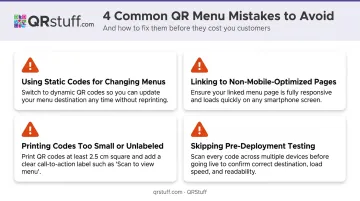
Avoid these four mistakes before your QR menus go live:
- Using static codes for a changing menu. Prices update, items disappear — static codes keep pointing to outdated content. Diners who order something that no longer exists, or at yesterday's price, lose trust fast. Use dynamic codes so you can update the destination without reprinting.
- Linking to a non-mobile-optimized page. Copying a website URL or linking to a desktop PDF and never testing it on a phone is a common shortcut. The result: a menu that requires zooming and horizontal scrolling, and customers who ask a server instead.
- Printing codes too small or unlabeled. A code smaller than 2 cm × 2 cm on a dark surface under dim lighting will fail to scan on most devices. Without an instruction label ("Scan to view menu"), diners who don't recognize the code simply won't try.
- Skipping pre-deployment testing. Wrong URLs, broken links, and print-damaged codes only surface once customers are at the table. Test each code on multiple phone models and browsers — not just your own device.
Alternatives to QR Code Menus
QR codes work well for most restaurant formats, but they're not the only option — and not always the right one. Here's how the main alternatives compare.
| Format | Best For | Key Trade-offs |
|---|---|---|
| Digital menu boards | Counter-service, quick-service | Higher upfront hardware cost; no per-table personalization |
| Printed menus | Fine dining, smartphone-averse guests | Reprinting costs $0.50–$3 (standard) or $5–$10 (laminated) per update |
| Tablet menus | Sit-down restaurants wanting interactive filtering | Ongoing device management, sanitization, and hardware costs |
Digital menu boards use wall-mounted screens to display rotating content. They work well where customers stand and decide before ordering but don't scale down to individual tables.
Printed menus remain the preferred choice in fine dining and for guests less comfortable with smartphones. They work best as a complement to QR codes rather than a replacement — the per-update printing costs add up quickly across a full menu refresh.
Tablet menus support interactive features like allergen filtering and upsell prompts. Key trade-offs include device management, sanitization requirements, and higher ongoing hardware costs compared to QR codes.
Frequently Asked Questions
Are digital menu boards worth it?
TV-based digital boards suit counter-service environments well — they're visible to queuing customers and update instantly. For table service, QR code menus deliver similar update benefits at a fraction of the hardware cost. Both formats reduce ongoing printing expenses.
How much does it cost to create a digital menu?
A basic QR menu linking to an existing website page costs almost nothing to set up. A fully dynamic QR menu with analytics and custom branding — like QRStuff's Full Suite — runs from around $15/month, which is typically far less than annual reprinting costs for a busy restaurant.
Can AI create a restaurant menu?
AI tools can draft menu descriptions, suggest item names, and help with pricing structure. But the actual QR code generation and menu hosting still requires a QR code platform and a way to publish your menu online — AI handles the copy, not the infrastructure.
Do customers need an app to scan a restaurant QR code menu?
No app required. Current iOS and Android smartphones scan QR codes through the built-in camera app, and the menu opens directly in the browser. Any smartphone bought in the last several years will handle it without extra software.
What's the difference between a static and dynamic QR code for a restaurant menu?
A static code permanently encodes the destination URL — change the URL and you must reprint. A dynamic code uses a redirect that you can update anytime from your dashboard. For any restaurant that updates its menu seasonally or daily, dynamic codes are the standard choice.
How do I update my restaurant menu without reprinting QR codes?
If you used a dynamic QR code, simply update the menu file or page at the destination URL — or log into your QRStuff dashboard and change where the redirect points. The printed code keeps working without any modifications.