That experience raises a fair question: does a QR code actually go to a website, or does it just display a web address for you to open yourself?
The honest answer is: both, depending on what's scanning it. According to eMarketer, 83.4 million US adults were scanning QR codes in 2022 — yet most couldn't explain what happens between the scan and the webpage appearing. This guide covers exactly that: what QR codes store, how scanning works, why your experience varies by device, and when a QR code isn't going to a website at all.
Key Takeaways
- QR codes store a URL as text — scanning one typically opens the destination website, not just displays the address
- Whether you see the URL first depends on your scanner app, not the QR code itself
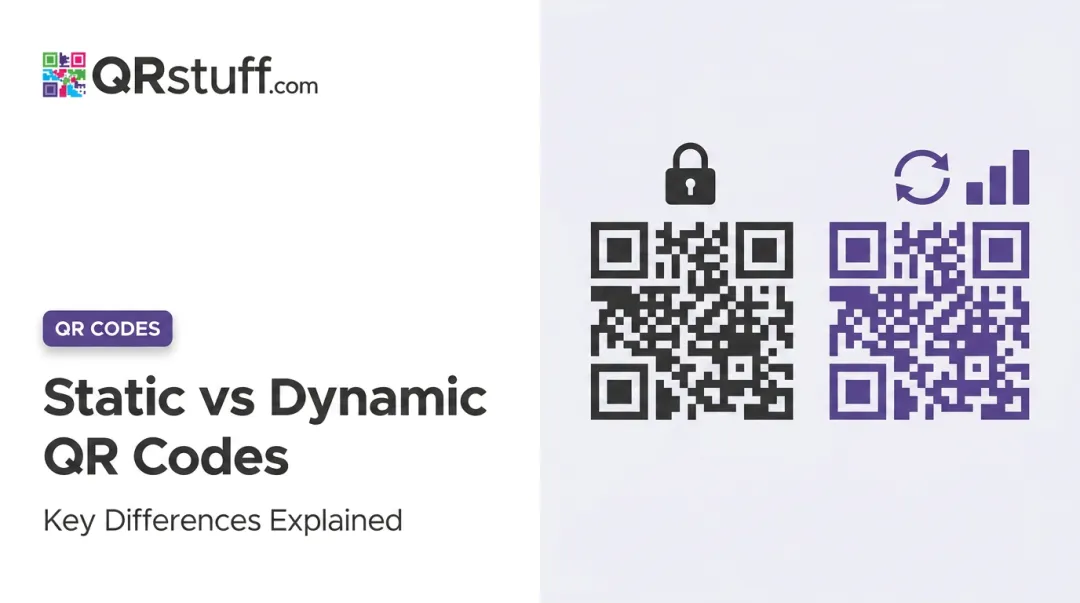
- Static QR codes permanently encode the destination; dynamic ones use a redirect, so the URL can change without reprinting
- QR codes can store Wi-Fi credentials, contact cards, and plain text too — only URL-type codes open a browser
- For businesses, dynamic QR codes allow destination updates and real-time scan tracking without reprinting
What QR Codes Actually Are
A QR (Quick Response) code is a two-dimensional matrix barcode — those black-and-white square patterns you see everywhere from product packaging to business cards. Defined by ISO/IEC 18004:2024, it stores binary data in a grid of dark and light modules, with three distinctive corner squares that help scanners detect and orient the code from any angle.
What it stores is just text. A URL, a phone number, a Wi-Fi password — all encoded as a string of characters. A 50-character URL is nowhere near the format's capacity limit of 4,296 alphanumeric characters, so length is rarely a concern.
A few common misconceptions are worth clearing up:
- QR codes have no internet connection of their own
- They don't "contain" a website — they store a text string pointing to one
- No proprietary app is required — modern iPhones (since iOS 11) and most Android devices scan natively with the built-in camera
The code doesn't "know" it's a URL — it just stores text. The scanner reads that text and decides what to do with it.
Do QR Codes Go to Websites or Just Show the URL?
Both happen — and your scanning tool determines which.
How iPhone handles it
Apple's native Camera app reads the QR code, then shows a banner notification at the top of the screen with the domain name. You have to tap that banner to open the link. Apple Support confirms this tap-to-open flow explicitly — the phone doesn't redirect automatically.
How Android and other scanners handle it
Android behavior varies by device manufacturer. Google's Pixel Camera shows a "bubble or link" on screen that users tap to open. The Camera from Google app behaves the same way: a banner appears, and clicking it opens the browser.
Third-party scanner apps on both platforms handle this differently. Some show a full URL preview with a confirmation step. Others open the browser immediately. There's no universal standard across Android devices or scanner apps.
What this means for QR code creators
The key implication: you don't control whether users see the URL before tapping. Your audience might see a long, messy link before deciding whether to proceed — and that split second of hesitation is where scans are lost.
Use clean, recognizable URLs — or better yet, a branded short redirect — so users aren't confronted with something like https://cms.yourplatform.com/content/v2/files/menu-spring-2024-final.pdf before they decide to tap.
How QR Codes Work: From Scan to Webpage
Here's what actually happens in the seconds between pointing your camera and seeing a webpage:
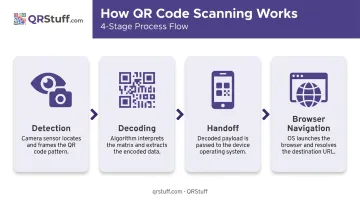
Detection — The camera sensor continuously analyzes frames, looking for QR code finder patterns (those three corner squares). No special hardware required on modern phones.
Decoding — Once detected, the scanner converts the module pattern into binary data, then into a text string. For a URL-type code, this produces something starting with
https://.Handoff — The decoded text gets passed to the phone's operating system. The OS recognises it as a URL and triggers the link preview or banner notification you see on screen.
Browser navigation — After you tap the link, the default browser sends an HTTP/HTTPS request to the web server. The server responds with page content. Your browser renders it (the same process as typing a URL manually).
That process completes flawlessly every time — unless the destination fails. If the encoded URL leads to a deleted or broken page, you'll see a browser error. That's a content management problem, not a QR code malfunction. The code did its job; the destination didn't.
Total scan-to-page time depends on camera speed, signal strength, and page weight. Older usability research clocked an average of 8 seconds for scan-to-page-load — reason enough to keep landing pages lightweight and mobile-optimized.
Static vs. Dynamic QR Codes: A Practical Difference
This distinction matters more than most people realise, especially for printed materials.
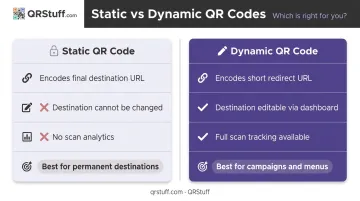
| Static QR Code | Dynamic QR Code | |
|---|---|---|
| What's encoded | The final destination URL | A short redirect URL |
| Can you change the destination? | No — must reprint | Yes — update via dashboard |
| Scan analytics | None | Full tracking data |
| Best for | Permanent destinations | Campaigns, menus, packaging |
Static codes: permanent by design
The destination URL is baked into the code's pattern at creation. Change your website URL, retire the page, or rebrand your domain — the printed code becomes useless. New code, new print run.
Dynamic codes: editable redirects
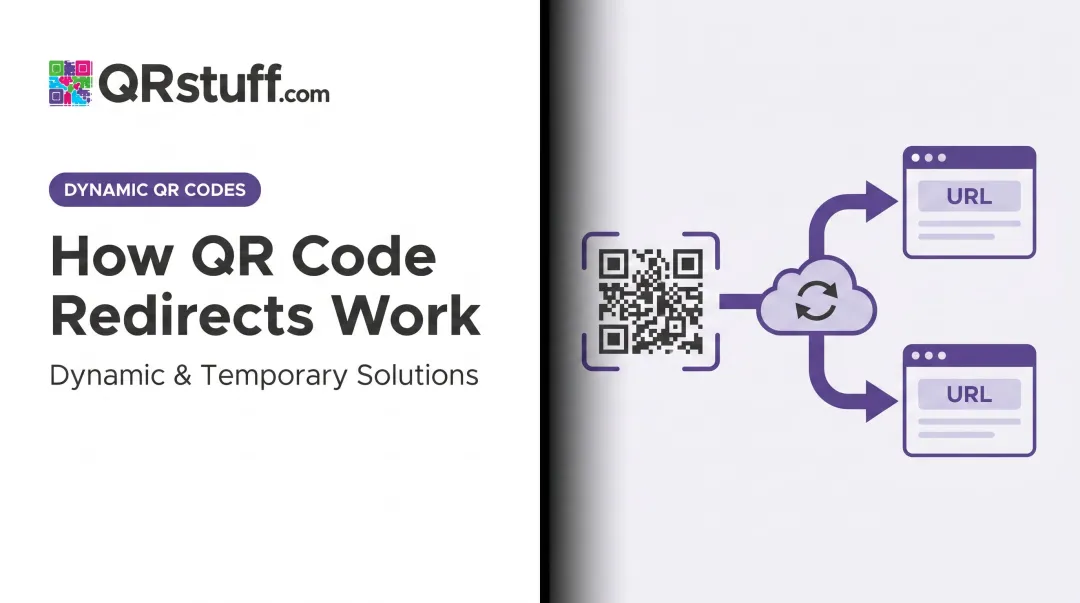
A dynamic QR code encodes a short redirect URL (hosted on the QR platform's servers). When scanned, that short URL records the scan event, then forwards the user to whatever destination is currently configured. Bitly confirms that changing the destination requires no new code — only a dashboard update.
A restaurant running seasonal menus, a retailer updating campaign landing pages, or a manufacturer linking packaging to different product pages — all of these benefit from dynamic codes.
What dynamic codes track
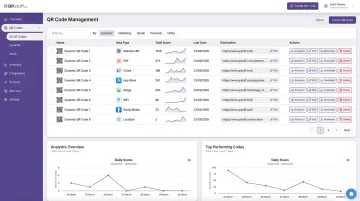
QRStuff's dynamic codes go beyond simple redirects — each scan logs:
- Total and unique scan counts
- Exact time and date of each scan
- Device type and operating system (iOS vs. Android)
- Geolocation down to city level
Full Suite and Enterprise plans have no monthly scan limit, and the destination can be updated any number of times without touching the printed code. Paid subscribers also get codes that never expire, provided the subscription stays active.
Free Suite accounts can trial dynamic codes, but face a 30-day expiration and a 50-scan monthly limit — better suited for testing than ongoing campaigns.
Beyond Websites: Other Things QR Codes Can Store
A URL is the most common payload, but it's far from the only one. Apple's iOS 11 developer documentation and the ZXing barcode library both catalogue multiple data types that scanners handle natively:
| QR Code Type | What happens when scanned |
|---|---|
| Website URL | Opens browser (after tap confirmation) |
| Wi-Fi credentials | Prompts device to join the network |
| vCard contact | Prompts user to save a contact |
| SMS / phone number | Opens messaging or phone dialler |
| Email (mailto:) | Opens email app |
| Calendar event | Prompts to add event to calendar |
| Plain text | Displays text or offers copy option |
| Geographic coordinates | Opens maps app |
The scanner determines the action based on the decoded text pattern. A Wi-Fi QR code never touches a browser. A vCard code opens the contacts app. Only URL-type codes navigate to a website.
Most platforms handle the types above. QRStuff extends this further — covering social media profiles (Instagram, TikTok, LinkedIn), streaming platforms (Spotify, Apple Music), payment methods (Venmo, Bitcoin), file types (PDFs, audio, video), and event management tools like Eventbrite and Calendly, for over 40 data types in total.
One practical note for anyone creating QR codes: label them clearly. Users can't tell from the pattern alone whether scanning will open a browser, connect them to Wi-Fi, or save a contact. A short label like "Scan for menu" or "Scan to connect to Wi-Fi" sets clear expectations before the tap.
Frequently Asked Questions
Can a QR code contain a website?
A QR code stores the URL — the web address — encoded as text data. When scanned, the device reads that text string and opens the corresponding website in the browser. So yes, it effectively contains a link to a website.
Do QR codes go on websites?
QR codes are primarily designed to bridge physical surfaces to digital destinations, but they do appear on websites too. The typical use case: helping desktop users transfer something to their phone quickly, like downloading an app or saving contact information, rather than linking from one webpage to another.
What happens when you scan a QR code?
The camera detects the QR pattern, decodes it into text (such as a URL), and the phone's OS displays a link preview or banner. Tap it, and the browser opens the destination — decoding is nearly instantaneous, though page load time depends on your connection.
Do QR codes show the URL before redirecting you?
It depends on your device and scanner app. Most native camera apps (iPhone, Android) show a domain preview in a tap-to-open banner before redirecting. Some third-party scanner apps skip the preview and redirect immediately — check your scanner's settings if you want a preview every time.
Can QR codes link to something other than a website?
Yes — QR codes can encode Wi-Fi credentials, vCard contacts, phone numbers, SMS messages, calendar events, plain text, email addresses, and geographic coordinates. Only URL-type codes open a browser; other types trigger the appropriate native app action on the device.
What's the difference between static and dynamic QR codes?
Static codes permanently encode the destination URL — changing it means creating and reprinting a new code. Dynamic codes encode a short redirect URL, so the destination can be updated any time through a dashboard without touching the printed code. Dynamic codes also support scan tracking and analytics.