Form QR Codes
Convert any Google Form link into a scannable QR code for surveys, sign-ups, event registration, lead capture, feedback, polls, and classroom quizzes.


Turn any Google Form into a fast, scannable response link with QRStuff. Create branded static or dynamic QR codes for surveys, sign-ups, event registrations, lead capture, classroom quizzes, and feedback forms, then track scans alongside your Google Forms submissions. Update destinations without reprinting when you choose dynamic codes.
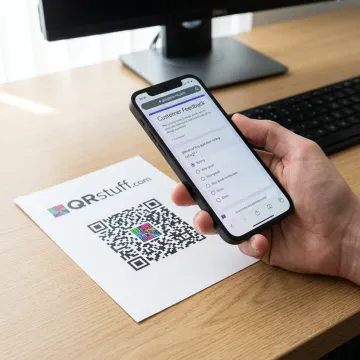
Create, customize, manage, and track Google Forms QR codes for responses, feedback, and lead capture.
Convert any Google Form link into a scannable QR code for surveys, sign-ups, event registration, lead capture, feedback, polls, and classroom quizzes.
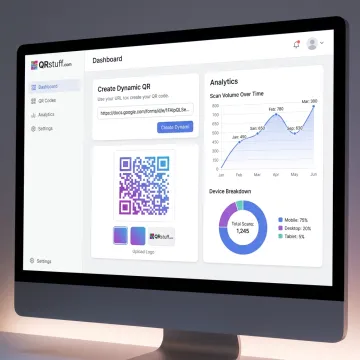
Use dynamic QR codes to change your Google Form destination later, keep printed materials active, and capture useful scan data before form submission.
Measure QR performance with real-time scan tracking, including scan time, device type, location insights, Google Analytics integration, and email reports.
Start by opening your Google Form, selecting the share option, and copying the response link. This URL becomes the destination users reach after scanning your QR code.
Businesses, educators, marketers, and enterprise teams use QRStuff to simplify form access and response collection.
QRStuff combines easy QR creation with enterprise-grade reliability, analytics, and security.
Dynamic QR codes let you update form destinations without reprinting existing materials.
Track scan time, location, device type, repeat scans, and campaign performance.
GDPR and SOC2 compliance support business-grade data protection and operational trust.
Trusted since 2008 by global brands, creators, businesses, and Fortune 500 companies.
A trusted platform team building reliable QR tools.
QRStuff has been providing dependable QR code technology since 2008, helping businesses, creators, educators, and enterprise teams connect offline audiences to digital experiences. The platform has grown into a comprehensive QR code solution used by more than 250,000 users globally and 495,000+ businesses. QRStuff supports use cases across marketing, education, healthcare, hospitality, retail, events, and enterprise operations, with tools for static and dynamic QR codes, analytics, customization, bulk generation, and API access. Its focus is simple: make QR codes scalable, secure, brand-ready, and measurable for organizations of every size.
To create a QR code for a Google Form, open your form, copy the shareable response link, and paste it into QRStuff’s QR Code Generator. Choose a static code for a permanent link or a dynamic code if you want analytics and the ability to edit the destination later. Customize the design, download the code, and add it to print or digital materials.
Get help choosing the right QR code setup.

Supports privacy-focused data handling for businesses.
Demonstrates strong operational security controls.
Used by leading global enterprise brands.
Create a QR Code for Google Forms with QRStuff and choose the plan, customization, and analytics features that fit your campaign.