Classroom QR Codes
Turn Google Classroom links, assignment pages, and class resources into scannable QR codes students can access from handouts, slides, posters, or learning stations.


Create scannable Google Classroom QR codes that help students, parents, and staff access class links, assignments, forms, and learning resources faster. QRStuff makes it simple to turn shareable classroom URLs into branded static or dynamic QR codes, with options for analytics, updates without reprinting, bulk creation, and secure management for schools, teachers, and districts.
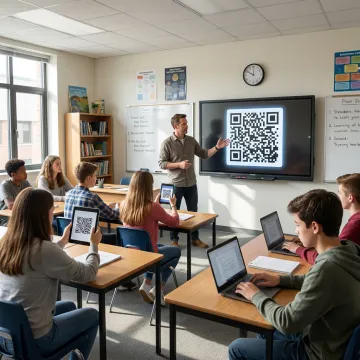
Flexible QR tools for sharing classroom links, assignments, forms, resources, and education workflows.
Turn Google Classroom links, assignment pages, and class resources into scannable QR codes students can access from handouts, slides, posters, or learning stations.
Use editable QR codes so classroom destinations can change anytime without reprinting materials, helping teachers keep lessons, resources, and announcements current.
Create QR codes for Google Forms used in quizzes, sign-ups, surveys, attendance, feedback, and classroom activities, with optional tracking through dynamic codes.
Generate multiple QR codes at once for classrooms, students, resources, events, or school departments, including Google Workspace and Google Sheets workflows.
Track QR code scans by time, location, device type, and engagement patterns to understand how often students or families access shared resources.
Link QR codes to PDFs, images, app downloads, Google Maps locations, and other content that supports classroom instruction and school communication.
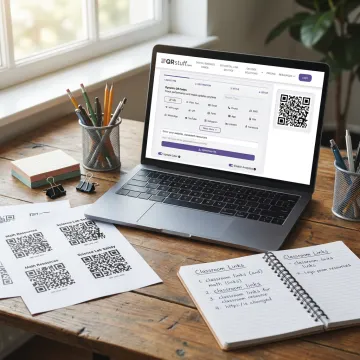
Start with the Google Classroom, assignment, material, Form, or resource link you want learners to open. Make sure sharing permissions are set correctly so students, parents, or staff can access the destination.
QRStuff supports educators, businesses, creators, and global brands with reliable QR code tools.
Built for simple classroom sharing and scalable institutional QR code management.
Trusted QR code reliability for educators, creators, and businesses since 2008.
Update classroom destinations anytime without reprinting posters, handouts, or resource cards.
Measure scan activity to understand resource access across lessons, classes, and campaigns.
GDPR and SOC2 compliant tools support safer QR management for organizations.
A global QR code platform built for scale.
QRStuff has provided trusted QR code generation since 2008, helping businesses, creators, educators, and institutions connect offline materials with digital experiences. The platform has grown into a comprehensive QR code workspace used by more than 250,000 users globally and 495,000+ businesses. For classrooms and schools, QRStuff supports simple resource sharing, Google Forms access, assignment links, attendance workflows, and dynamic QR codes that can be updated without reprinting. Its broader platform includes 40+ QR code types, branded designs, analytics, bulk generation, API capabilities, SSO support, and enterprise-grade security. QRStuff’s vision is to make QR code creation scalable, secure, measurable, and practical for every organization.
Copy the shareable Google Classroom link you want students or parents to open, such as a class invite, assignment, material, or resource URL. Paste it into QRStuff’s QR Code Generator, choose static or dynamic, customize the design, and download the QR code. For changing resources, dynamic QR codes are best because you can update the destination without reprinting.
Use QRStuff to build, customize, and manage education QR codes.

Supports responsible data handling practices.
Enterprise-focused security and operational controls.
Used by major global brands.
Start with a shareable Google Classroom link, choose the QR code format that fits your workflow, and build a scannable resource your students can access in seconds.