Table QR codes started as a pandemic workaround. They've since become a practical operational tool, with 59% of full-service customers now willing to access menus via QR code and 41% of restaurant operators planning investment in contactless ordering and payment technology.
The real value isn't novelty — it's in specific, measurable outcomes: faster service cycles, eliminated reprinting costs, and guest engagement data that paper menus can't provide. This article covers the most practical use cases and the benefits that actually show up in daily operations.
Key Takeaways
- Table QR codes connect guests directly to menus, ordering systems, promotions, and feedback channels via smartphone — no app required.
- They speed up table turns and free staff from routine tasks like order-taking and bill delivery.
- Dynamic QR codes let operators update menu content in real time without reprinting a single physical code.
- Scan analytics reveal when guests engage, from which tables, and on which devices — data paper menus never captured.
- Used consistently, table QR codes improve service speed, reduce costs, and drive revenue — without requiring separate tools for each.
What Is a Table QR Code?
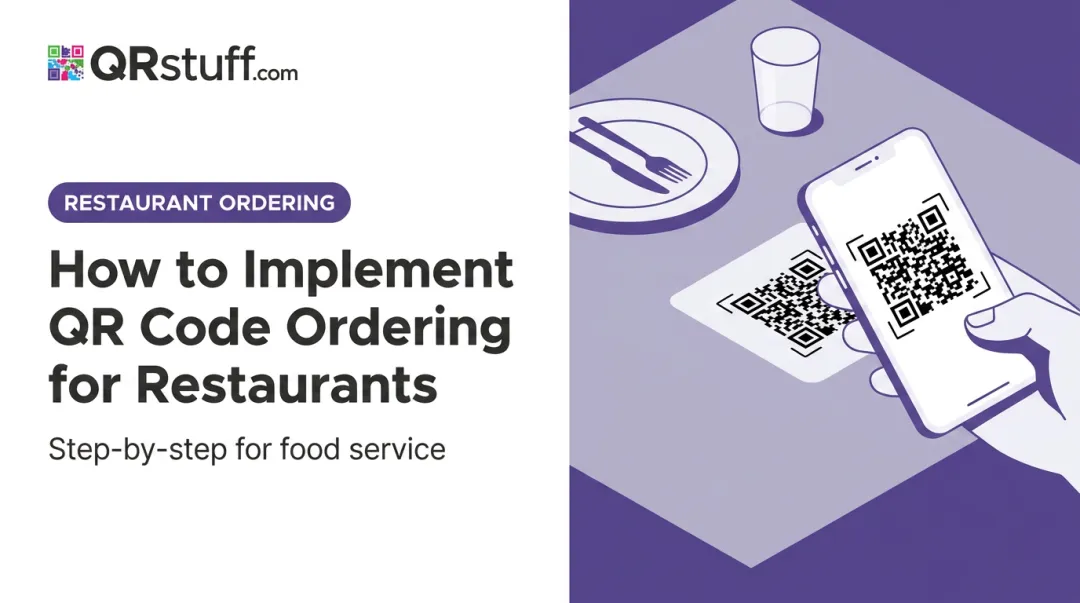
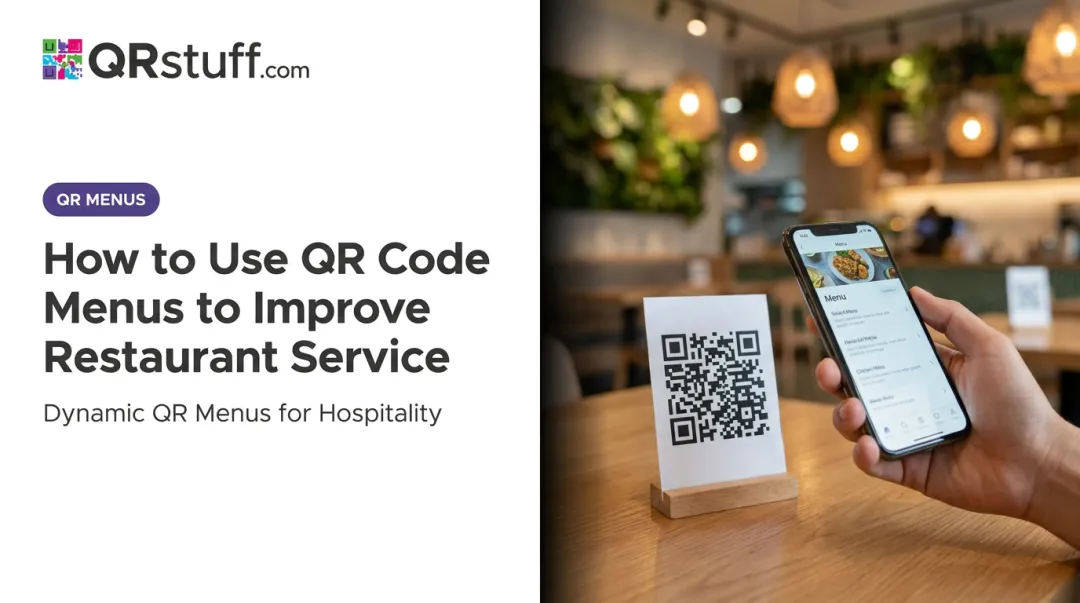
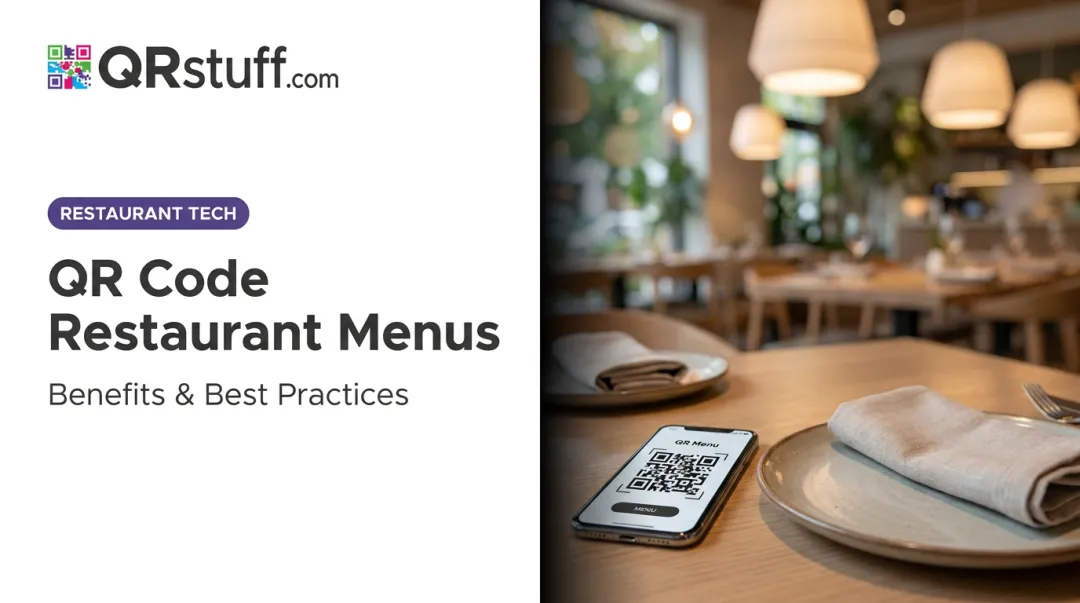
A table QR code is a scannable code placed physically on a restaurant table — on a tent card, laminated insert, sticker, or acrylic stand — that links guests to digital content via their smartphone camera. No app download required.
What they link to varies widely:
- Digital menus and online ordering systems
- Loyalty program sign-ups and promotional landing pages
- Google review pages and feedback forms
- WiFi credentials
- Social media profiles
- Payment pages
Think of a table QR code as an operational touchpoint — one that changes when and how guests interact with the restaurant. It reduces how often staff need to be physically present for routine steps like menu delivery, WiFi password sharing, or review requests.
When guests self-serve on those common tasks, staff time shifts toward fulfillment and hospitality — the parts of the experience that actually require a human.
Table QR Code Ideas for Restaurants
Restaurants getting the most from QR codes go well beyond a basic menu link. The same physical code placement can serve multiple guest interactions depending on how it's configured.
Digital Menu and Contactless Ordering
The most common use case: guests scan, browse the menu, and, in integrated setups, place orders directly without waiting for a server. This is most impactful during peak hours when staff are stretched thin, removing a bottleneck at the ordering stage without adding headcount.
Toast's QR-based Order & Pay solution was associated with a nearly 12% higher average ticket size, partly because guests browse at their own pace and review orders before submitting — reducing errors and comped meals.
That said, not every guest wants to order through a QR code. Toast's 2025 diner survey found only 1% of respondents preferred QR menus over other formats. A practical approach treats QR ordering as an option alongside traditional service, not a replacement.
Loyalty Program Sign-Ups and Promotions
Table time is captive time. Guests waiting for food are far more receptive to a loyalty sign-up prompt than they would be at any other point in their day.
A QR code linked to a sign-up landing page or a current promotion converts idle table time into a direct acquisition touchpoint. No server pitch needed, and no interruption to the dining experience. QRStuff supports dedicated coupon QR codes and Social Link Pages that can route a single scan to a loyalty form, a promotional offer, and other destinations simultaneously.
Review and Feedback Collection
Google captures more than 95% of all online restaurant reviews, and Google's own guidance confirms that review count and score factor into local search ranking. More reviews means higher visibility in local search results.
A QR code linking directly to a Google review page prompts guests to act while they're still at the table, when the experience is fresh and satisfaction is highest. QRStuff's dedicated Google Review QR code type generates a direct link to a business's review submission screen, removing every step between intent and action.
WiFi Access and Social Media Engagement
Asking a server for the WiFi password is a minor friction, but it's a common one. A dedicated WiFi QR code, placed on the table, delivers credentials the moment guests scan.
A second code (or a multi-link landing page) can direct guests to the restaurant's Instagram or Facebook profile. Followers gained at the table cost nothing and expand organic reach over time. QRStuff supports dedicated Facebook, Instagram, and TikTok QR codes, as well as Social Link Pages that bundle multiple destinations behind a single scan.
Special Menus, Events, and Upsell Prompts
Table QR codes function as a silent upsell channel that works at the exact moment guests are making decisions. Common applications include:
- Seasonal or limited-time menus that replace the standard menu link during specific periods
- Upcoming event promotions (wine dinners, live music nights, holiday menus)
- Dessert or drinks menus surfaced after the main course
- Wine pairing guides linked from relevant menu sections
Digital menus also allow operators to embed suggested add-ons contextually, presenting upsell options at the moment a guest is making decisions rather than when a server asks.
Key Benefits of Table QR Codes for Restaurants
The benefits below are framed around outcomes operators actually track — service speed, cost control, and revenue — not general claims about modernization.
Faster Service and Higher Table Turnover
Table QR codes reduce time spent at several points in the service cycle:
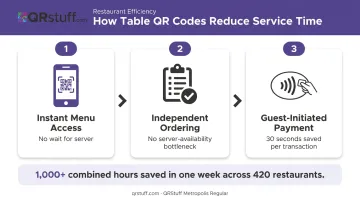
- Guests scan on arrival instead of waiting for a server to bring menus
- Orders are placed independently, removing the server-availability dependency
- Payment can be initiated by guests rather than waiting for a bill
First Watch's QR payment rollout across 420 restaurants saved approximately 30 seconds per register transaction — and more than 1,000 combined customer and employee hours in a single week. That figure covers payment only, before any ordering efficiency is factored in.
The effect on table turnover compounds across shifts. Black Box Intelligence illustrates that reducing average table occupancy time can directly increase nightly covers. During lunch rushes or high-cover weekend services, even modest reductions in the service cycle translate to measurable revenue per shift.
KPIs impacted: Table turnover rate, average wait time from seating to first order, covers served per hour, guest satisfaction scores.
When it matters most: High-volume periods, understaffed shifts, fast-casual formats where speed is a core part of the value proposition.
Cost-Effective Menu Management with Dynamic Updates
Every price change, item addition, or sold-out special that requires reprinting menus adds cost and delay. For restaurants with seasonal menus, daily specials, or volatile ingredient pricing, that cycle compounds quickly.
Dynamic QR codes solve this structurally. The physical code on each table stays the same. The linked destination — the digital menu — is updated through a dashboard in real time. Changes go live immediately.
QRStuff's dynamic QR codes work by routing scans through a short redirect URL. When a restaurant updates its menu content through the dashboard, the redirect destination changes instantly — no new codes printed, no table tents replaced.
This also eliminates a specific operational problem: items listed on the menu that are no longer available. When something sells out, it can be removed from the digital menu in minutes rather than waiting until the next print run.
KPIs impacted: Menu printing costs, frequency of out-of-stock complaints, time from menu change decision to live deployment.
When it matters most: Restaurants with seasonal menus, frequently changing specials, multiple locations, or high-turnover items like daily fish or draft beer.
Customer Insights and Revenue Growth Through Scan Analytics
Paper menus generate zero engagement data. Dynamic QR codes track when guests scan, on which devices, how often, and — with proper setup — from which areas of the venue.
QRStuff's analytics dashboard provides:
- Total and unique scans tracked in real time
- Time-based breakdowns by hour, day, and custom date ranges
- Device type data (iOS vs. Android, mobile percentage)
- Geographic data including top city and country-level scan locations
- CSV export for integration with external reporting tools
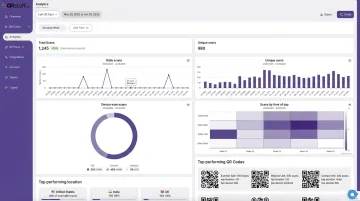
This data feeds directly into menu engineering — the practice of categorizing items by profitability and sales volume to optimize placement and pricing. Cornell's eCornell program describes menu engineering as using cost, margin, and sales-mix analysis to guide menu design decisions. Scan analytics provide the engagement layer that traditional sales data alone can't.
For restaurants running promotions, scan data on loyalty or event QR codes shows whether those promotions are actually being used — removing the guesswork from campaign evaluation.
KPIs impacted: Scan rates by time of day, promotional code conversion rates, average order value, repeat visit rate.
Operators who track these metrics consistently are better positioned to make pricing and placement decisions that hold up across seasons — not just during a single promotion cycle.
How to Get the Most Value from Table QR Codes
QR codes deliver their best results when used consistently, updated regularly, and measured. Deployed once and left static, their impact plateaus quickly.
Three conditions for maximizing value:
Use dynamic QR codes, not static ones. Static codes are hardcoded — change the destination URL and you need to reprint. Dynamic codes use a redirect layer, meaning the physical code never changes but the destination can be updated from the dashboard at any time. This is the foundation of a sustainable table QR strategy.
Use multi-link landing pages to reduce table clutter. Rather than placing separate codes for the menu, loyalty sign-up, and review page, a single QR code can route to a hub page with all three links. QRStuff's Social Link Pages feature handles exactly this: one scan, multiple destinations, cleaner table presentation.
Review scan analytics regularly. The dashboard shows which tables drive the most engagement, whether promotional codes are being used, and how scan rates shift when menu content changes. A monthly review against business outcomes is enough to start spotting patterns.
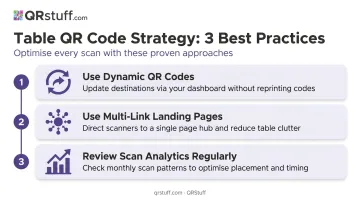
Those three habits cover most restaurants. For operators managing multiple locations or larger teams, QRStuff's Full Suite plan includes 250 dynamic QR codes, batch processing for up to 500 codes at once, and unified analytics across all codes from a single dashboard. The Enterprise tier supports unlimited bulk generation and additional team seats for programs spanning several venues.
Frequently Asked Questions
How do I scan a QR code on a restaurant table?
Most smartphones scan QR codes directly through the native camera app — no separate app needed. Open the camera, point it at the code, and a notification appears prompting you to open the linked content. The process takes seconds.
Are table QR codes safe?
QR codes from reputable platforms are safe. The main practical risk is physical tampering — someone placing a fraudulent sticker over the original. Verify codes regularly, use tamper-evident displays, and choose a platform with password protection. QRStuff's real-time scan analytics can also flag unusual patterns that may indicate tampering.
What can a restaurant table QR code link to?
Virtually any digital destination: digital menus, online ordering systems, payment pages, loyalty sign-up forms, Google review pages, WiFi credentials, social media profiles, or promotional landing pages. A multi-link landing page can bundle several of these behind a single scan.
Do I need to reprint QR codes every time my menu changes?
Only if you're using static QR codes. Dynamic QR codes use a redirect layer — the physical code stays the same, and the linked destination is updated through a dashboard. A table tent printed once can serve indefinitely as long as the destination content is kept current.
How do I create a QR code for restaurant tables?
Select a QR code generator, choose your content type (URL, WiFi, Google Review, etc.), customize the design to match your branding, test the code, then download and print. QRStuff supports bulk generation, making it straightforward to deploy across every table at once.
What's the best way to display a QR code on a restaurant table?
Popular formats include table tents, laminated inserts, stickers, and acrylic stands. Whichever you choose, add a short CTA like "Scan for Menu" and keep the code at least 2cm × 2cm — QRStuff's minimum recommendation for reliable scanning.