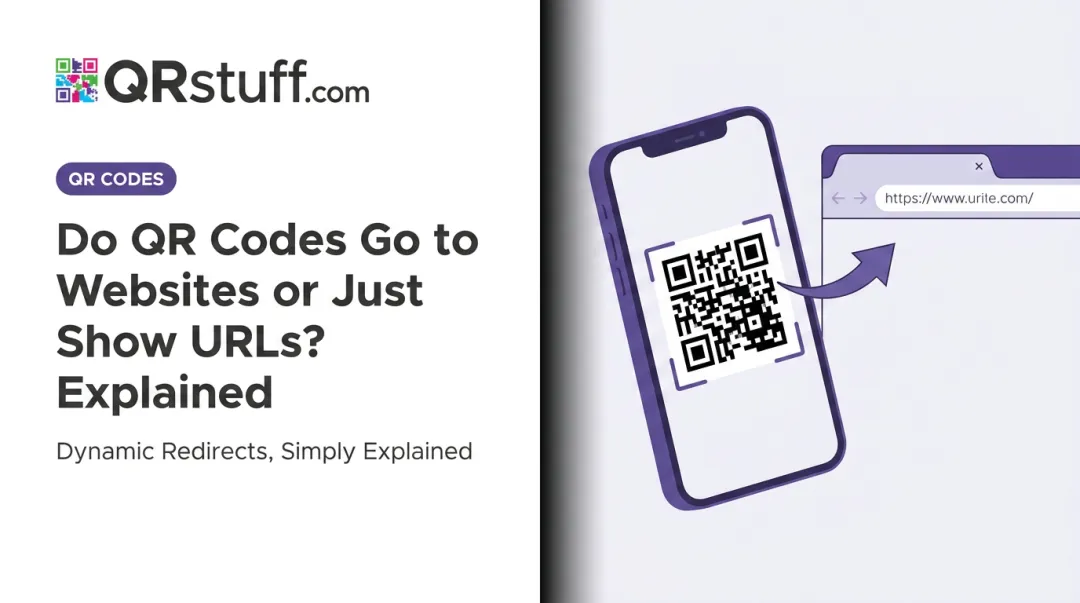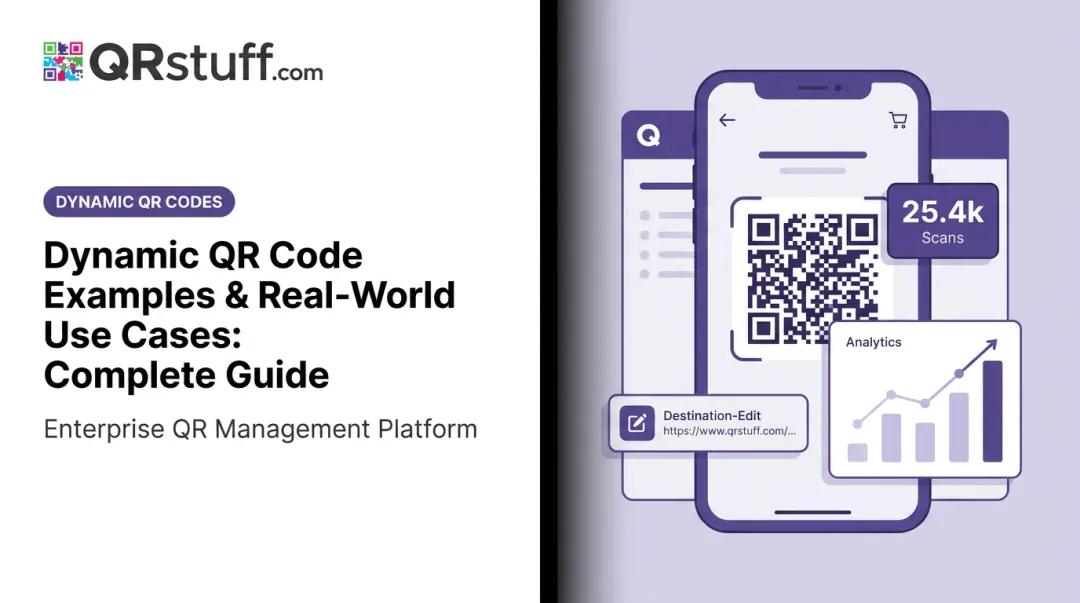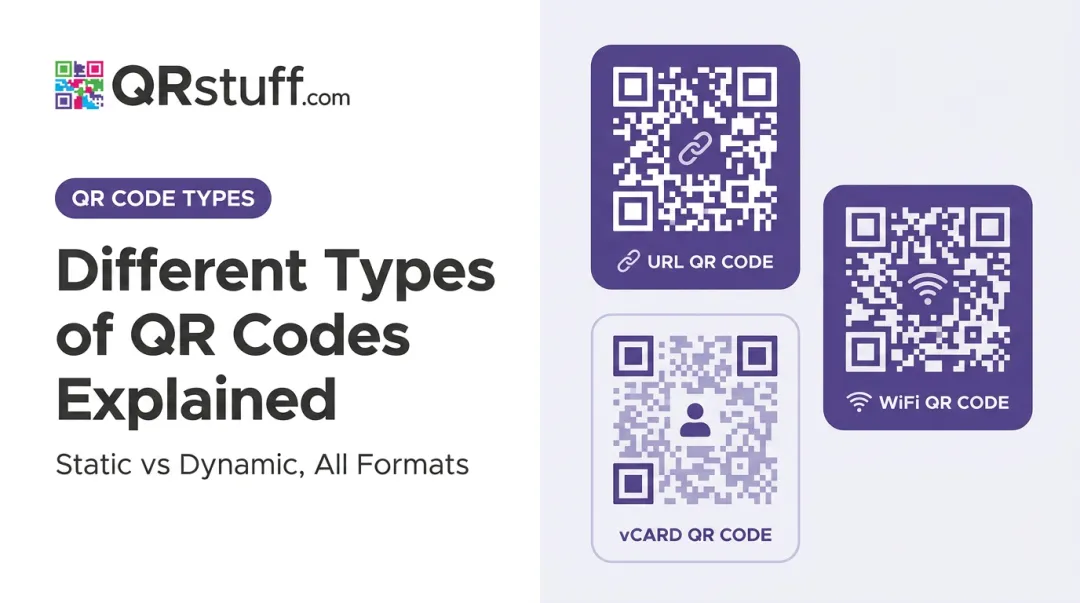
The problem is straightforward: a static QR code permanently bakes its destination URL into its pattern. Change the landing page, swap the promotion, or update the menu — and the code is broken. Reprinting is the only fix.
QR code redirects solve this by separating the physical code from its digital destination. This guide explains exactly how that works — technically and practically.
Key Takeaways
- Dynamic QR codes encode a short platform-controlled URL, not the final destination — so you can swap where the code points without reprinting it
- When scanned, the device sends an HTTP request to the platform's server, which looks up the current destination and issues a redirect response
- 302 (temporary) redirects are standard for dynamic QR codes — they prevent browser caching so every scan hits the server fresh
- Dynamic codes support scheduled, geo-targeted, and device-specific routing — all from a single printed code
- Analytics are captured at the redirect stage, not the destination — so scan history survives destination changes
What Is QR Code Redirection?
QR code redirection means changing where a scanned code sends users — after it's already been printed — without modifying the physical code itself.
This works because of one structural difference between static and dynamic QR codes:
| Static QR Code | Dynamic QR Code | |
|---|---|---|
| What's encoded | The final destination URL directly | A short, platform-controlled intermediate URL |
| Destination editable? | No — requires reprinting | Yes — update anytime via dashboard |
| Scan tracking | None | Real-time analytics |
| Best for | Permanent, fixed content | Campaigns, menus, printed materials |
A static code permanently encodes its target. A dynamic code encodes a short URL hosted on the platform's servers, which can point to any destination and be updated at any time.
The reason redirection exists is practical: printed materials have a long physical lifespan, but digital destinations change constantly. A promotional flyer might stay on a wall for months after a campaign ends. A restaurant menu printed in bulk becomes outdated with every price change.
Redirection bridges that gap. The physical code stays in place while the destination updates behind the scenes — no reprinting required.
GS1's 2024 redirection guidance frames this well: the QR code acts as a product or asset identifier, while the actual content it delivers can evolve independently. For anything printed at scale — packaging, signage, menus — that separation between the physical code and its digital destination is what keeps materials from going stale.
How QR Code Redirects Actually Work
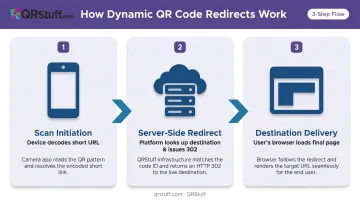
Redirection happens in three stages: scan initiation, server-side redirect, and destination delivery. Each stage is distinct, and understanding them explains why the physical code never needs to change.
Stage 1: Scan Initiation
When a user scans a dynamic QR code, their device's camera decodes the pattern and extracts the short intermediate URL encoded in it — not the final destination. The device then sends an HTTP GET request to the QR platform's server at that address.
The user does nothing beyond scanning. Their browser or camera app handles the request automatically. From their perspective, they pointed their phone at a code and a page loaded.
The short URL is the control point. The QR code pattern encodes nothing about the destination — only the address of a platform server that knows where to send traffic next.
Stage 2: Server-Side Redirect
This is where the flexibility lives. The platform's server receives the GET request, looks up the short URL in its database, retrieves the currently assigned destination, and issues a redirect response (typically a 302) that instructs the browser to navigate there.
The destination stored in the database can be changed at any time from the platform dashboard. The next scan after that change will follow the new destination automatically — no update to the QR code pattern, no reprinting.
QRStuff captures the following analytics at this stage, before the user ever reaches the destination:
- Date and timestamp of each scan
- Device type (mobile or desktop) and operating system (iOS, Android, etc.)
- Geographic location at country and city level
- Total scans vs. unique scans — distinguishing new visitors from repeat engagement
Because the data is captured at the redirect stage, it's independent of whatever the destination URL is. Change the destination ten times — the analytics record stays intact and continuous under the same code.
Stage 3: Destination Delivery
The user's browser follows the redirect and loads the destination page. On a normal connection, there's no visible delay or intermediate screen.
One key distinction to understand: tracking at the destination page (via Google Analytics or similar tools) is separate from platform-level redirect tracking. Redirect-stage analytics are more reliable for QR campaigns because they capture data regardless of whether the destination page:
- Loads successfully
- Has tracking scripts installed
- Changes between campaign cycles
301 vs. 302: The Redirect Type That Makes Dynamic QR Codes Work
The choice between 301 and 302 directly determines whether destination updates actually reach users — it's a functional difference, not a cosmetic one.
302 (Temporary) — the right choice for dynamic QR codes:
A 302 tells browsers, CDNs, and search engines that this redirect is temporary and may change. Per RFC 9111, 302 responses are not heuristically cacheable by default. That means every scan hits the platform server fresh — the latest destination is always retrieved, and analytics are always logged.
301 (Permanent) — breaks dynamic QR functionality:
A 301 signals that the destination has moved permanently and should be cached. RFC 9111 lists 301 as heuristically cacheable by default. Once a browser or intermediary caches a 301, it skips the server lookup on future visits and goes directly to the cached destination. Update the destination in your dashboard — some users will never see the change.
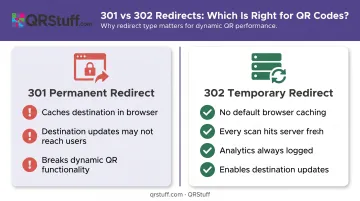
Delivr's documentation explicitly confirms this: dynamic QR platforms use 302 Temporary redirects specifically to prevent permanent caching and keep destinations updatable.
What about SEO?
Yes, 301 redirects pass link equity while 302s don't — but that distinction is irrelevant for QR codes. A printed QR code is not a crawlable HTML link. Google's own guidance states it can reliably crawl links when they are HTML <a> elements with href attributes. QR scans are offline-to-online traffic, not SEO backlinks.
The one scenario where a 301 applies:
If a static QR code's encoded URL has been retired and you want to forward all existing scans to a fixed final destination permanently, a 301 redirect at the domain level is appropriate. This is handled outside any QR platform — at your DNS or server configuration — and it only makes sense when the destination will never change again.
Advanced Redirect Capabilities: Scheduled, Conditional, and Smart Routing
Standard dynamic QR codes redirect every user to the same destination. Advanced platforms go further by applying rules at the server stage before the redirect is issued.
Time-Based and Scheduled Redirects
Some platforms route users to different destinations based on time of day, day of week, or date ranges. A restaurant's table QR code could display a lunch menu from 11am–3pm and switch automatically to the dinner menu from 5pm onwards — same printed code, no reprinting required. The server evaluates the request timestamp and selects the appropriate destination before responding.
Geo-Based and Device-Conditional Redirects
A single globally printed QR code can serve market-specific content by routing based on:
- Geographic location — country or region detection routes users to localised landing pages
- Device type / OS — iOS users go to the App Store listing, Android users to Google Play
These routing rules are only reliable when the underlying platform can guarantee consistent execution. QRStuff backs its Smart Rules with a 99.9% uptime SLA — and has recorded 99.968% actual uptime since 2008. Geo-routing is available on Full Suite (£15/month) and Enterprise (£185/month) plans.
Worth noting: These capabilities require a platform that explicitly supports rule-based link management — they're not available with static QR codes or basic dynamic generators that lack server-side logic.
Where QR Code Redirects Work Best
These use cases all share one characteristic: the printed asset outlives its original digital destination.
Real-world environments where this matters most:
- Restaurants — menus, daily specials, allergen info, and pricing change constantly. QRStuff customer Sofia Benitez of Café Luna updates her PDF whenever specials change, without reprinting laminated menus.
- Marketing campaigns — seasonal promotions, limited-time offers, and A/B landing page tests require destination flexibility without reprinting flyers or signage
- Real estate — property listing brochures stay in circulation long after individual listings update. QRStuff user Marcus Halloway tracked which open house listings were generating scans and updated destinations as properties changed status.
- Events — schedules, venue maps, and session links change before and during events; one museum customer corrected a content error after exhibit labels were printed, avoiding a full reprint run
- E-commerce and retail — redirecting from product packaging to current promotions, seasonal campaigns, or localised pages without repackaging
Across all these use cases, the business logic is the same:
- Destination changes don't require new print runs
- A broken or outdated URL can be fixed immediately, before the next scan
- The same printed asset can serve multiple sequential campaigns, with analytics tracking throughout
Once you understand how the redirect chain works — and how to control it — printed assets become long-term campaign infrastructure rather than single-use spend.
Frequently Asked Questions
Can I change the destination URL of a QR code after it's already been printed?
Yes — but only with a dynamic QR code. Dynamic codes encode a short intermediate URL rather than the final destination, so you update the destination through the platform dashboard and the next scan follows the new URL automatically. The printed code never needs to change.
What is the difference between a 301 and 302 redirect for QR codes?
A 302 (temporary) redirect is the correct choice for dynamic QR codes: it prevents browsers from caching the destination, so every scan hits the server and retrieves the current URL. A 301 (permanent) redirect gets cached, meaning destination updates may never reach users who have previously scanned the code.
Can one QR code redirect different users to different destinations?
Yes, on platforms that support conditional routing. Rules applied at the server redirect stage can route users based on device type (iOS vs. Android), geographic location, or time of day — all from a single printed code. QRStuff supports geo-based routing on Full Suite and Enterprise plans.
Is it possible to redirect a static QR code to a new URL?
The QR code pattern itself can't be changed. However, if you control the domain in the encoded URL, you can configure a 301 redirect at the domain or server level to forward traffic to a new destination. This is handled outside any QR platform and works best when the new destination is permanent.
Do dynamic QR code redirects expire?
It depends on the plan. QRStuff Free Suite codes expire after 30 days (7 days for codes created without an account). On Lite, Full Suite, and Enterprise plans, dynamic codes don't expire as long as the subscription stays active.
Will changing a QR code's redirect destination affect my scan analytics?
No. QRStuff captures analytics at the redirect stage on the platform's server, not at the destination page. Historical scan data is preserved when you change the destination URL, and new scans after the change are recorded under the same code.