WiFi QR Codes
Generate QR codes that store WiFi network details, making it easier for users to connect compatible devices without typing long SSIDs or passwords manually.


Simplify VR setup with scannable WiFi QR codes that help users join the right network faster, with fewer manual password errors. QRStuff lets businesses, educators, event teams, and tech managers create customized WiFi QR codes, download them in high-resolution formats, and manage QR experiences through a secure platform built for real-world deployment.
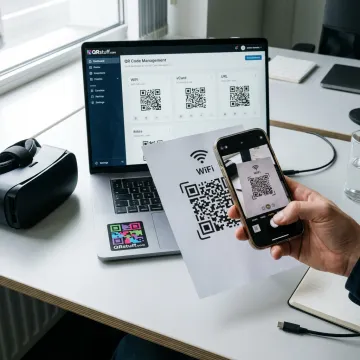
Create, customize, scale, and manage WiFi QR codes for smoother VR headset network onboarding.
Generate QR codes that store WiFi network details, making it easier for users to connect compatible devices without typing long SSIDs or passwords manually.
Customize WiFi QR codes with brand colors, logos, shapes, frames, and style options so network access points look professional across events, classrooms, offices, and demos.
Create many QR codes at once for multiple rooms, networks, headset stations, event zones, or branch locations using batch processing and spreadsheet-friendly workflows.
Use the Google Workspace Add-on to generate WiFi QR codes directly from Google Sheets, keeping setup data organized while reducing repetitive manual code creation.
Use dynamic QR codes to update destination content and manage campaigns without reprinting materials, ideal for teams that frequently revise network instructions or onboarding pages.
Track scan activity, device data, time-based engagement, and campaign performance to understand how QR codes are being used across training, marketing, and deployment environments.

Start by choosing the WiFi QR code type in QRStuff, then add the network name, security type, and password. Accurate details help users avoid login errors during VR onboarding.
QRStuff supports creators, businesses, and global brands using QR codes at scale.
A secure, scalable QR platform built for simple creation and business-grade management.
Trusted QR code reliability backed by years of platform development and global adoption.
Supports WiFi credentials, URLs, vCards, payments, events, files, social links, and more.
GDPR and SOC2 compliance, two-factor authentication, SSO, and password-protected QR options.
Batch processing, API access, custom domains, analytics, and dedicated enterprise account management.
A trusted QR platform for modern business needs.
QRStuff has provided reliable QR code technology since 2008, helping businesses, creators, and enterprise teams create scannable experiences for everyday workflows. The platform has grown into a comprehensive QR solution used across retail, hospitality, healthcare, education, marketing, food and beverage, finance, and other industries. Its tools support everything from simple WiFi QR codes to advanced dynamic campaigns, analytics, branded domains, batch processing, API integration, and enterprise controls. QRStuff’s vision is to make QR code creation scalable, secure, and practical for organizations of all sizes, whether they need a single code for a VR headset setup station or thousands of managed codes across global operations.
Most routers do not automatically display a printable WiFi QR code, but many router apps or phone settings can show one for saved networks. With QRStuff, you can create your own by selecting the WiFi QR code type, entering the SSID, password, and security method, then downloading the code for print or digital display.
Use QRStuff to build secure, scannable network access tools.

Supports privacy-focused QR code platform operations.
Reflects strong security and operational controls.
Enterprise reliability for business QR workflows.
Create a WiFi QR code for VR headset setup, event onboarding, training rooms, or managed device deployments with QRStuff’s secure QR code platform.