But there's a problem most businesses hit eventually. A URL changes. A promotion ends. A menu gets updated. And suddenly, every printed QR code points somewhere wrong — or nowhere at all.
The traditional fix is reprinting. New code, new print run, new cost. For businesses with menus across 20 tables or product packaging across an entire warehouse, that's not a small problem.
Dynamic QR codes solve this entirely. The printed code never changes — but what it points to can be updated instantly from a dashboard. This guide explains exactly how that works, when to use dynamic codes over static ones, and where they deliver the most value.
Key Takeaways
- Dynamic QR codes encode a short redirect URL, not the final destination — the printed image never changes, only where it points.
- Updating the destination takes seconds in a dashboard; changes apply immediately to every existing printed code.
- Every scan generates data: timestamp, device type, and geographic location.
- Common uses include restaurant menus, marketing campaigns, event materials, product packaging, and direct mail.
- No reprinting required when a link, promotion, or page changes.
What Are Dynamic QR Codes?
A dynamic QR code stores a short redirect URL rather than the final destination address. When someone scans it, they hit that short URL first; the redirect server checks the current destination and forwards them instantly.
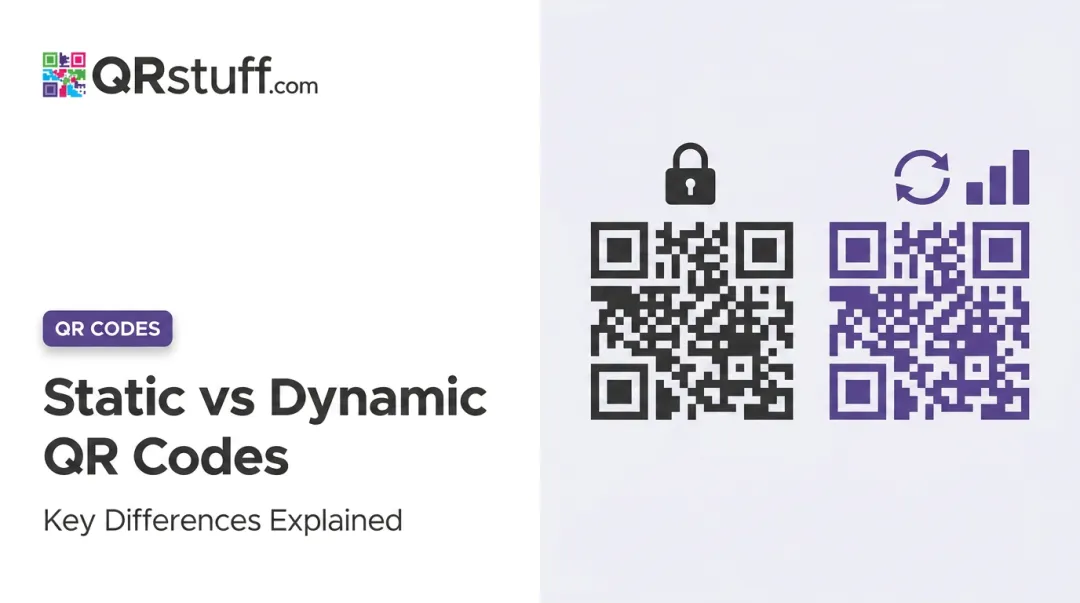
Static QR codes work differently. They embed the full destination URL directly into the dot pattern at creation. Once printed, they're permanent — updating means generating a new code and reprinting everything that carries the old one.
Dynamic codes solve that problem. The short URL encoded in the printed code never changes; only the server-side instruction — "send this scan here" — gets updated.
From the user's perspective, dynamic and static QR codes are identical. No visual difference, no special app, no different scan experience. The entire mechanism lives in the backend redirect layer — the person scanning never sees it.
How Dynamic QR Codes Update Without Reprinting
Understanding how the update mechanism works makes it easier to trust — and explain to stakeholders — why reprinting is never necessary.
The Redirect Chain
When a user scans a dynamic QR code, their device reads the encoded short URL and sends a request to the QR platform's redirect server. The server looks up the current destination for that specific code and forwards the browser there — instantly.
As MDN documents, this uses standard HTTP 3xx redirect responses with a Location header pointing to the final URL.
The full path: phone reads short URL → browser requests QR provider URL → server returns redirect → browser opens final destination.
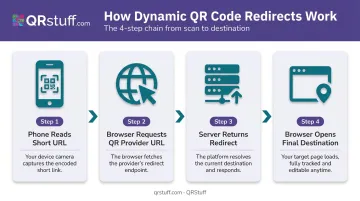
The printed code is never involved in this process beyond the initial read. It simply stores the short URL that starts the chain.
Making the Edit
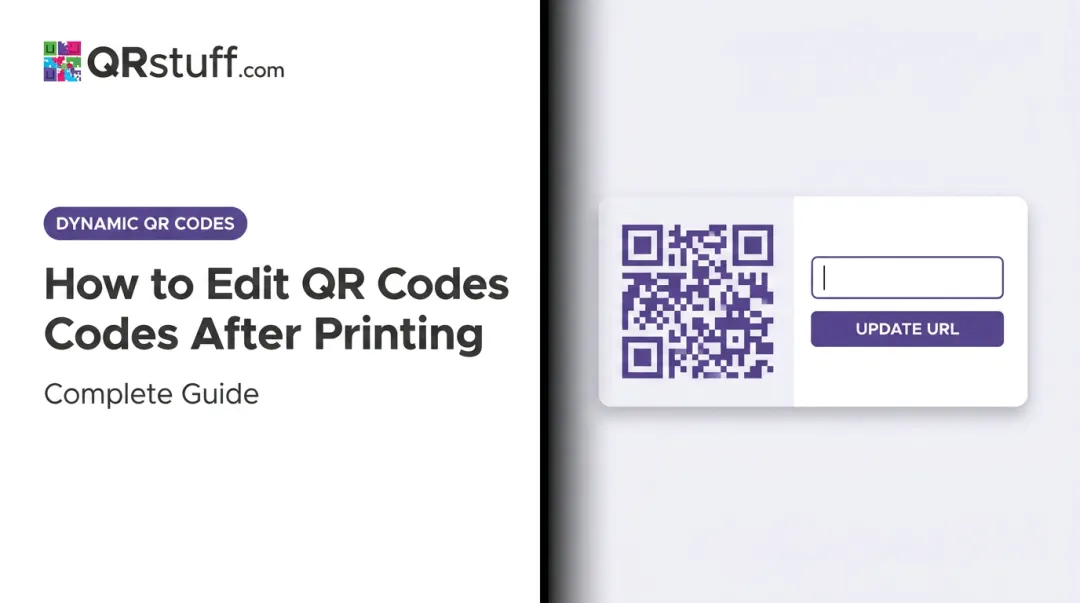
Updating the destination requires no design tools, no new code generation, and no print run. The business owner logs into their QR code management dashboard, selects the relevant code, enters the new destination URL, and saves. The change is server-side only.
QRStuff's platform applies these updates in real time — the redirect server immediately begins routing scans to the new destination. Any code already printed and distributed, whether on table cards from three months ago or packaging still in a warehouse, will resolve to the updated destination on the next scan.
That server-side simplicity has a physical benefit too: it's why dynamic codes are easier to print reliably at smaller sizes.
Why Short URLs Matter for Print
Because dynamic codes only encode a short redirect URL (rather than a full destination address), their dot patterns are less dense than static codes encoding lengthy URLs. DENSO WAVE's QR specification confirms that QR versions range from Version 1 to Version 40, with higher versions adding more modules — meaning more data requires a more complex pattern.
Less encoded data can allow a lower QR version with fewer modules. In practical terms, this means dynamic codes tend to scan more reliably at smaller print sizes and in varied lighting — relevant for anything printed at business-card scale or displayed on busy retail signage.
Scan Data Captured in Real Time
Every scan also generates a data record logged in the platform dashboard:
- Exact timestamp, date, and time of each scan
- Device type and operating system (iOS, Android, mobile, desktop)
- Geographic location at country and city level
- Total scan count alongside unique scans, separating returning scanners from first-time scans
QRStuff's analytics dashboard presents this data in date-searchable form with daily, weekly, and custom date range views. Businesses can export scan logs as CSV files for deeper analysis or integration with other reporting tools.
Identifiable personal information — phone numbers, email addresses — is never accessible. Privacy protocols built into devices prevent it.
Static vs. Dynamic QR Codes: Key Differences
| Feature | Static QR Code | Dynamic QR Code |
|---|---|---|
| Editable destination | No — permanent after creation | Yes — update anytime from dashboard |
| Scan tracking/analytics | None | Timestamp, device, location, OS |
| Reprinting after update | Required for any change | Never required |
| Code pattern density | Higher (encodes full URL) | Lower (encodes short redirect URL) |
| Best use cases | Wi-Fi credentials, fixed contact info, permanent venue directions | Menus, campaigns, packaging, signage, business cards |
When Static Codes Still Make Sense
Static codes work well for content that will never change and where tracking isn't needed — Wi-Fi network credentials, a fixed physical address, a permanent phone number on a wall sign. For these, the permanence of a static code is a non-issue.
For anything else: if a QR code appears on printed material that might ever need updating, create it as a dynamic code from day one. Reprinting menus, flyers, packaging, or signage costs far more than the minor extra step of choosing dynamic at creation.
Where Businesses Use Dynamic QR Codes
Restaurants and Hospitality
Menus change constantly — daily specials, seasonal items, pricing adjustments, allergen updates. The National Restaurant Association's 2024 Technology Landscape Report found that 59% of full-service customers would access a menu by smartphone QR code, and 57% of limited-service customers would do the same.
Dynamic QR codes on table tents or wall mounts mean every scan reaches the current menu, not last month's version. Update the linked page, and every table in every location resolves correctly without touching a single printed card.
This also supports contactless ordering workflows, where the QR code links directly to an ordering interface rather than a static PDF.
Marketing and Retail Campaigns
Printed flyers, posters, and product packaging often outlive the campaign they were designed for. With static codes, an expired promotion means a dead or irrelevant landing page. With dynamic codes, the same printed asset gets redirected to the next campaign the moment the first one ends.
QRStuff supports this workflow with real-time scan tracking and a centralized dashboard — trusted by brands including Coca-Cola, Walmart, and Marriott. Marketers can compare scan performance across time periods, see which physical locations drive the most engagement, and measure whether a content change affected scan behaviour.
Events and Direct Mail
Event organisers place dynamic QR codes on badges, banners, and printed programmes to link to live schedules, session materials, or registration forms. When session times shift or room assignments change after print , the destination updates without any reprinted materials.
For direct mail, USPS confirms that QR codes let marketers track unique visits, sessions, and page views from a physical mail piece. Dynamic codes add the ability to update destinations after send, extending the life of a campaign beyond the initial mailing.
Product Packaging and Labels
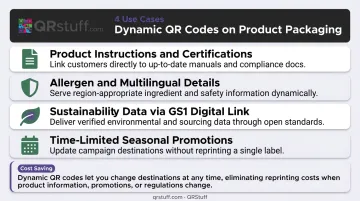
Manufacturers use dynamic codes on packaging to update digital content without altering the physical packaging. Common updates include:
- Product instructions and certifications
- Allergen information and multilingual product details
- Sustainability data, per GS1 Digital Link standards
- Time-limited promotions tied to seasonal campaigns
For brands managing large SKU volumes or products with changing regulatory information, this is where the reprinting cost avoided becomes most significant. A packaging reprint across a full product line is an expensive, time-consuming process; a destination URL update takes seconds.
Conclusion
The mechanism is simple once you see it: the physical QR code encodes a short redirect URL that never changes. The redirect server handles everything else — reading the current destination assignment and routing the scan accordingly. That server-side layer is entirely under your control, updated through a dashboard in seconds.
Understanding this makes it easier to plan print runs, campaign timelines, and content strategies with confidence. Printed materials don't become obsolete when content changes. Each scan feeds back data — device type, location, timing — so you can adjust campaigns based on what's actually happening, not guesswork.
That redirect infrastructure only works as well as the platform behind it. QRStuff handles dynamic QR code management with real-time scan analytics, no-expiration codes on paid plans, and a 99.9% uptime guarantee — so the codes you print today keep working reliably, however your content evolves.
Frequently Asked Questions
How do dynamic QR codes update without reprinting?
The QR code encodes a short redirect URL, not the final destination. When you update the destination in your dashboard, the redirect server begins routing all future scans to the new link immediately — the printed code image never needs to change.
What is the difference between static and dynamic QR codes?
Static codes embed the destination directly into the code pattern and cannot be changed after creation. Dynamic codes store a short redirect URL that can be updated anytime from a management platform, with scan tracking included as standard.
Can I change the destination URL of a QR code after it has already been printed?
Yes — but only if it was created as a dynamic QR code. Updating the destination in the platform dashboard takes effect immediately across all existing printed codes.
Do dynamic QR codes expire?
Dynamic QR codes remain active as long as the underlying redirect service and account are active. QRStuff offers no-expiration policies on paid plans (Lite Suite, Full Suite, and Enterprise), provided the subscription remains current.
Can I track who scans my dynamic QR code?
Yes. Every scan logs the timestamp, device type, operating system, and geographic location (country and city level), all available in your dashboard. No identifiable personal information is ever captured.
Do dynamic QR codes require an internet connection to work?
Yes. The scanning device needs an active internet or cellular connection to complete the redirect. Without connectivity, the scan reads the short URL but cannot reach the destination.