Event Check-In
Generate QR codes for event tickets, attendee access, and entry workflows, helping teams reduce manual check-in friction and support fast scanning at conferences, festivals, venues, and activations.


Create scannable event tickets, streamline check-ins, and track attendance in real time with QRStuff. Our QR Code Ticketing Platform for Events helps organizers generate dynamic, branded QR codes for attendees, sessions, venues, and sponsor activations—backed by bulk creation, analytics, secure access controls, and enterprise-ready reliability for conferences, festivals, venues, and hospitality teams.
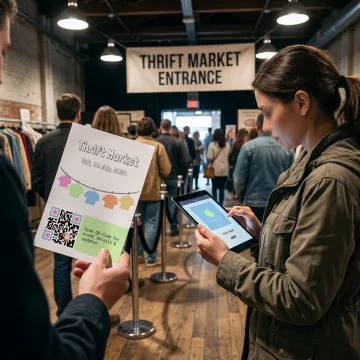
Flexible QR tools for event access, attendee engagement, analytics, and branded event-day experiences.
Generate QR codes for event tickets, attendee access, and entry workflows, helping teams reduce manual check-in friction and support fast scanning at conferences, festivals, venues, and activations.
Create large batches of static or dynamic QR codes for attendees, sessions, sponsors, or venue zones using dashboard batch tools, Google Sheets support, and enterprise-scale processing.
Track scans by time, location, device type, and campaign source to monitor attendance, session popularity, venue engagement, and post-event performance from one analytics dashboard.
Update ticket destinations, session links, landing pages, or event details without reprinting codes, keeping attendee communications accurate as schedules, rooms, and activations change.
Add reliable QR codes to posters, badges, displays, wayfinding signs, sponsor boards, and booth materials with guidance for scan distance, contrast, quiet zones, and placement.
Use QR codes for session schedules, speaker profiles, Wi-Fi access, feedback forms, networking cards, lead retrieval, sponsor offers, livestreams, and post-event surveys.
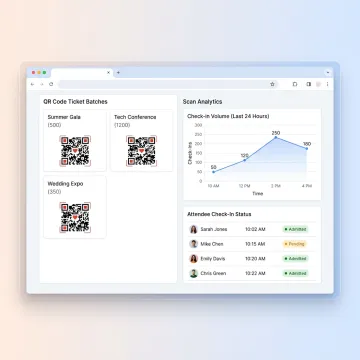
Start with static or dynamic QR codes for tickets, attendee records, session pages, or event landing pages. Customize each code with colors, frames, logos, and brand-safe styling for a polished event experience.
QRStuff supports global brands, hospitality teams, venues, agencies, and event organizers with scalable QR infrastructure.
Built for reliable, secure, and measurable QR code workflows at every event scale.
Trusted since 2008 by 250,000+ users and major global brands.
Measure attendance, scans, devices, locations, and engagement from one dashboard.
GDPR and SOC2 compliance support business-grade privacy and governance needs.
Update ticket links, schedules, and event pages without reprinting QR codes.
A global QR platform team focused on scalable business tools.
QRStuff has provided trusted QR code technology since 2008, growing into a comprehensive platform for businesses, creators, agencies, and enterprise teams worldwide. The company supports use cases across hospitality, events, retail, healthcare, education, marketing, and more, with tools designed for reliable QR generation, dynamic editing, analytics, bulk processing, and branded deployment. Its platform is built for organizations that need QR codes to do more than simply open a link—they need measurable engagement, secure controls, flexible updates, and consistent performance. QRStuff continues to expand its capabilities with enterprise features such as API access, SSO, audit logs, white-label branding, and dedicated account support for larger event and business operations.
A QR code ticketing platform creates unique or shared QR codes that attendees can scan from a phone, printed ticket, badge, or confirmation email. With QRStuff, organizers can generate codes, customize their design, use dynamic destinations, and track scans in real time. Codes can connect to check-in pages, session schedules, venue information, forms, or event-specific landing pages.
Talk to QRStuff about scalable event ticketing and analytics workflows.

Supports privacy-focused data handling standards.
Built for secure business software operations.
99.9% uptime for dependable QR access.
Tell us about your event size, ticketing workflow, branding needs, and analytics goals, and QRStuff can help you choose the right QR code setup.