QR Code Generator
Create customizable QR codes for installation instructions, WiFi credentials, support pages, PDFs, videos, forms, and equipment labels, with branded colors, logos, shapes, and high-resolution export formats.


Create a smoother fiber installation experience with QR codes that connect customers, field teams, and support staff to the right information instantly. QRStuff helps you build branded, dynamic QR codes for installation guides, equipment labels, appointment forms, WiFi setup resources, and troubleshooting links—so updates can be made anytime without reprinting materials.
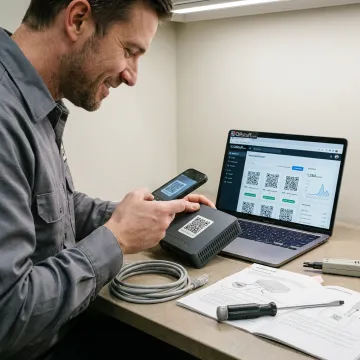
Practical QR tools for installation workflows, customer instructions, asset labeling, analytics, and secure content updates.
Create customizable QR codes for installation instructions, WiFi credentials, support pages, PDFs, videos, forms, and equipment labels, with branded colors, logos, shapes, and high-resolution export formats.
Use dynamic QR codes to update fiber setup links, troubleshooting pages, or appointment forms after printing, helping teams avoid reprints when procedures, URLs, or documents change.
Track scans by time, device, location, and engagement source to understand which installation guides, packaging labels, mailers, or support materials customers are actually using.
Generate many QR codes at once for routers, modems, service addresses, technician kits, customer packets, or regional deployment campaigns using batch processing and spreadsheet workflows.
Route installation QR codes through your own branded domain, giving customers a more trustworthy scan experience and keeping printed materials aligned with your company identity.
Create QR codes directly from Google Sheets for installation schedules, asset lists, customer records, or field service data without leaving your existing spreadsheet workflow.
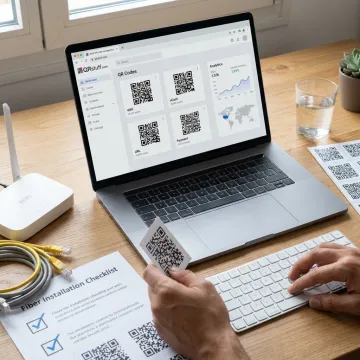
Identify where QR codes will help most, such as router labels, customer welcome kits, technician checklists, appointment forms, wiring diagrams, support pages, or post-installation troubleshooting resources.
Businesses use QRStuff to simplify customer access, field workflows, and campaign tracking at scale.
"Print proofs on cards for clients with a QR to the full gallery. Faster than writing out a URL, and my clients think it is fancy. Fine with me."
"Très content du tool pour mon utilisation"

QRStuff gives installation teams flexible, secure QR tools that scale from single guides to enterprise programs.
Change destinations anytime without reprinting labels, manuals, mailers, or installation documents.
Track scan time, device type, location data, and campaign performance from one dashboard.
GDPR and SOC2 compliance support secure QR workflows for growing business teams.
Generate individual codes, batch campaigns, or spreadsheet-powered QR workflows for large deployments.
A trusted platform team supporting scalable QR programs.
QRStuff has provided reliable QR code technology since 2008, helping businesses and creators build scannable experiences that connect print, packaging, equipment, and customer support with digital content. The platform has grown into a comprehensive QR code solution used by more than 250,000 businesses and creators worldwide, including Fortune 500 companies across retail, hospitality, healthcare, education, and marketing. For fiber installation workflows, QRStuff’s vision is simple: make every printed code useful, measurable, secure, and easy to update. With dynamic QR codes, bulk generation, analytics, branded domains, and enterprise-grade controls, teams can support customers and field operations without constantly replacing physical materials.
QR codes can link customers and technicians to installation guides, router setup instructions, WiFi details, appointment forms, troubleshooting videos, support contacts, and equipment documentation. With QRStuff’s dynamic QR codes, the destination can be updated after printing, which is useful when setup steps, support links, or documentation change over time.
Explore QRStuff tools for installation workflows, analytics, and branded codes.

Supports responsible data handling for business users.
Demonstrates security-focused operational controls.
Reliable access for active QR campaigns.
Start building branded, trackable QR codes for setup guides, support resources, equipment labels, and customer onboarding materials.