Menu Maker
Create and manage scannable digital menus that guests access instantly by QR code. Update specials, pricing, ingredients, and allergen information without reprinting physical menus.


Turn every table, counter, flyer, or takeaway insert into an instant ordering touchpoint with a scannable QR code menu. QRStuff helps restaurants update items, pricing, specials, and allergen details in real time, reduce reprinting costs, and give guests a smooth mobile-first experience from scan to selection.
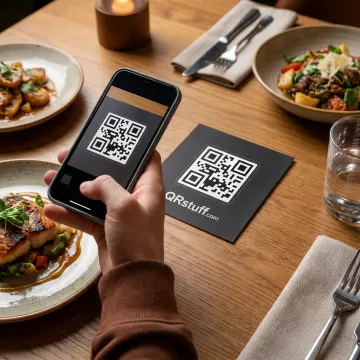
Flexible tools for creating, branding, updating, and tracking restaurant QR code menus and mobile ordering touchpoints.
Create and manage scannable digital menus that guests access instantly by QR code. Update specials, pricing, ingredients, and allergen information without reprinting physical menus.
Design custom QR codes for menus, ordering pages, PDFs, payment links, or promotions using brand colors, logos, shapes, and high-resolution downloads.
Track menu scans in real time with insights into scan location, device type, time, GPS coordinates, and campaign performance for smarter restaurant decisions.
Use your own branded domain for QR menu redirects, giving diners a consistent, professional experience across table tents, receipts, signage, and digital channels.
Create compact, trackable links behind dynamic QR codes so menu destinations can be changed anytime without replacing printed materials or displays.
Build branded multi-link pages that connect guests to menus, ordering, reservations, loyalty offers, social profiles, and reviews through one scannable destination.
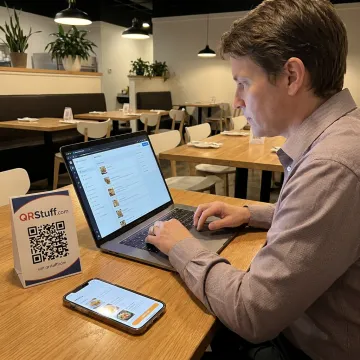
Start by building a clean, mobile-friendly menu with categories, item details, pricing, specials, and helpful information such as allergens or dietary notes. Your menu becomes easy to maintain from one dashboard.
Restaurants, hospitality teams, and global brands rely on QRStuff for flexible QR experiences.
"Très content du tool pour mon utilisation"

QRStuff combines flexible menu tools with enterprise-grade QR code management.
Trusted QR code reliability built through years of serving businesses, creators, and enterprise teams.
Edit menu links, prices, or specials without reprinting table tents, flyers, or packaging.
Track scans by time, location, device, and engagement to improve menu performance.
GDPR and SOC2 compliance support safer QR management for growing restaurant operations.
A trusted platform team focused on business-ready QR solutions.
QRStuff has been helping businesses create reliable QR code experiences since 2008. What began as a QR code platform has grown into a comprehensive solution used by more than 250,000 businesses and creators worldwide, including Fortune 500 companies across hospitality, retail, healthcare, education, and marketing. For restaurants and food businesses, QRStuff brings practical tools for digital menus, branded scan experiences, real-time updates, and measurable performance. The team’s vision is to make QR technology scalable, secure, and easy to manage, whether a business needs one menu code or enterprise-level QR infrastructure across many locations, campaigns, and customer touchpoints.
To scan a restaurant QR code, including one at Buffalo Wild Wings, open your phone’s camera app, point it steadily at the code, and tap the link banner that appears. If it does not open, check lighting, move closer, clean the camera lens, or use a QR scanner app. The same process works for QRStuff-powered digital menus.
Get guidance on the right setup for your restaurant.

Supports responsible data privacy practices.
Demonstrates trusted security control standards.
Reliable platform availability for business use.
Tell us how your restaurant or hospitality team wants to use QR menus, mobile ordering links, analytics, or branded scan experiences, and we’ll help you choose the right QRStuff setup.